Sinks
R2026bBlöcke, die Signaldaten protokollieren und visualisieren, z. B. Scope, To Workspace, Display und Outport
Verwenden Sie Blöcke aus der Bibliothek „Sinks“, um die Ausgabedaten Ihres Modells aufzuzeichnen und darzustellen. Sie können Signale während der Simulation in einem Scope darstellen, Daten im MATLAB-Workspace oder in einer Datei protokollieren oder nicht verbundene Ausgangsports terminieren.
Näheres zum Hinzufügen von Blöcken aus dieser Bibliothek zu Ihrem Modell finden Sie unter Add Blocks to Models.
Blöcke
 | Display | Show value of input |
 | Floating Scope and Scope Viewer | Display signals generated during simulation without signal lines |
 | Out Bus Element | Specify output of external port |
 | Outport | Create output port for subsystem or external output |
 | Record | View and log data to the workspace, a file, or both |
 | Scope | Display signals generated during simulation |
 | Stop Simulation | Stop simulation when input is nonzero |
 | Terminator | Schließen eines nicht verbundenen Ausgangsports |
 | To File | Write data to file |
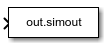 | To Workspace | Log data to workspace from Simulink model |
Tools
| Library Browser | Find and add blocks to model |
Themen
- Add Blocks to Models
Use the Library Browser and quick insert menu to insert blocks.

