Modellreferenzen
R2026bEine Modellreferenz ist eine Referenz auf ein anderes Modell mithilfe eines Model-Blocks. Diese Referenzen schaffen eine Modellhierarchie. Jedes referenzierte Modell hat eine definierte Schnittstelle, die die Eigenschaften seiner Eingaben und Ausgaben festlegt. Die definierte Schnittstelle macht das Verhalten des referenzierten Modells unabhängig von seinem Kontext in der Modellhierarchie. Modellreferenzen sind ideal für die Wiederverwendung von Code, Unit-Tests, parallele Builds und große Komponenten. Sie können auch Dateikonflikte reduzieren und Probleme zusammenführen.
Um festzustellen, ob referenzierte Modelle Ihre Modellierungs-Anforderungen erfüllen, siehe Component-Based Modeling in Simulink.
Informationen über die Codegenerierung für Modellreferenzhierarchien finden Sie unter Referenced Models (Simulink Coder).
Näheres zum Erstellen einer sofort lauffähigen Version eines Simulink®-Modells, bei der Prüfungen auf erneutes Erstellen übersprungen werden, finden Sie unter Model Publishing (Simulink Coder).
Näheres zum Verbergen des geistigen Eigentums in einem Modell finden Sie unter Model Protection (Simulink Coder).
Wie Sie SIL/PIL-Tests für eine Modellreferenzhierarchie durchführen, erfahren Sie unter SIL and PIL Simulations (Embedded Coder).
Blöcke
 | Model | Reference another model to create model hierarchy |
 | Variant Subsystem | Template subsystem containing Subsystem blocks as variant choices |
Funktionen
Modelleinstellungen
Tools
| Model Reference Conversion Advisor | Convert subsystems to referenced models |
| Referenced Files Pane | View, save, and close referenced subsystems and models |
Themen
Festlegung, wann Modelle referenziert werden
- Component-Based Modeling in Simulink
Consider componentization for large models and multiuser development teams. - Model Reference Behavior and Capabilities
Decide whether to reference one model in another model and how to implement this model reference. - Model Reference Requirements and Limitations
Model references have requirements and limitations relating to features such as reusability, simulation modes, masking, and debugging.
Erstellung von Modellreferenzen
- Reference Models
Include a model in another model. - Reference Published Models
Reference ready-to-run published models for faster simulation and code generation. (Seit R2026b) - Reference Protected Models from Third Parties
Use a protected model that you received from a third party. - Convert Subsystems to Referenced Models
Prepare a subsystem for conversion, convert the subsystem to a model, and compare simulation results before and after conversion. - Define Model Reference Interfaces
Ports in the referenced model correspond with ports at the model reference. Signals that cross the model boundary must meet certain requirements. - Inspect Model Hierarchies
Examine the contents, structure, model versions, and logged signals in a model hierarchy.
Konfiguration von Modellreferenzen
- Set Configuration Parameters for Model Hierarchies
Configuration parameter values can be different in top models and referenced models. Some configuration parameter values have special requirements or behavior with model referencing. - Conditionally Execute Referenced Models
Execute referenced models conditionally, similar to conditionally executed subsystems. - Referenced Model Sample Times
A referenced model can inherit sample times from the model that references it. - Configure Instance-Specific Values for Block Parameters in a Referenced Model
When you model a reusable component as a referenced model, to configure each instance of the component to use different values for block parameters, create model arguments. - Parameterize a Referenced Model Programmatically
This example shows how to programmatically configure multiple instances of a referenced model to use different values for the same block parameter. - Group Multiple Model Arguments into a Single Structure
This example shows how to programmatically configure multiple instances of a referenced model to use different values for the same block parameter by using structures. - Configure Instance-Specific Data for Lookup Tables Programmatically
When you useSimulink.LookupTableobjects to store and configure lookup table data for ASAP2 or AUTOSAR code generation (for example, STD_AXIS or CURVE), you can configure the objects as model arguments.
Simulation von Modellhierarchien
- Choose Simulation Modes for Model Hierarchies
Select the simulation mode for models in a model hierarchy. - Manage Simulation Targets for Referenced Models
A simulation target, or SIM target, is a MEX file that implements a referenced model that executes in accelerator mode. - Share Simulink Cache Files for Faster Simulation
Use Simulink cache files to share build artifacts that let you avoid the cost of a first-time build. - Override Model Reference Simulation Modes
When a top model simulates in normal mode, you can override the simulation mode used for model references without dirtying their parent models. - Reduce Update Time for Referenced Models by Using Parallel Builds
Reduce diagram update time for large model reference hierarchies by using parallel builds. - Simulate Conditionally Executed Referenced Models
Run a standalone simulation of a conditionally executed referenced model. - Simulate Multiple Referenced Model Instances in Normal Mode
Simulate a model that contains multiple instances of a referenced model.
Verwandte Informationen
- Komponenten-basierte Modellierung
- Gemeinsame Modellierung
- System-Varianten
- Referenced Models (Simulink Coder)
- Model Publishing (Simulink Coder)
- Model Protection (Simulink Coder)
Enthaltene Beispiele
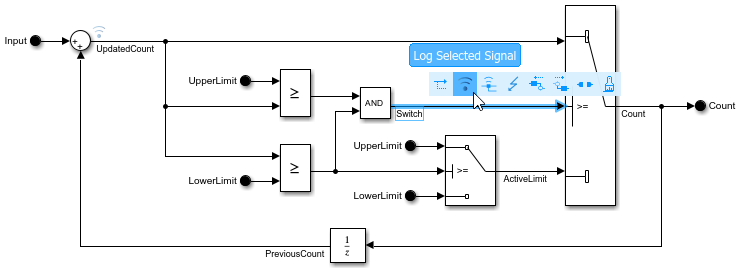
Component-Based Modeling with Model Reference
Walks you through simulation and code generation of a model that references another model multiple times.
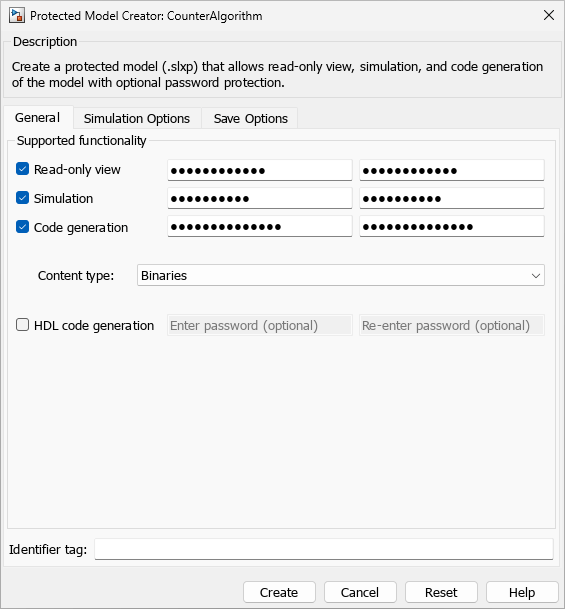
Protected Model Capabilities
View, simulate, and generate code for a protected model with password-protected actions.
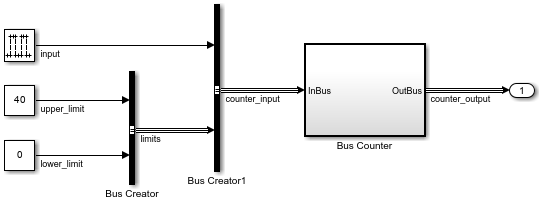
Convert Subsystem to Referenced Model
Convert a subsystem to a referenced model by using the Model Reference Conversion Advisor or the Simulink.SubSystem.convertToModelReference function. For comprehensive instructions, see Convert Subsystems to Referenced Models.
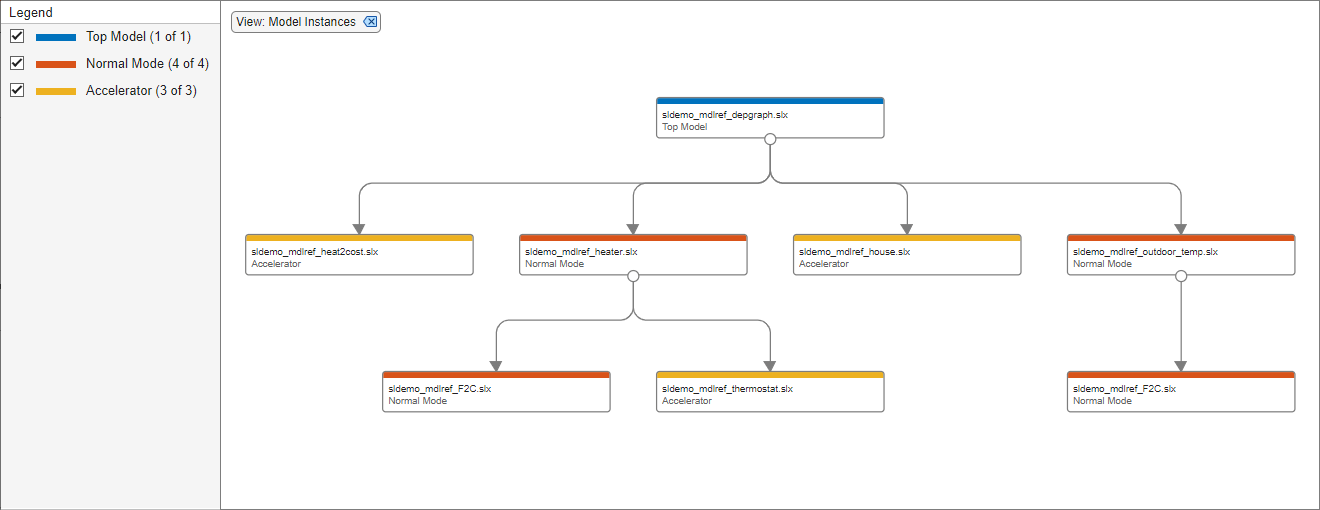
Visualize Model Reference Hierarchies
View, explore, and analyze model dependencies using the Dependency Analyzer.
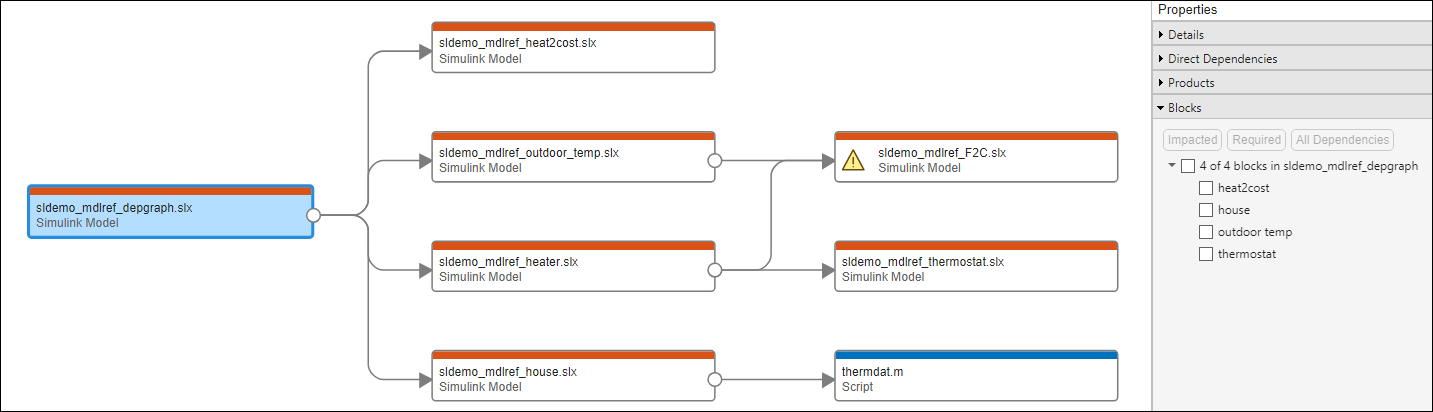
Perform Block-Level Impact Analysis Using Dependency Analyzer
Explore dependencies introduced by blocks and perform a block-level impact analysis.
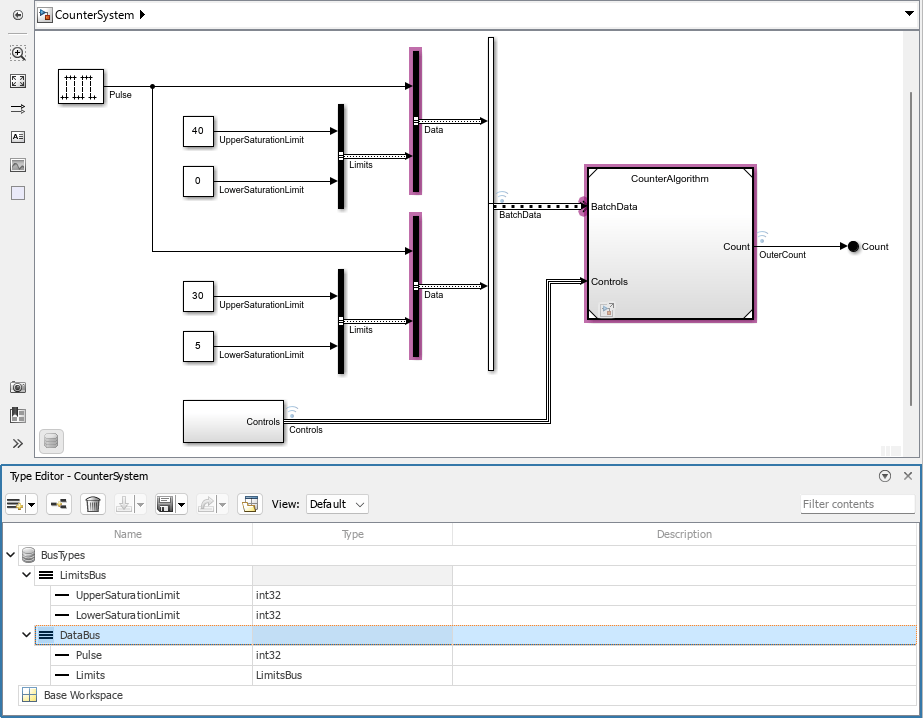
Specify Bus Properties at Component Interfaces
Pass buses into referenced models and use logged signal data for simulation.
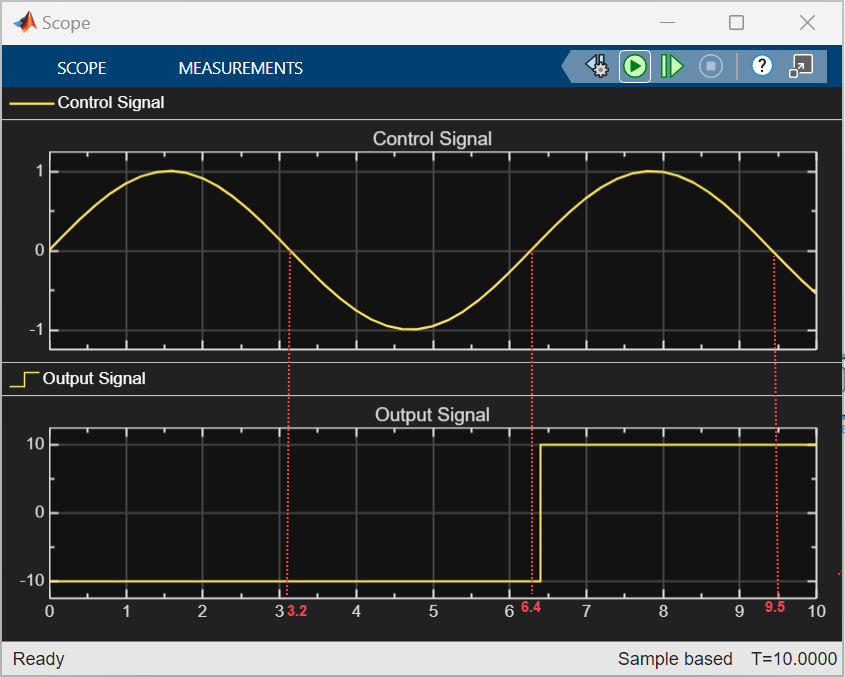
Access Data Store at Higher Level in Model Hierarchy
Access data store defined at a higher-level in the model hierarchy.

