Conditional Hold
R2026bConditional Hold block
To add a block to a model, double-click the canvas and start typing the block name. Then, select the block from the list.
Libraries:
Simulink /
Discrete
Description
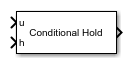
The Conditional Hold block conditionally holds its input signal
u based on the value of the condition signal
h. If the input is a vector, the block holds all elements of
the vector. The Conditional Hold block inherits its sample time from the
input signal.
Comparison with Similar Blocks
The Memory, Unit Delay, Zero-Order Hold, and Conditional Hold blocks provide similar functionality but have different capabilities and purposes.
This table shows recommended usage for each block.
| Block | Purpose | Reference Examples |
|---|---|---|
| Unit Delay | Implement a delay using a discrete sample time that you specify. The block accepts and outputs signals with a discrete sample time. |
|
| Memory | Implement a delay by one major integration time step. Ideally, the block accepts continuous (or fixed in minor time step) signals and outputs a signal that is fixed in minor time step. |
|
| Zero-Order Hold | Convert an input signal with a continuous sample time to an output signal with a discrete sample time. | |
| Conditional Hold | Conditionally holds input signal u based on the
value of the condition signal, h. |
This table shows the following capabilities.
| Capability | Memory Block | Unit Delay Block | Zero-Order Hold Block | Conditional Hold Block |
|---|---|---|---|---|
| Specification of initial condition | Yes | Yes | No, because the block output at time t = 0 must match the input value. | Yes |
| Specification of sample time | No, because the block can only inherit sample time from the driving block or the solver used for the entire model. | Yes | Yes | No |
| Support for frame-based signals | No | Yes | Yes | No |
| Support for state logging | No | Yes | No | No |
Ports
Input
Output
Parameters
Block Characteristics
Data Types |
|
Direct Feedthrough |
|
Multidimensional Signals |
|
Variable-Size Signals |
|
Zero-Crossing Detection |
|
Extended Capabilities
Version History
Introduced in R2026b

