Find unsuppressed outputs in R2024b using dbstop
It's frustrating when a long function or script runs and prints unexpected outputs to the command window. The line producing those outputs can be difficult to find.
Run this line of code before running the script or function. Execution will pause when the line is hit and the file will open to that line. Outputs that are intentionaly displayed by functions such as disp() or fprintf() will be ignored.
dbstop if unsuppressed output
To turn this off,
dbclear if unsuppressed output
7 Kommentare
Zeit (absteigend)
Hurrah, this is great news! Time for me to update some old Answers threads :)

If you know of a good thread or two, I'd appreciate it if you could link them here. (I'm having trouble finding much)

This is one of my favorites in R2024b.

That is helpful.
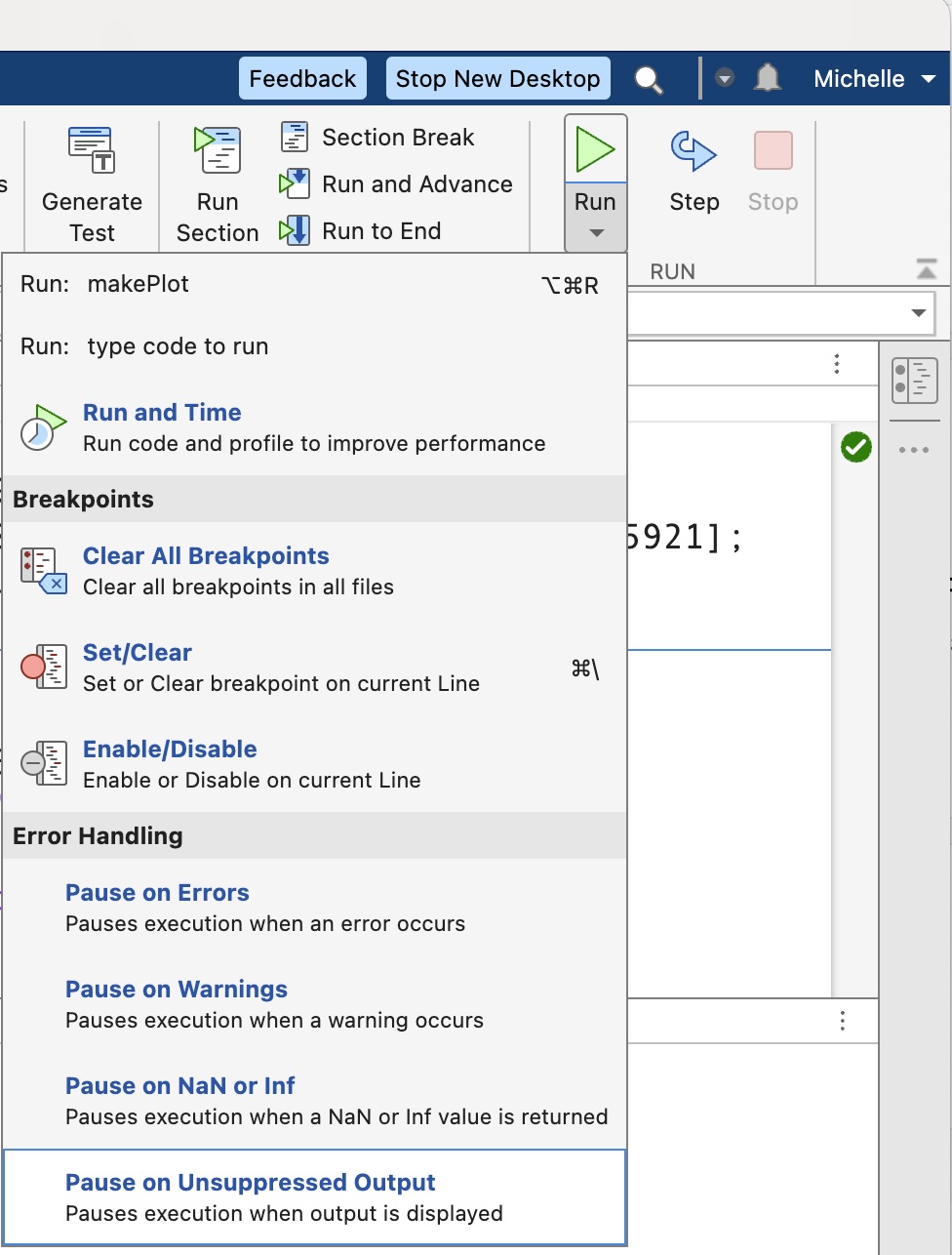
This would also be a great option in the Run-button options to toggle on or off, along with Pause on Errors, Pause on Warnings, etc. Or, perhaps that option exists and I have not yet found it.


Great to see more quick tip! Thanks for sharing, Adam.
Anmelden, um teilzunehmen
Tags