Signalkennzeichnung
R2026bFühren Sie manuelle und automatisierte Signalkennzeichnungen durch, um KI-Netzwerke zu trainieren. Beschriften Sie ganze Signale, Bereiche von Interesse oder Punkte mithilfe von Kommandozeilenfunktionen oder der Signal Labeler-App. Erstellen Sie beschriftete Signalsätze, die Daten und Labeldefinitionen enthalten.
Apps
| Signal Labeler | Label signal attributes, regions, and points of interest |
Funktionen
Verwandte Informationen
Themen
- Use Signal Labeler App
Label signals interactively, visualize labeled signals, and prepare signal data sets for classification and regression tasks.
- SCHRITT 1: Import Data into Signal Labeler
- SCHRITT 2: Create or Import Signal Label Definitions
- SCHRITT 3: Label Signals Interactively or Automatically
- SCHRITT 4: Customize Labeling View
- SCHRITT 5: Dashboard
- SCHRITT 6: Export Data and Create Data Sets
- Choose an App to Label Ground Truth Data
Decide which app to use to label ground truth data: Image Labeler, Video Labeler, Multi-Sensor Labeler, Signal Labeler, or Medical Image Labeler.
- Import and Play Audio File Data in Signal Labeler
Import audio file data into Signal Labeler.
- Spectrogram Computation in Signal Labeler
To display the time-dependent spectrum of a nonstationary signal, Signal Labeler divides the signal into overlapping windowed segments and computes their short-time Fourier transforms.
- Custom Labeling Functions
Create and manage custom labeling functions.
- Customize Labeling View
Customize labeling view.
- Signal Labeler Usage Tips
Signal Labeler keyboard shortcuts.
- Examine Labeled Signal Set
Use Signal Labeler to label regions and points of interest in a set of whale songs.
Enthaltene Beispiele
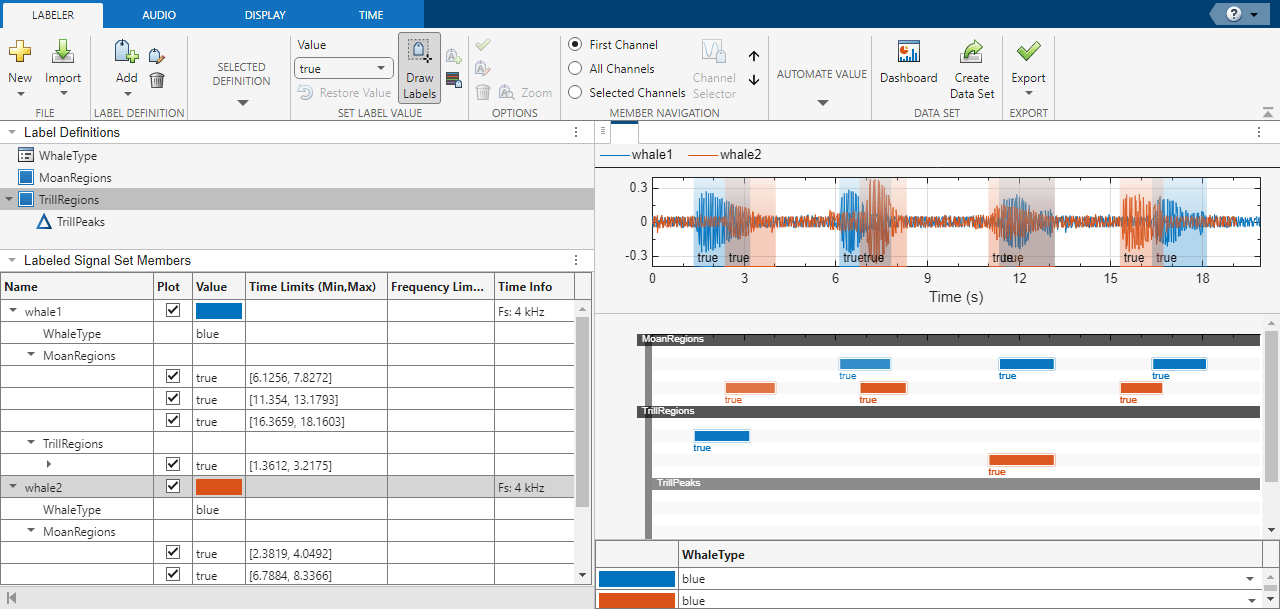
Label Signal Attributes, Regions of Interest, and Points
Use Signal Labeler to label attributes, regions, and points of interest in a set of whale songs.
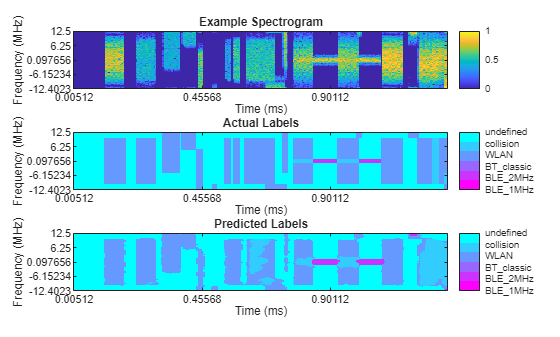
Export Labeled Data from Signal Labeler for AI-Based Spectrum Sensing Applications
Use deep learning networks and the Signal Labeler app to identify frames from the Bluetooth® and Wi-Fi® wireless standards.
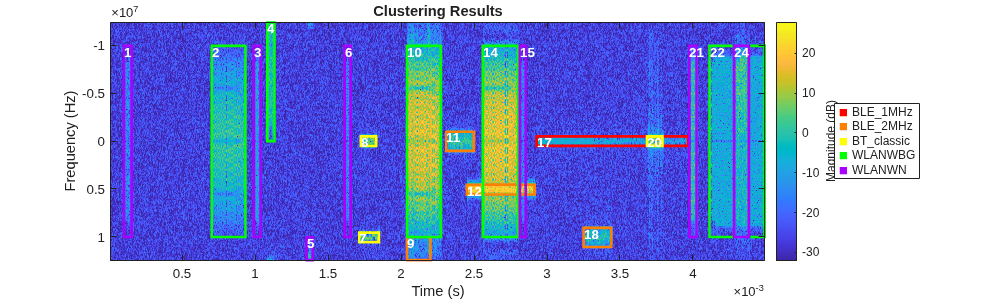
Automated Labeling of Time-Frequency Regions for AI-Based Spectrum Sensing Applications
Use rule-based methods or unsupervised learning techniques to help automate time-frequency data labeling.
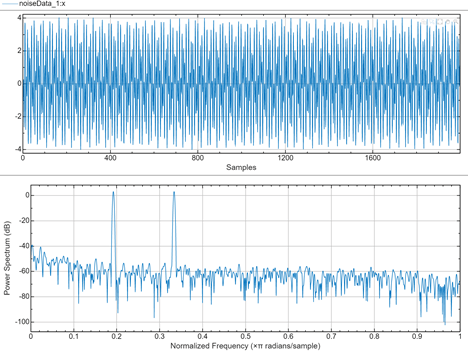
Export Labeled Data from Signal Labeler for Deep Learning Classification
Label signals and export data using Signal Labeler to train a deep learning classifier.
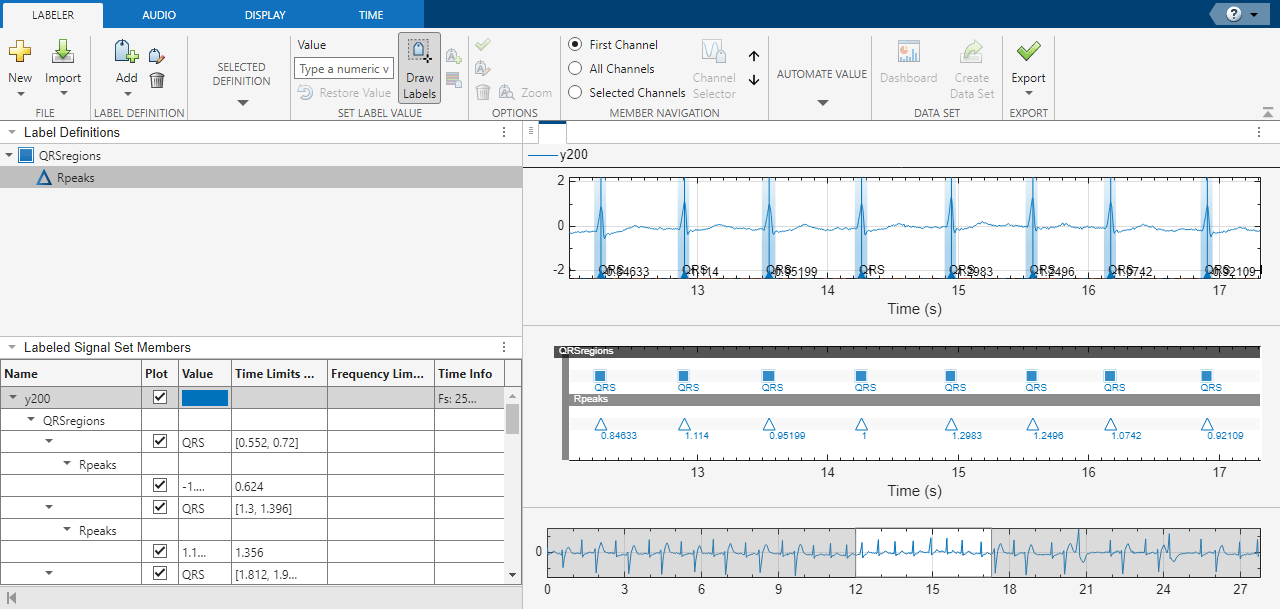
Automate Signal Labeling with Custom Functions
Use Signal Labeler to locate and label QRS complexes and R peaks of ECG signals.
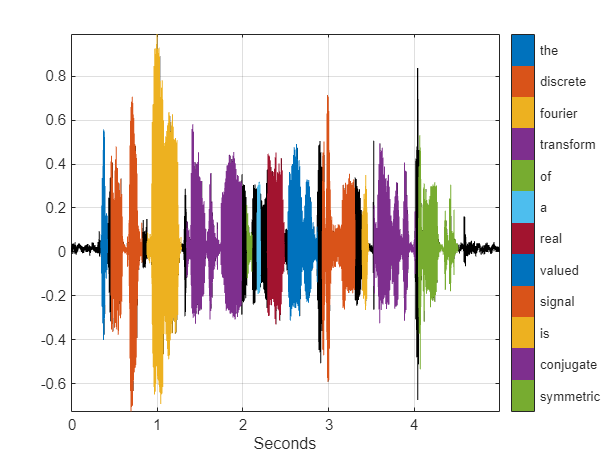
Label Spoken Words in Audio Signals
Use Signal Labeler to label spoken words in an audio signal.
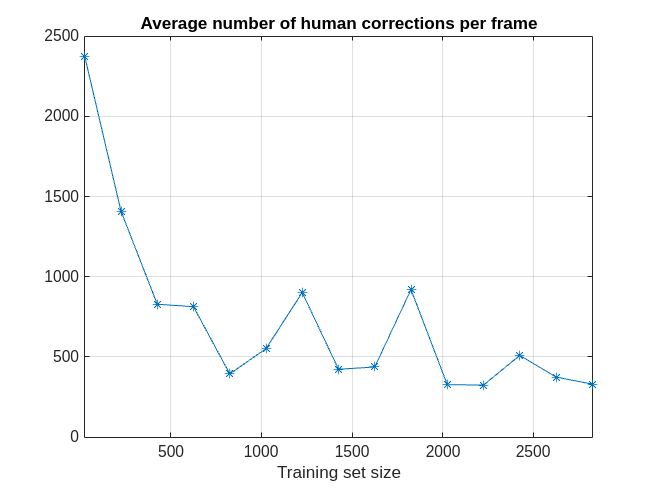
Create Labeled Signal Sets Iteratively with Reduced Human Effort
Use deep learning to decrease the human effort required to label signals.
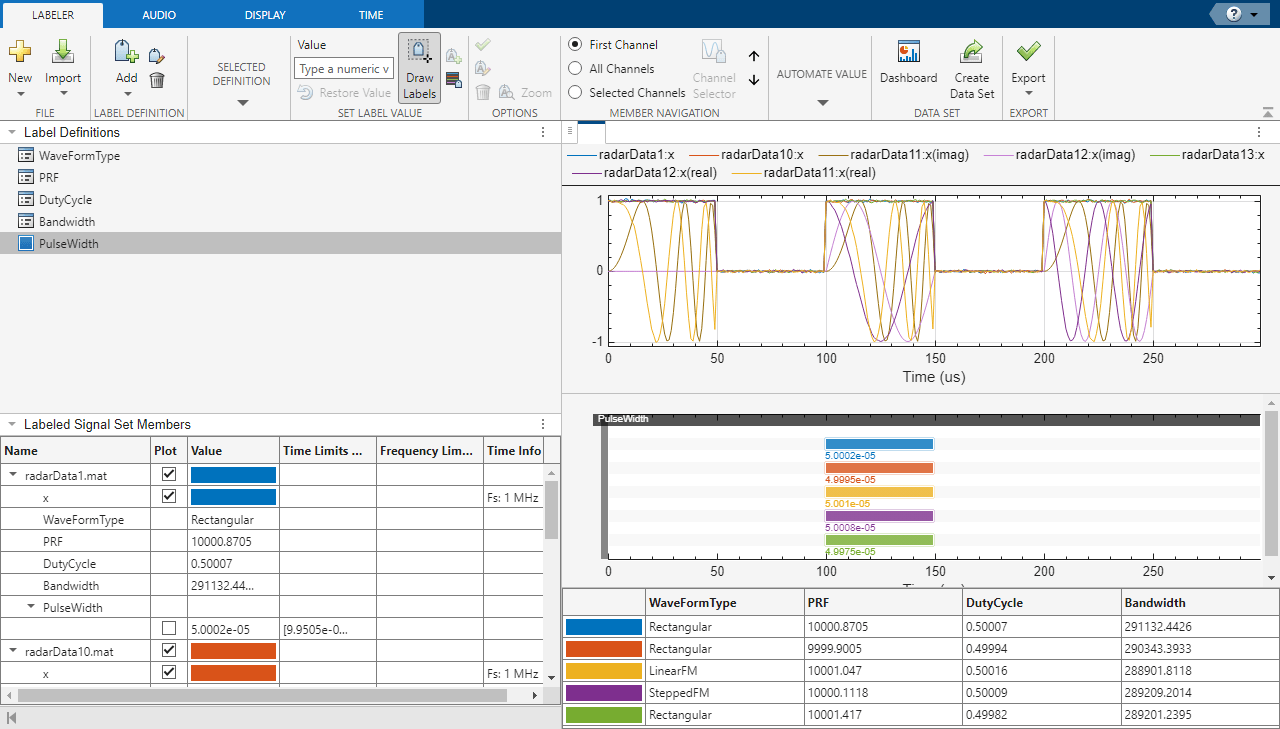
Label Radar Signals with Signal Labeler
Label the time and frequency features of pulse radar signals with added noise.
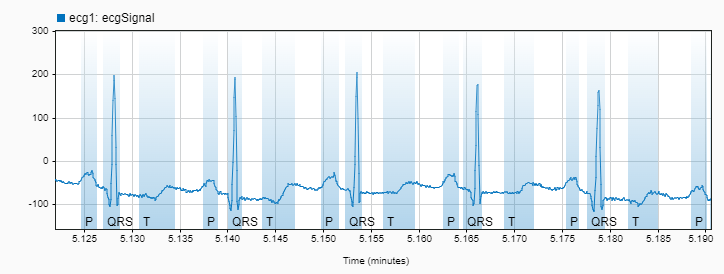
Label ECG Signals and Track Progress
Use the Dashboard to track labeling progress and inspect label statistics in Signal Labeler.

