Build Actor from 3D Graphic Primitives Using MATLAB
R2026bThis example shows how to build an actor from a 3D graphic primitive using MATLAB®.
You can use the sim3d.World and sim3d.Actor objects to create a 3D environment with an actor. First, you create a 3D environment and an actor object. Next, you build the actor from 3D graphic primitives, including box, cylinder, plane, and sphere using the createShape function. Then, you add the actor to the world, transform the actor, and set a view in the scene. Finally, you view the actor in the Simulation 3D Viewer window.
To build an actor from a 3D graphic primitive using Simulink®, see Build Actor from 3D Graphic Primitives Using Simulink.
Create 3D Environment
Create a world object.
world = sim3d.World();
Create Actor
Instantiate an actor object named Cylinder. You can use any name for the actor.
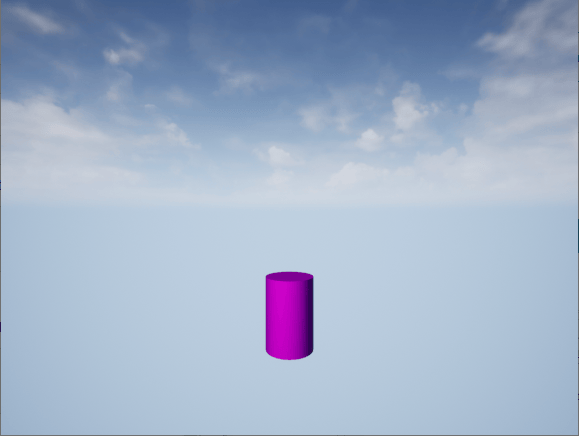
actor = sim3d.Actor(ActorName='Cylinder');Build a cylinder shape for the actor object using createShape function and specify its size. Specify a color. Add the actor object to the world.
createShape(actor,'cylinder',[0.5 0.5 .75]);
actor.Color = [1 0 1];
add(world,actor);
Set Actor Transformation
Use the actor object translation, rotation, and scale properties to orient the actor relative to the world origin.
actor.Translation = [0 0 0];
actor.Rotation = [0 0 0];
actor.Scale = [1 1 1];
Set Viewer Window Point of View
If you do not create a viewpoint, then the default view is set and you can use the keyboard shortcuts and mouse controls to navigate in the Simulation 3D Viewer window. For more information on keyboard shortcuts and mouse control, see Navigate in Unreal Engine Environment.
For this example, use the createViewpoint function to create a custom viewpoint and setView function to set the custom viewpoint.
view = createViewpoint(world);
view.Translation = [-4.5 0 1];
setView(world,view);
Run Animation
Run a simulation set for 10 seconds with a sample time of 0.02 seconds.
sampletime = 0.02;
stoptime = 10;
run(world,sampletime,stoptime)
Delete World
Delete the world object.
delete(world)
See Also
sim3d.Actor | sim3d.World | createShape | add | run
Topics
- Build Actor from 3D Graphic Primitives Using Simulink
- Build Actor from Imported 3D File Using MATLAB
- Build Actor from Mesh Data and Apply Texture Using MATLAB
- Create 3D Simulations in Unreal Engine Environment
- Interact with Unreal Engine Simulation Environment
- Unreal Engine Simulation Environment Requirements and Limitations

