MATLAB Function Block Editor
R2026aZum Bearbeiten von MATLAB Function-Blockcode, Definieren von Variablen, Eingangs-Trigger und Funktionsaufruf-Ausgaben
Sie können MATLAB Function-Blockcode anpassen, bearbeiten und debuggen. Sie können Variablen und andere Ports definieren, z. B. Eingangs-Trigger und Funktionsaufruf-Ausgaben.
Tools
| MATLAB Function Block Editor | Create, edit, and debug MATLAB code in MATLAB Function blocks |
Blöcke
 | MATLAB Function | Include MATLAB code in Simulink models |
Objekte
MATLABFunctionConfiguration | MATLAB Function block property configuration |
MATLABFunctionReport | MATLAB function report |
Funktionen
openReport | Open MATLAB function report |
closeReport | Close MATLAB function report |
getReport | Generate MATLAB function report |
Themen
- Create MATLAB Function Block Variables
Use MATLAB Function block variables to modify data input to the block, or to output modified data to the model.
- Manage the Input Trigger of a MATLAB Function Block
Define an input trigger for MATLAB Function blocks.
- Manage Function Call Outputs of a MATLAB Function Block
Define function call outputs for MATLAB Function blocks.
- MATLAB Function Reports
Generate and interpret MATLAB® function reports.
- Configure MATLAB Function Blocks Programmatically
Set up a MATLAB Function block and inspect it with programmatic commands.
Fehlersuche
Debug MATLAB Function block code during simulation.
Enthaltene Beispiele
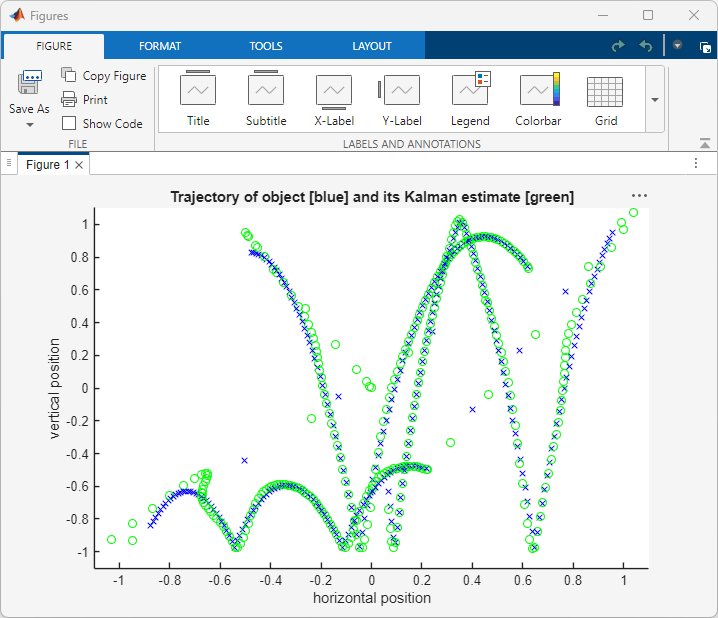
Call MATLAB Function Files in MATLAB Function Blocks
Use MATLAB Function blocks to call and execute code written in MATLAB function files.

