Debugging Tool for Simulink

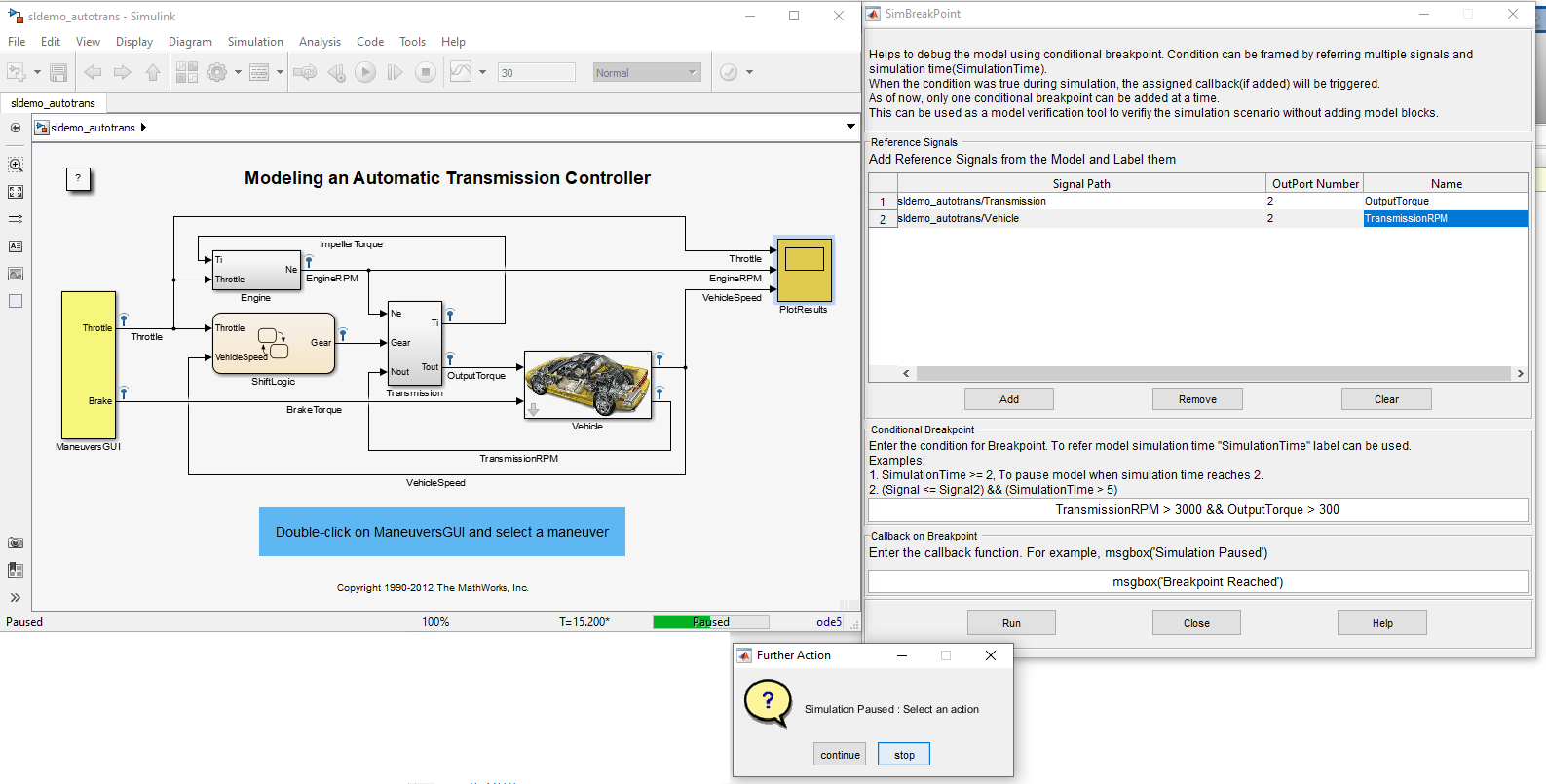
Name: SimBreakpoint Tool Helpful for setting conditional breakpoints in a given model for debugging purpose.

187 Downloads
Aktualisiert 25. Mär 2022
Helpful for setting conditional breakpoints in a given model for debugging purpose.
Use cases:
  • Helps to add conditional breakpoints for the Simulink debugging purpose.
  • Also can be considered as a user interface for "Model Verification" .
Steps to follow:
  1. Add the utils and its sub folders into MATLAB path.
  2. Open the Simulink model that has to be debugged.
  3. Ensure that Tools/SimBreakpoint menu is present. If not, run the command ">> sl_refresh_customizations" in the MATLAB command window, to refresh the Simulink menus.
  4. SimBreakpoint tool can be launched from Tools/SimBreakpoint menu or from the model context menu.
  5. Select the signals and add it to the GUI(Reference Signals Panel). User have to give a unique signal label for every entry.
  6. Enter the breakpoint condition (Example : Time == 1 || signalA < signalB). signalA and signalB should present in the "Reference Signals" Panel.
  7. Use "Run" button to initiate the simulation.
  8. The breakpoint condition will be evaluated during every timestep. If it is true then the simulation will be paused for the user to explore the model.
  9. Either user can stop the simulation or continue the simulation with the breakpoint condition.
  10. Optional: User can add a callback function which will be evaluated when the breakpoint scenario happens.
Developed by: Sysenso Systems, https://sysenso.com/

Zitieren als

Sysenso Systems (2026). Debugging Tool for Simulink (https://github.com/SysensoSystems/SimBreakpointTool), GitHub. Abgerufen.

Kompatibilität der MATLAB-Version
Erstellt mit R2015b
Kompatibel mit R2015b bis R2019b
Plattform-Kompatibilität
Windows macOS Linux
Kategorien
Mehr zu Get Started with Simulink finden Sie in Help Center und MATLAB Answers

Versionen, die den GitHub-Standardzweig verwenden, können nicht heruntergeladen werden

Version Veröffentlicht Versionshinweise
1.0.3

Connected with github repository.

1.0.2

Updated the comments and the image.

1.0.1

Updated the comments.

1.0.0

Um Probleme in diesem GitHub Add-On anzuzeigen oder zu melden, besuchen Sie das GitHub Repository.