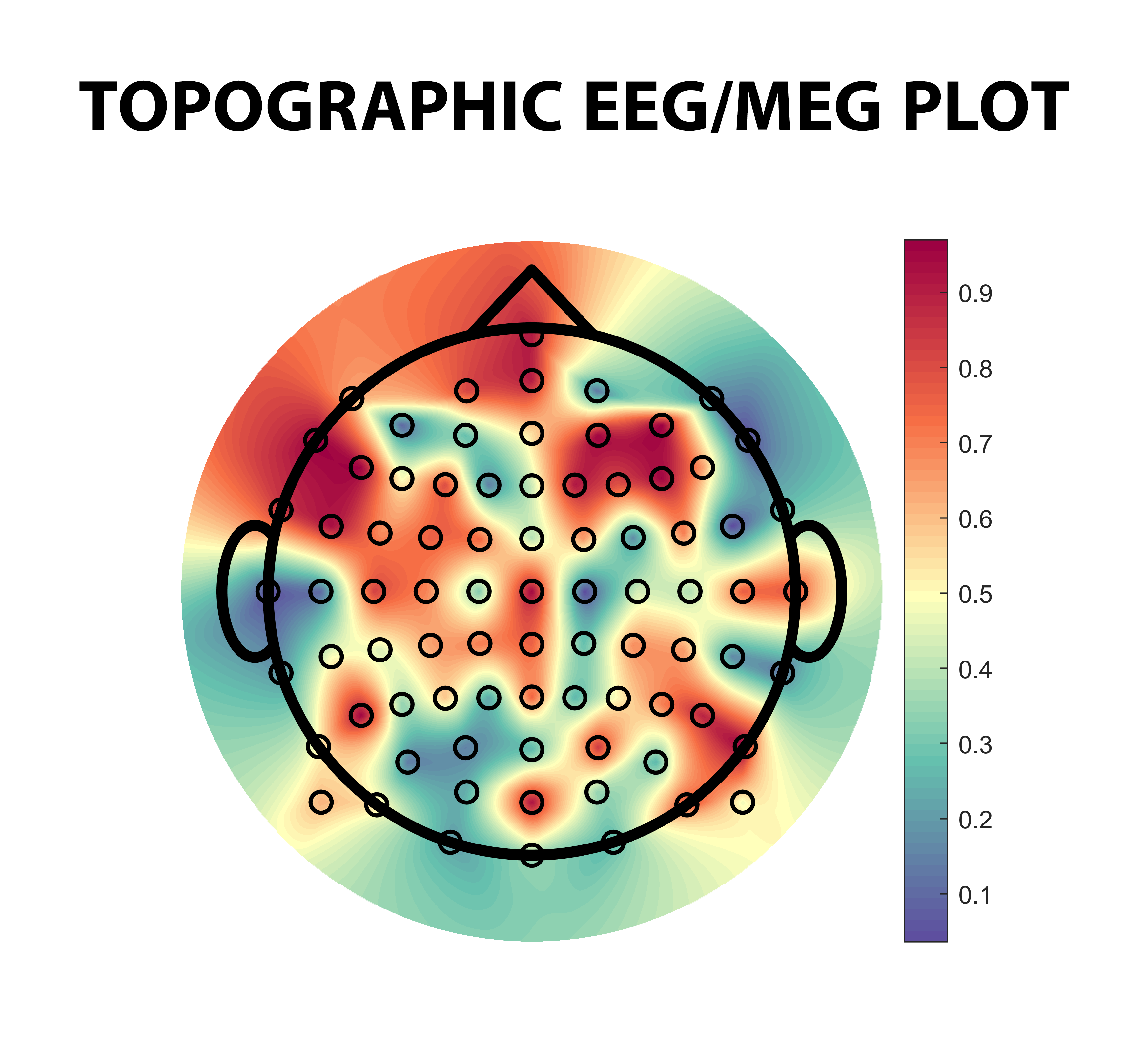
Topographic EEG/MEG plot

This function provides a topographical map of the head over desired points given by 'ch_list' and their assigned 'values'.

http://www.gib.tel.uva.es/members.php?lang=en_EN#martinezcagigal_v

Sie verfolgen jetzt diese Einreichung

IMPORTANT: Download the .zip package in order to get the .mat locations of the default channels.

The 'plot_topography' function plots a topographical EEG/MEG map of the head over the desired points (ch_list) and their assigned (values). Note that the channels must be introduced according to their names, following the 10-10, 10-20 or the Yokogawa system. If you want to use custom locations, you must indicate the path of a locations.mat file (see the header of the function for further instructions).

Input parameters:
- ch_list: Channel list in cell-array. Use the string 'all' for displaying all channels available. Note that 'z' indicator should be in lower case. Example: ch_list = {'Fpz','Fz','Cz','Pz','Oz'};
- values: Numeric vector that contains the values assigned to each channel.
- make_contour: (Optional, default: false) Boolean that controls if the contour lines should be plotted.
- system: (Optional) Measurement system as a string: '10-20' (default), '10-10', 'yokogawa', custom path or table.
- plot_channels: (Optional, default: false) Boolean that controls if the electrodes should be plotted.
- plot_clabels: (Optional, default: false) Boolean that controls if the text labels of each electrode should be plotted.
- INTERP_POINTS:(Optional, default: 1000) No. of interpolation points. The lower N, the lower the resolution and the faster the computation.

Example of use:
plot_topography('all', rand(1,81));

Zitieren als

Víctor Martínez-Cagigal (2026). Topographic EEG/MEG plot (https://de.mathworks.com/matlabcentral/fileexchange/72729-topographic-eeg-meg-plot), MATLAB Central File Exchange. Abgerufen .

Quellenangaben

Inspiriert: SPECTER v2

Allgemeine Informationen

Kompatibilität der MATLAB-Version

  • Kompatibel mit allen Versionen

Plattform-Kompatibilität

  • Windows
  • macOS
  • Linux
Version Veröffentlicht Versionshinweise Action
1.5

Locations in uppercase. T3 and T4 added.

1.4.1

New locations

1.4

Now locations can be directly specified as an input table and channel points can be hidden. No. of interp. points may be also passed as a parameter.

1.0.1

Additional info.

1.0.0