RectRange

Version 1.0.0 (14,5 KB) von Chi
a MATLAB function for obtaining coordinate range of a selected rectangle in figure
74 Downloads
Aktualisiert 29. Jul 2018

Warning! Do not use this function upon your final prepared/optimized figure, because it will manipulate Axes Aspect Ratio.

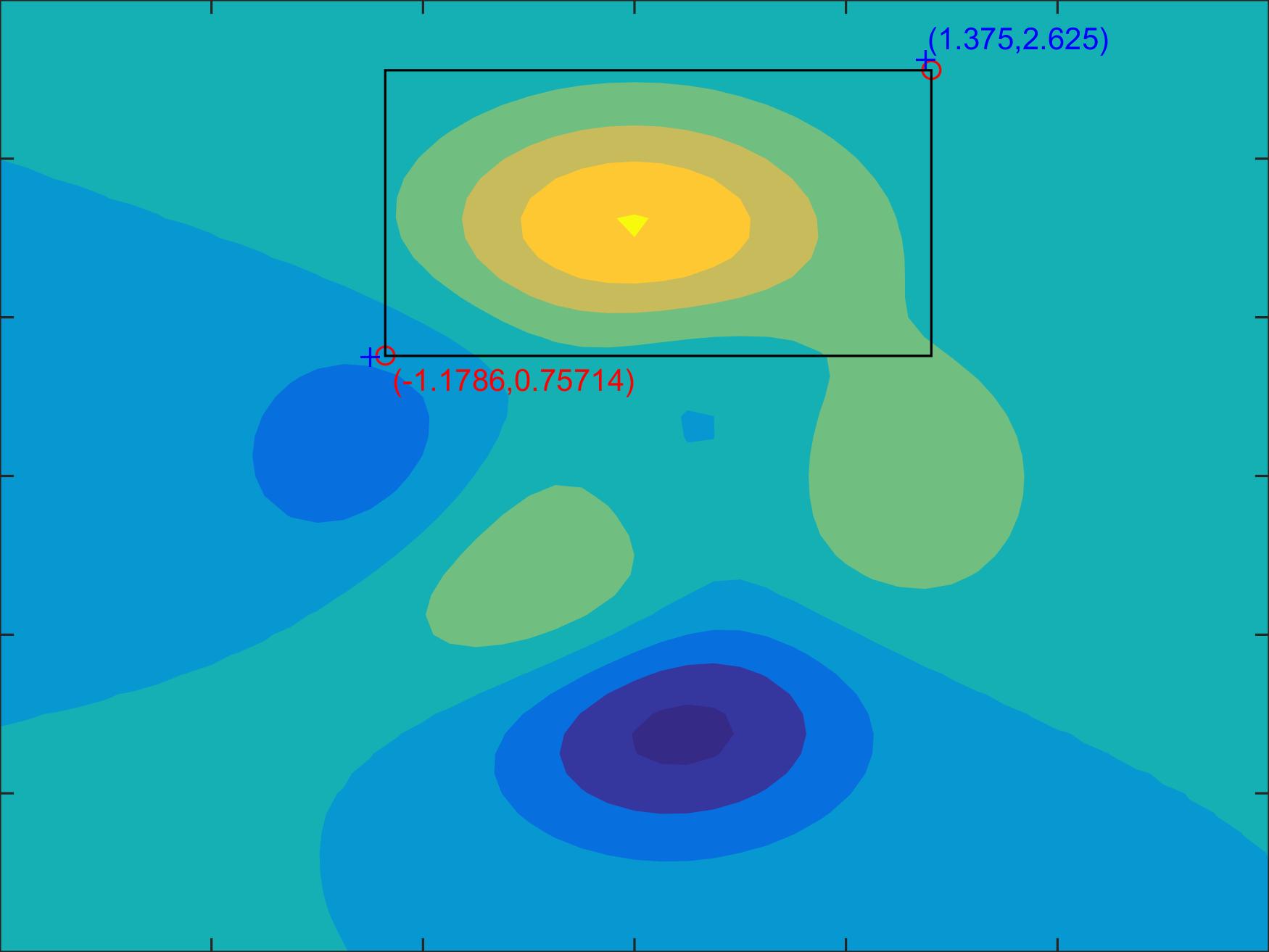
[Xrange,Yrange]=rectrange(xgrid,ygrid,f) lets you select a rectangle in the current figure using the mouse. The figure has to be generated based on a rectangle grid (X, Y) which is usually produced by using function MESHGRID. Then the coordinate ranges of the selected rectangle (Not its position.Thus, its different from function GETRECT) based on grid (xgrid,ygrid) will be derived.This would be useful when you have a map generated based on grids of longitudes and latitudes and want to know longitude/latitude range of a certain region. However, this function won't work when the map is produced by using M_Map toolbox due to projection issues.

Inputs

xgrid,ygrid - The rectangle grid on which the figure bases. Usually, they are generated by [xgrid,ygrid]=meshgrid(xgv,ygv). See meshgrid.m.

f - The handle of the figure. For exmaple, f = figure;

'precise' - Default output mode. The precise coordinate ranges will be obtained no matter there are intervals between grid points.

'nearest' - Other than 'presice', the coordinate ranges of your selected rectangle in x- and y-direction will be derived from 4 grid points close to each vertex of the rectangle.

Outputs

Xrange - The range of selected rectangle in x-direction.

Yrange - The range of selected rectangle in y-direction.

For example,

[X,Y,Z] = peaks;
f=figure;
contourf(X,Y,Z,'linestyle','none');
axis equal
[rx,ry]=rectrange(x,y,f);

One can test this function by uncommenting lines 106, 107, 125-128, 133-134 and 145. The rectangle you selected and its two vertices will be drawn in your figure.

Zitieren als

Chi (2026). RectRange (https://github.com/chouj/RectRange), GitHub. Abgerufen.

Kompatibilität der MATLAB-Version
Erstellt mit R2015a
Kompatibel mit allen Versionen
Plattform-Kompatibilität
Windows macOS Linux
Kategorien
Mehr zu Data Exploration finden Sie in Help Center und MATLAB Answers

Versionen, die den GitHub-Standardzweig verwenden, können nicht heruntergeladen werden

Version Veröffentlicht Versionshinweise
1.0.0

Um Probleme in diesem GitHub Add-On anzuzeigen oder zu melden, besuchen Sie das GitHub Repository.