plot_signals

A simple matlab method for plotting and comparing a bunch of signals in a matrix.

https://github.com/e-pet/plot_signals

Sie verfolgen jetzt diese Einreichung

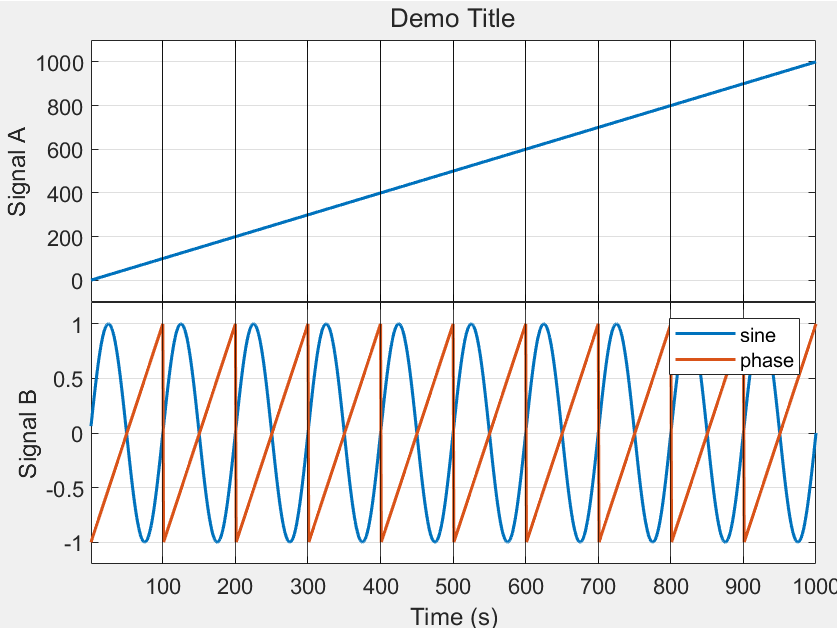
Two simple plotting functions for convenient one-line plotting of multiple signals in Matlab. The standard Matlab functions require quite a few lines of code to set up a plot with one subplot per matrix row/column, linking the axes of the different subplots, labeling the different subplots, etc. These functions were designed to make that process as simple and pain-free as possible, while also allowing for loads of customization (e.g., log plots, vlines, additional reference signals for comparison, etc.) where required.

plot_signals generates a single figure with subplots of signals contained in a matrix. All signals are plotted against a common x axis, and various visual tweaks are employed to make the plot more useful and visually appealing than the default plots. Many options are available for customizing the result to individual requirements.

compare_signals works similarly but takes a cell array of matrices with signals to be compared against another directly, creating subplots with one line per matrix provided.

Instructions for demo cases can be found in the documentation of both functions.

If you find any bugs or have suggestions for improvements, please let me know!

-- Eike Petersen, 2021

This script has been developed while I was at the University of Lübeck, with the Institute for Electrical Engineering in Medicine.

Zitieren als

Eike Petersen (2026). plot_signals (https://github.com/e-pet/plot_signals/releases/tag/1.1), GitHub. Abgerufen .

Quellenangaben

Inspiriert: kfs_suite

Allgemeine Informationen

Kompatibilität der MATLAB-Version

  • Kompatibel mit R2019b und späteren Versionen

Plattform-Kompatibilität

  • Windows
  • macOS
  • Linux
Version Veröffentlicht Versionshinweise Action
1.1

See release notes for this release on GitHub: https://github.com/e-pet/plot_signals/releases/tag/1.1

1.0

Um Probleme in diesem GitHub Add-On anzuzeigen oder zu melden, besuchen Sie das GitHub Repository.