Ergebnisse für

Mitigating chat failures in AI code development
Duncan Carlsmith
Department of Physics, University of Wisconsin-Madison
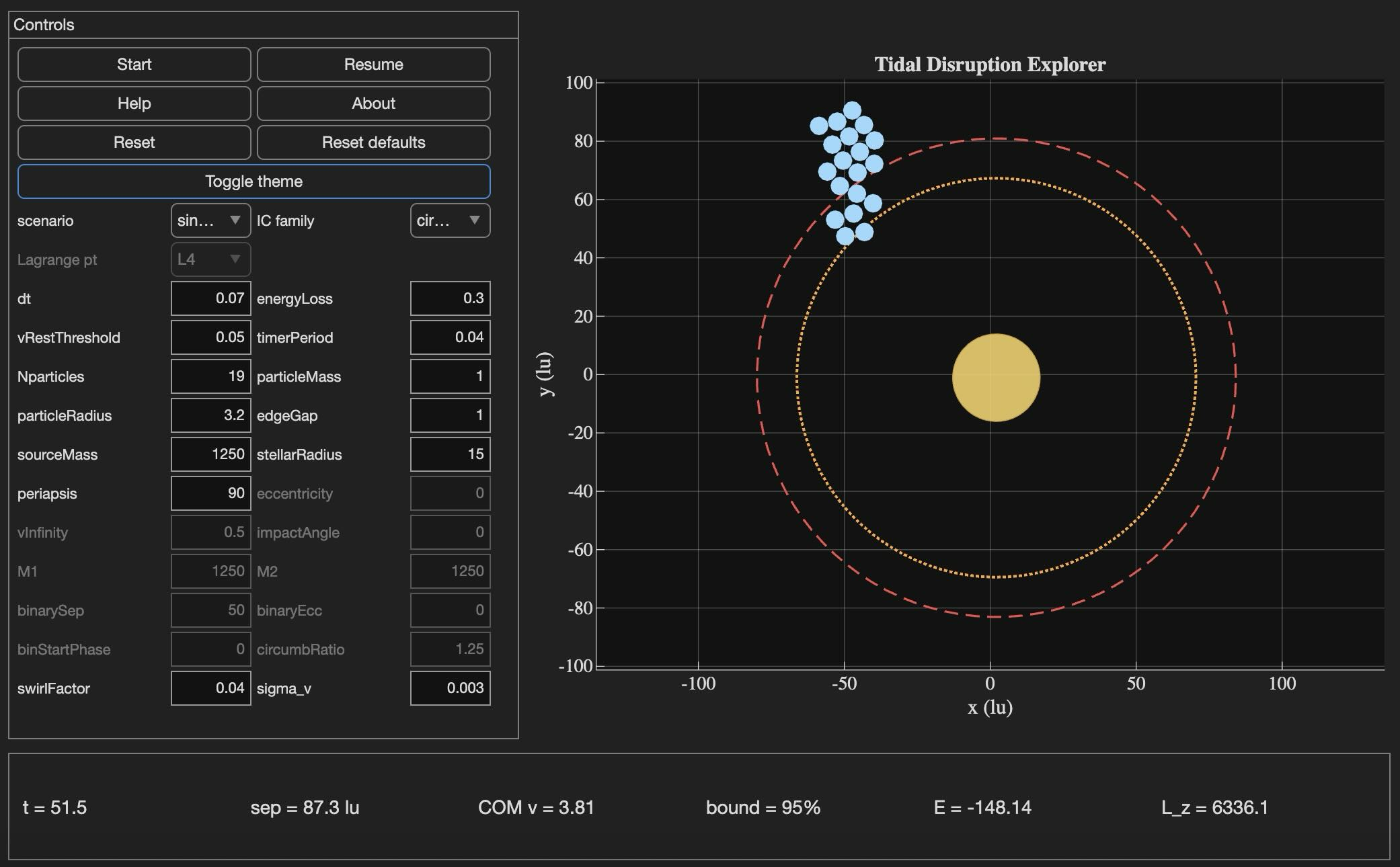
Tidal Disruption Explorer (MATLAB File Exchange 183760). The process of porting this Live Script ito HTML is described in this post.
Introduction
An agentic AI session ended for me this week with the message: "Claude is unable to respond to this request, which appears to violate our Usage Policy. Please start a new chat." Gulp. The substance of the conversation was completely benign — porting my MATLAB Live Script Tidal Disruption Explorer that simulates a self-gravitating cluster of particles being shredded by tidal forces near a massive object, like Comet Shoemaker-Levy 9 was shredded by Jupiter in 1992. The next chat picked up the work and finished it in seven turns.
Why nothing was lost is the subject of this post. The new product is the HTML5 port of Tidal Disruption Explorer and deployed at duncancarlsmith.github.io/TidalDisruptionExplorer-HTML5. But the more transferable product may be practices that can help make AI-assisted code development resilient to chat failures, connection drops, sandbox losses, and content-policy false positives. Two prior posts set my context: Live Script deployed as a 3D web application with AI introduced the workflow, and Giving All Your Claudes the Keys to Everything introduced the ngrok command server that makes the Mac controllable from any AI client. This post is about how to use such tools without losing your work when the chat dies.
Failure modes worth designing for
Long agentic sessions can fail in many ways, and most are out of the user's control. The bash_tool connection in the cloud container can go unresponsive mid-task. A stray Python process can mask a real command server on the same port. A lost development sandbox can vaporize generated artifacts — in an earlier turn of this same project, an entire test-harness directory disappeared with the sandbox and had to be reconstructed from the conversation log. Persistent context is not in fact persistent. Skills are forgotten. The user closes the laptop, the WiFi blinks off, or the chat hits a length limit. This project used Claude, but the problems are not AI-specific in my experience with 5-6 leading vendors. Without preparation, each of these is a real setback.
Best practices to consider
1. Externalize project state in a committed PROGRESS journal
A single file, committed in a repo, names every milestone, the test-pass count for each, the current state in prose, and an explicit "Recovery instructions for a fresh session" section that lists the source files, the test harness names, and the toolchain assumptions. When the previous chat failed, the next one resumed from this file alone, without needing the failed conversation. When the dev sandbox loss took out 10 test harnesses, they were rebuilt from the conversation log because the journal had recorded exactly what each harness checked and the expected pass count for each. These harnesses are also stored locally when complete and successful.
2. Two external locations:
The container contents are fragile even without a chat failure due to context compaction and hidden file management. I chose a local working directory as the editable source of truth. A GitHub repository was the final product and might have been used rather than my local storage - that choice was a matter of familiarity and trust. Each change was written locally first via the command server, verified on disk by reading it back, then committed and pushed to GitHub.
3. Run browser tests in the AI's container, not on the user's machine
For this project, the final product was a web app. In prior work, I used a local Chromium to view and test the product. It turns out that Claude's container ships with Node and Playwright preinstalled, and Chromium may be available from the Puppeteer install. Browser regression tests for the HTML5 application were run there entirely, and I only viewed staged intermediate products. Containing the development is not possible when building a MATLAB product without the added burden of using MATLAB in the cloud. The idea was to do as much as possible without overhead in the AI container.
4. Multistep plan with explicit approval gates
Decompose the work into milestones with sub-milestones. Each has a test harness with a documented expected pass count and a concrete deliverable. Don't merge "running a test" with "uploading the result" with "committing the change" — these separate decisions each has its own approval and verification. If the chat dies between any two of them or something else goes awry, the user can stop without leaving anything dangling. This project: 8 milestones, 27 sub-milestones, 260 documented sub-checks.
5. Versioned backups before any destructive write
Every PROGRESS edit got a timestamped pre-edit copy first in the local project repo, one per milestone.
Result
Recovery from the failed chat only cost me one turn. Six more turns to finish the project. The final result: 260 of 260 sub-checks pass across all milestones, live deployment verified. Many hairs pulled (the violation of usage policy issue was not the only one encountered!), but no utter despair experienced!
Links
Live HTML5 application: https://duncancarlsmith.github.io/TidalDisruptionExplorer-HTML5/
MATLAB Live Script (File Exchange 183760): https://www.mathworks.com/matlabcentral/fileexchange/183760-tidal-disruption-explorer
Source repository (GitHub): https://github.com/DuncanCarlsmith/TidalDisruptionExplorer-HTML5

