Clear distinction between positive and negative in colorbar

Ältere Kommentare anzeigen
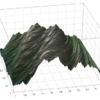
Here I am not able to distinguish between positivie and negative (everything is in green from -1 to +1). Can you please help me giving a different color to some set of values and different colors to another set of values. Screenshot is attached below.

I want all negative values to be bluish and darker.
3 Kommentare
David Wilson
am 22 Apr. 2019
Bearbeitet: David Wilson
am 22 Apr. 2019
You probably want to use caxis, and some appropriate colour maps. I suggest diverging maps, such as the ones from Cynthia Brewer:
Say use rdBu and flipud the color map to get blues on the negative scale.
As an example (using peaks), and cbrewer from the user's group. (I note that this latter function probably needs an update, and there are other equivalent ones around now.)
n = 11; % should be odd
cmap = flipud(cbrewer('div','RdBu',n)); % blues at bottom
colormap(cmap);
M = peaks(20);
pcolor(M)
caxis((n-1)/2*[-1,1]) % align colour axis properly
colorbar
gives white at the interface:


Ahmed
am 12 Feb. 2024
David Wilson
am 12 Feb. 2024
Could try an alternative, say:
Antworten (1)
I would suggest using the top half of viridis and the bottom half of plasma (or the reverse). You can get both of them here.
The benefit is that both colormaps are perceptually uniform, should avoid problems for different types of colorblindness and even allow printing in black&white (or actually grayscale).
Using these two colormaps has the advantage that there is a clear color change in the middle between the two. You could insert a white in the middle, but you shouldn't, since that will cause confusion with the top of the colorbar.
viridis_top = viridis;
viridis_top = viridis_top(1:end/2,:);
plasma_bottom = plasma;
plasma_bottom = plasma_bottom(end/2:end,:);
cmap = [viridis_top;plasma_bottom];
colormap(cmap);
M = peaks(1000);
h = pcolor(M);h.EdgeColor = 'none';
extreme = max(abs(min(M(:))),max(M(:)));
caxis(extreme*[-1,1]) % align colour axis properly
colorbar

4 Kommentare

Rik
am 13 Feb. 2024
@Ahmed you're welcome. Since you didn't ask this question originally you can't mark this answer as accepted answer, but if you feel I've helped you, you can also show your appreciation by giving my answer an upvote.
If you have any other question, feel free to post it and tag me in a comment.
Rik
am 23 Feb. 2024
What exactly do you mean with 'more color options'? And what did you try? You can see in my code how to define a custom colormap and how to set the caxis. What other parts are unclear to you?
Kategorien
Mehr zu Color and Styling finden Sie in Hilfe-Center und File Exchange
Produkte
am 22 Apr. 2019
am 23 Feb. 2024
Community Treasure Hunt
Find the treasures in MATLAB Central and discover how the community can help you!
Start Hunting!
Translated by 

