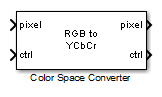
Color Space Converter
Convert color information between color spaces
Libraries:
Vision HDL Toolbox /
Conversions
Description
The Color Space Converter block converts between R'G'B' and Y'CbCr color spaces, and also converts R'G'B' to intensity.
Note
The Color Space Converter block operates on gamma-corrected color spaces, usually indicated with prime notation ('). However, for simplicity, the block and mask labels do not include the prime notation.
Examples
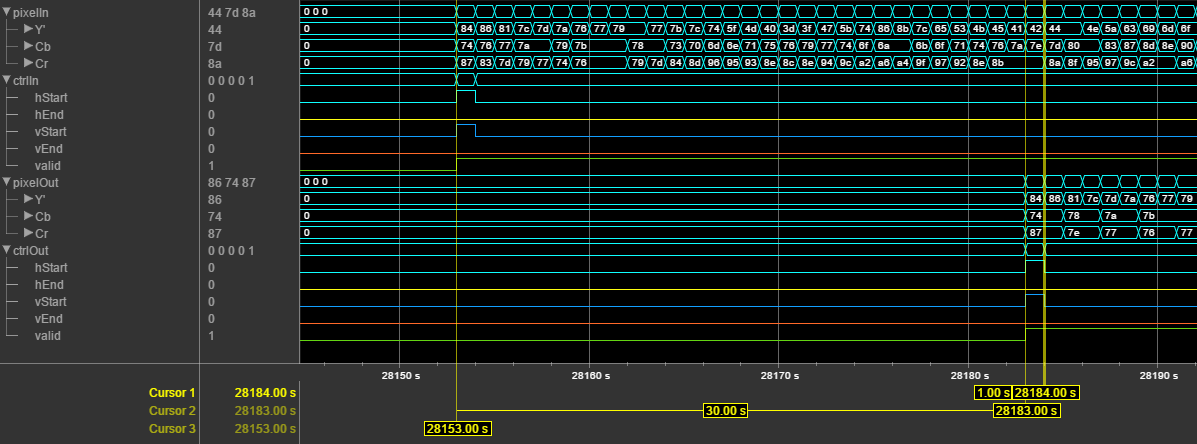
Convert RGB Image to YCbCr 4:2:2 Color Space
Convert a pixel stream from R'G'B' color space to Y'CbCr 4:2:2 color space.
Ports
This block uses a streaming pixel interface with a
pixelcontrol bus for frame control signals. This interface enables the
block to operate independently of image size and format. All Vision HDL Toolbox™ blocks use the same streaming interface. The block accepts and returns a scalar
pixel value and a bus that contains five control signals. The control signals indicate the
validity of each pixel and its location in the frame. To convert a frame (pixel matrix) into a
serial pixel stream and control signals, use the Frame
To Pixels block. For a full description of the interface, see Streaming Pixel Interface.
This block also supports multipixel streams, where the pixel input is a matrix of M-by-3 values. M is the number of pixels and each pixel has 3 R'G'B' or Y'CbCr components. These values correspond to the Number of pixels and Number of components parameters of the Frame To Pixels block.
Input
For scalar pixel streams, specify pixel as a vector of 1-by-3 values. For multipixel streams, specify pixel as a matrix of Number of pixels-by-3 pixel intensity values. Number of pixels can be two, four, or eight.
The pixel stream must be in Y'CbCr or R'G'B' color space. Integer and fixed-point data types must be between 8 and 16 bits. The values must be unsigned.
The software supports double and
single data types for simulation, but not for HDL code generation.
Data Types: uint8 | uint16 | fi(0,N,0), where N = 8,9,...,16 | single | double
The pixelcontrol bus contains five signals.
The signals describe the validity of the pixel and its location in the frame. For more
information, see Pixel Control Bus.
For multipixel streaming, each vector of pixel values has one set of control signals.
Because the vector has only one valid signal, the pixels in the
vector must be either all valid or all invalid. The hStart and
vStart signals apply to the pixel with the lowest index in the
vector. The hEnd and vEnd signals apply to the
pixel with the highest index in the vector.
Data Types: bus
Output
Output pixel stream in intensity, Y'CbCr, or R'G'B' color space, returned as a single pixel stream or multipixel stream. The data type and Number of pixels of the output stream is the same as the input pixel stream. If the output is intensity values, each pixel has one component. If the output is Y'CbCr or R'G'B', each pixel has three components.
The software supports double and
single data types for simulation, but not for HDL code generation.
Data Types: single | double | uint8 | uint16 | fixed point
The pixelcontrol bus contains five signals.
The signals describe the validity of the pixel and its location in the frame. For more
information, see Pixel Control Bus.
For multipixel streaming, each vector of pixel values has one set of control signals.
Because the vector has only one valid signal, the pixels in the
vector must be either all valid or all invalid. The hStart and
vStart signals apply to the pixel with the lowest index in the
vector. The hEnd and vEnd signals apply to the
pixel with the highest index in the vector.
Data Types: bus
Parameters
The block accepts input pixels as vectors of three values that represent a
single pixel. If you choose RGB to intensity,
each output pixel is a scalar. Otherwise, each output pixel is a vector of
three values.
Conversion equation used between R'G'B' and Y'CbCr color spaces.
Dependencies
This parameter applies only when you set
Conversion to RGB to YCbCr
or YCbCr to RGB.
Scanning standard used to convert between R'G'B' and Y'CbCr color spaces in HDTV format.
Dependencies
This parameter applies when you set Use conversion specified
by to Rec. 709 (HDTV).
Algorithms
When you use multipixel streaming, the block replicates the conversion algorithm for each of the M input pixels, in parallel. This increase in hardware resources is a trade off for increasing throughput compared to single-pixel streaming.
The following equations define R'G'B' to Y'CbCr conversion and Y'CbCr to R'G'B' conversion:
The values in matrices A and B are
based on your choices for the Use conversion specified by and Scanning
standard parameters.
| Matrix | Use conversion specified by = Rec. 601 (SDTV) | Use conversion specified by = Rec. 709 (HDTV) | |
|---|---|---|---|
| Scanning standard = 1125/60/2:1 | Scanning standard = 1250/50/2:1 | ||
| A | |||
| B | |||
The following equation defines conversion from the R'G'B' color space to intensity:
For fixed-point and integer input, the block converts matrix A
to fixdt(1,17,16), and matrix B to
fixdt(1,17,14).
For double or single input, the block applies the conversion matrices in double
type, and scales the Y'CbCr offset vector ([16,128,128]) by
1/255. The block saturates double or single R'G'B' and intensity outputs to the
range [0,1].
The Y'CbCr standard includes headroom and footroom. For 8-bit data, luminance
values in the range 16–235 and chrominance values in the range 16–240 are valid.
The Color
Space Converter block pins out-of-range input to these limits before
calculating the conversion. The block scales the offset vector and the allowed
headroom and footroom depending on the word length of the input signals. For
example, when you convert a Y'CbCr input of type fixdt(0,10,0) to
R'G'B', the block multiplies the offset vector by 2(10 –
8) = 4. As a result, the valid luminance range becomes 64–940 and
the valid chrominance range becomes 64–960.
When you use this block with R'G'B' input, the block has a latency of 9 cycles. When you use this block with Y'CbCr input, the block has a latency of 10 cycles. The extra cycle is required to check for and correct headroom and footroom violations.
Note
When you use edge padding, use a horizontal blanking interval of at least twice the kernel width. This interval lets the algorithm finish processing one line before it starts processing the next one, including adding padding pixels before and after the active pixels in the line.
The horizontal blanking interval is equal to TotalPixelsPerLine – ActivePixelsPerLine or, equivalently, FrontPorch + BackPorch. Standard streaming video formats use a horizontal blanking interval of about 25% of the frame width. This interval is much larger than the filters applied to each frame.
The horizontal blanking interval must also meet these minimums:
If the kernel size is less than 4, and you use edge padding, the total porch must be at least 8 pixels.
When you disable edge padding, the horizontal blanking interval must be at least 12 cycles and is independent of the kernel size.
The BackPorch must be at least 6 pixels. This parameter is the number of inactive pixels before the first valid pixel in a frame.
For more information, see Configure Blanking Intervals.
This table shows the resource use after synthesis of the block for the Xilinx®
Zynq®-7000 SoC ZC706 Evaluation Kit with single-pixel
uint8 input and the default parameter settings. The design
achieves a clock frequency of 438 MHz.
| Resource | Usage |
|---|---|
| Slice LUTs | 205 |
| Slice Registers | 300 |
| DSP48 | 9 |
| Block RAM | 0 |
Extended Capabilities
This block supports C/C++ code generation for Simulink® accelerator and rapid accelerator modes and for DPI component generation.
HDL Coder™ provides additional configuration options that affect HDL implementation and synthesized logic.
This block has one default HDL architecture.
| ConstMultiplierOptimization | Canonical signed digit (CSD) or factored CSD optimization. The
default is |
| ConstrainedOutputPipeline | Number of registers to place at
the outputs by moving existing delays within your design. Distributed
pipelining does not redistribute these registers. The default is
|
| InputPipeline | Number of input pipeline stages
to insert in the generated code. Distributed pipelining and constrained
output pipelining can move these registers. The default is
|
| OutputPipeline | Number of output pipeline stages
to insert in the generated code. Distributed pipelining and constrained
output pipelining can move these registers. The default is
|
| SynthesisAttributes |
Specifies the synthesis attributes for the blocks and block output signals in the model. The generated HDL code contains these attributes. For more information, see SynthesisAttributes (HDL Coder). |
Version History
Introduced in R2015aThe block now supports multipixel streams that have 2 pixels per clock cycle.
The Color Space Converter block now supports multipixel streams. The HDL implementation replicates the algorithm for each pixel in parallel.
The block supports input matrices of NumPixels-by-3 values, and
output matrices of NumPixels-by-NumComponents
values, where NumComponents is 3 or 1. The
ctrl ports remain scalar, and the control signals in the
pixelcontrol bus apply to all pixels in the matrix.
See Also
Color Space Conversion (Computer Vision Toolbox) | Frame To Pixels | visionhdl.ColorSpaceConverter
MATLAB Command
You clicked a link that corresponds to this MATLAB command:
Run the command by entering it in the MATLAB Command Window. Web browsers do not support MATLAB commands.
Website auswählen
Wählen Sie eine Website aus, um übersetzte Inhalte (sofern verfügbar) sowie lokale Veranstaltungen und Angebote anzuzeigen. Auf der Grundlage Ihres Standorts empfehlen wir Ihnen die folgende Auswahl: .
Sie können auch eine Website aus der folgenden Liste auswählen:
So erhalten Sie die bestmögliche Leistung auf der Website
Wählen Sie für die bestmögliche Website-Leistung die Website für China (auf Chinesisch oder Englisch). Andere landesspezifische Websites von MathWorks sind für Besuche von Ihrem Standort aus nicht optimiert.
Amerika
- América Latina (Español)
- Canada (English)
- United States (English)
Europa
- Belgium (English)
- Denmark (English)
- Deutschland (Deutsch)
- España (Español)
- Finland (English)
- France (Français)
- Ireland (English)
- Italia (Italiano)
- Luxembourg (English)
- Netherlands (English)
- Norway (English)
- Österreich (Deutsch)
- Portugal (English)
- Sweden (English)
- Switzerland
- United Kingdom (English)