Configuration Parameters, Block Parameters, and Inport Data
R2026bPrepare your design for generating a real-time application by updating your Simulink model. Select a fixed-step solver and select Simulink Real-Time™ as the code generator target. You can optimize code generation for the real-time application by using configuration parameter settings. Extend your Simulink model with blocks from the Speedgoat I/O Blockset or the Simulink Real-Time block library. Make signal connections between these driver blocks and other blocks in your model, then build the real-time application.
Tip
System target files (STFs) for Speedgoat® target computers do not have configurable TLC Command-Line Options.
Model Settings
| Compile with GCC -ffast-math | Enables the GCC compiler -ffast-math option when compiling
real-time application code |
| Force polling mode | Enables polling mode — instead of interrupt-driven mode — for clocking the real-time application |
| Leverage target hardware instruction set extensions | Instruction sets to generate single instruction, multiple data (SIMD) code |
| Log level | Selects filtering level for system log messages |
| Max file log runs | Selects the number of file log runs to retain for the real-time application |
| Optimize reductions | Single instruction, multiple data (SIMD) code for reduction operation loops (Since R2022a) |
| Stop time | Simulation stop time |
Objects
Application | Represent application files on development computer |
Functions
Topics
- I/O Driver Blocks
Learn about the Simulink Real-Time I/O library of driver blocks.
- Configure Block Parameters
Configure model blocks.
- Define and Update Inport Data by Using Root Inport Mapper
Map root inports to source data.
- Simulink Real-Time Options Pane
Configure initial values for real-time application options.
Featured Examples
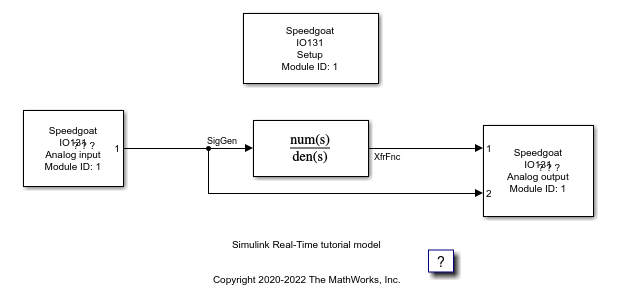
Add I/O Blocks to Simulink Model
Interface with boards by using Simulink Real-Time library blocks.

