Export Models from Experiment Manager into Simulink
R2026bAfter training models in Experiment Manager, you can export a trained model into Simulink® to use as a reduced order model (ROM). For information on training ROMs, see Train ROM.
To export a model into Simulink, select the model in the experiment results table and on the
Experiment Manager tab, click Export and
then click Generate ROM Simulink Block. The app opens an unsaved
Simulink model and generates a trainingOutput.mat file in the
current working folder. The Simulink model consists of these elements:
The inputs to the ROM_Block subsystem are the ROM inputs and parameters. The outputs from the subsystem are the ROM outputs.
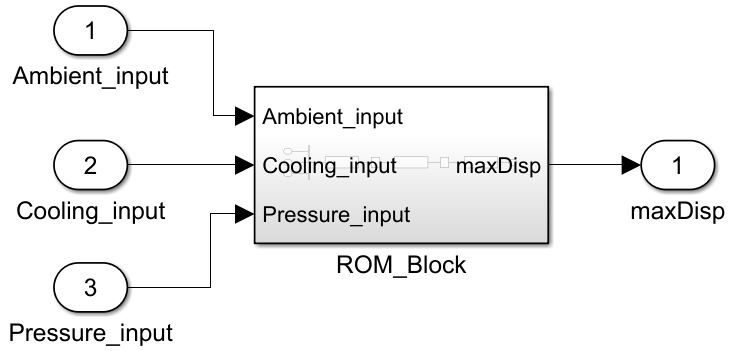
You can use this model as a ROM by integrating it into a larger Simulink model.
The contents of the ROM_Block subsystem and the
trainingOutput.mat file depend on the type of model you
export.
| Model Type | trainingOutput.mat Contents | ROM_Block Contents |
|---|---|---|
| Nonlinear ARX |
|
|
| Neural State Space |
|
|
| Cascade-Correlation |
|
|
| LSTM Network |
|
|
| MLP Network |
|
|
| Gridded Interpolant (For static ROMs only) |
|
|
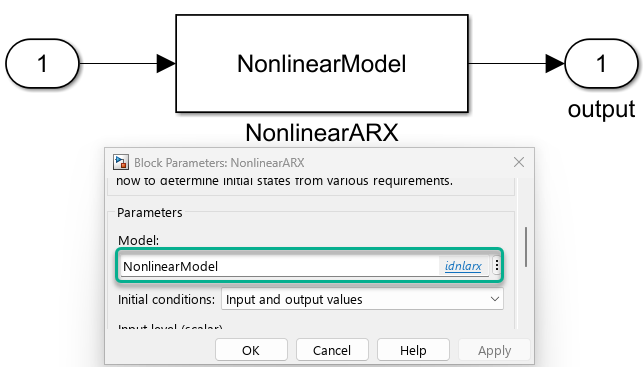
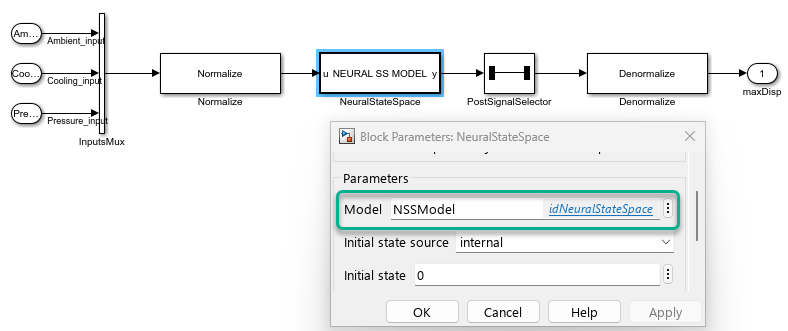
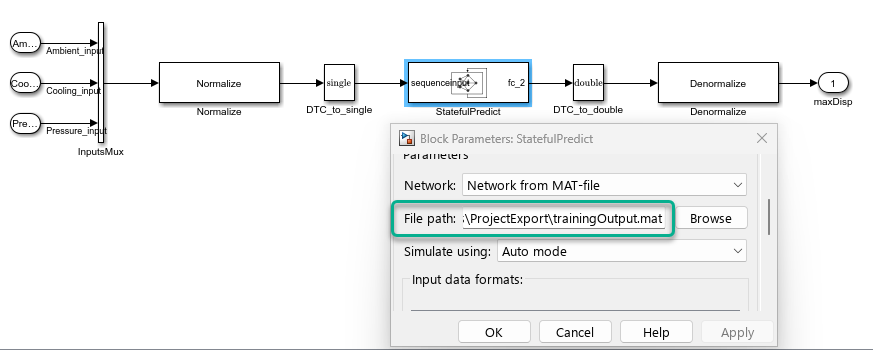
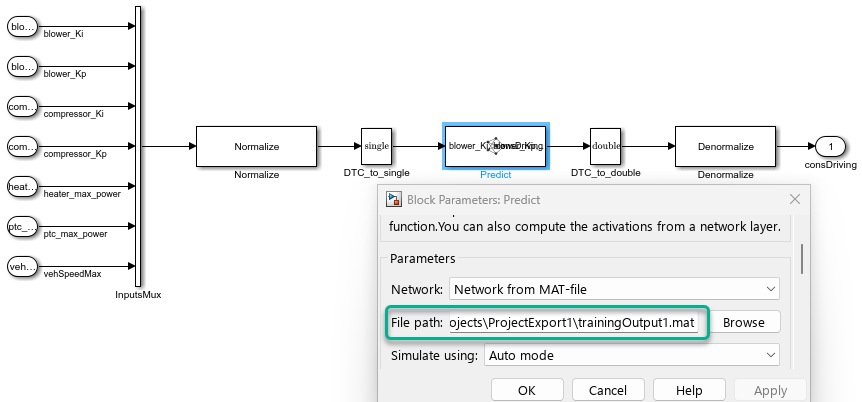
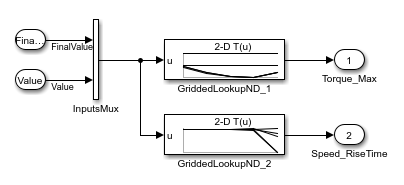
The way the app handles exporting models into Simulink differs depending on the model type.
When you export a Neural State Space model into Simulink, the app also exports the trained neural state-space model to the MATLAB workspace as an
idNeuralStateSpace(System Identification Toolbox) object.When you export a Nonlinear ARX model into Simulink, the app also exports the trained nonlinear ARX model to the MATLAB workspace as an
idnlarx(System Identification Toolbox) object.When you export a Cascade-Correlation model into Simulink, the app also exports the trained nonlinear ARX model that uses the trained cascade-correlation network to the MATLAB workspace as an
idnlarx(System Identification Toolbox) object.For both Nonlinear ARX and Cascade-Correlation models, ROM_Block does not contain the Normalize and Denormalize subsystems. The Nonlinear ARX Model block normalizes the inputs and denormalizes the outputs.
When you export a Gridded Interpolant model into Simulink, the extrapolation or interpolation method can change.
If the interpolation method of the model is
"nearest", then the app converts the extrapolation method to"nearest".If the extrapolation method of the model is
"spline"and the interpolation method is not"nearest", then the app converts the interpolation method to"spline".
If the interpolation or extrapolation method of the model is
"makima", then you cannot export the model into Simulink.You cannot export a Scattered Interpolant model into Simulink.
Instead of exporting the trained model directly into Simulink, you can also export the model into the MATLAB workspace. For more information, see these examples:
Reduced Order Model of an Airframe (System Identification Toolbox)
Reduced Order Modeling of Subsystems in Engine Model (System Identification Toolbox)
Reduced Order Model of a Jet Engine Turbine Blade (System Identification Toolbox)
Reduced Order Model of a Jet Engine Turbine Blade from Data (System Identification Toolbox)
See Also
Apps
Objects
idNeuralStateSpace(System Identification Toolbox) |idnlarx(System Identification Toolbox) |dlnetwork(Deep Learning Toolbox) |griddedInterpolant
Topics
- Configure Options in Reduced Order Modeler
- Cascade-Correlation Neural Networks (System Identification Toolbox)

