ESP32 Touch Sense
R2026bRead state of capacitive touch pins on Arduino-compatible ESP32 and ESP32-S3 boards
Since R2026a
ESP32 Touch Sense block

To add a block to a model, double-click the canvas and start typing the block name. Then, select the block from the list.
Libraries:
Simulink Support Package for Arduino Hardware /
Common
Description
Use the ESP32 Touch Sense block to read the state of capacitive touch pins
on Arduino®-compatible ESP32 and ESP32-S3 boards. The block outputs a logical
1 (high) value indicating a touch on the pin and a logical
0 (low) value when the pin is untouched. The block can also output a raw
sensor value that represents the capacitance measured at the touch pin.
Supported ESP32 Boards and Available Capacitive Touch Pins
The Arduino-compatible ESP32 boards have a 10-channel capacitive touch sensor module. ESP32-S3 boards have a 14-channel capacitive touch sensor module. These modules detect finger contact or proximity by measuring changes in capacitance.
The ESP32 Touch Sense block reads the states of these capacitive touch-enabled GPIO pins on the Arduino-compatible ESP32 and ESP32-S3 boards. This table summarizes the ESP32 variant boards that the block supports, the number of accessible touch GPIO pins, and any associated limitations.
| Supported Arduino-Compatible ESP32 and ESP32-S3 Board Variant(s) | Available Capacitive Touch GPIO Pins | Description |
|---|---|---|
| ESP32-WROOM-DevKitV1 (30 pin) | Touch 0: GPIO 4 | On this board variant, you can use only nine touch channels and GPIO 0 is not accessible. |
| Touch 2: GPIO 2 | ||
| Touch 3: GPIO 15 | ||
| Touch 4: GPIO 13 | ||
| Touch 5: GPIO 12 | ||
| Touch 6: GPIO 14 | ||
| Touch 7: GPIO 27 | ||
| Touch 8: GPIO 33 | ||
| Touch 9: GPIO 32 | ||
ESP32-WROOM-DevKitV1 (36 pin) ESP32-WROOM-DevKitC (38 pin) ESP32-WROVER-Module | Touch 0: GPIO 4 | On this board variant, you can use all 10 touch channels. |
| Touch 1: GPIO 0 | ||
| Touch 2: GPIO 2 | ||
| Touch 3: GPIO 15 | ||
| Touch 4: GPIO 13 | ||
| Touch 5: GPIO 12 | ||
| Touch 6: GPIO 14 | ||
| Touch 7: GPIO 27 | ||
| Touch 8: GPIO 33 | ||
| Touch 9: GPIO 32 | ||
| ESP32-S3 | Touch 1: GPIO 1 | On this board variant, you can use all 14 touch channels. |
| Touch 2: GPIO 2 | ||
| Touch 3: GPIO 3 | ||
| Touch 4: GPIO 4 | ||
| Touch 5: GPIO 5 | ||
| Touch 6: GPIO 6 | ||
| Touch 7: GPIO 7 | ||
| Touch 8: GPIO 8 | ||
| Touch 9: GPIO 9 | ||
| Touch 10: GPIO 10 | ||
| Touch 11: GPIO 11 | ||
| Touch 12: GPIO 12 | ||
| Touch 13: GPIO 13 | ||
| Touch 14: GPIO 14 |
Note
GPIO 0 (touch channel 1) is available on ESP32 variant boards with 32 or more GPIO pins.
Examples
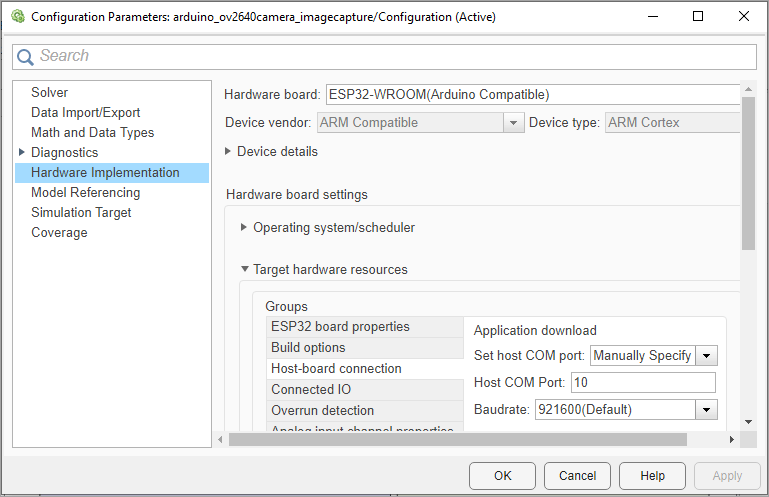
Capture Images Using ArduCam OV2640 Camera Module and ESP32 Hardware
Capture JPEG images using the ArduCam OV2640 camera module with ESP32 hardware.
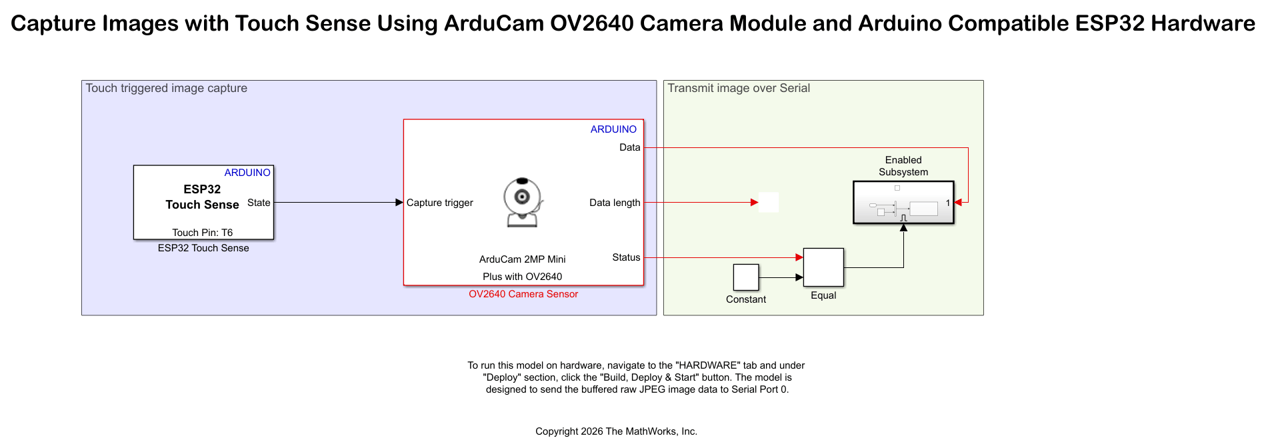
Capture Images with Touch Sense Using ArduCam OV2640 Camera Module and Arduino Compatible ESP32 Hardware
Design a touch-based image capture system using an Arduino ESP32 hardware and ArduCam OV2640 camera module. The example uses the ESP32 Touch Sense block from the Simulink® Support Package for Arduino® Hardware.

