Varianten hierarchischer Komponenten
R2026aMit hierarchischen Varianten-Blöcken können Sie alle Entwurfsalternativen eines Systems in einem einzigen Modell darstellen. Jede Entwurfswahl wird als Variantenwahl in einer separaten Hierarchie in das Modell aufgenommen. Solche Modelle haben eine feste gemeinsame Struktur und einen endlichen Satz von variablen Komponenten, die jeweils in Abhängigkeit von der Varianten-Steuerung aktiviert oder deaktiviert sind.
Nehmen wir zum Beispiel an, Sie möchten ein Modell simulieren, das ein Fahrzeug mit drei möglichen Motorkonfigurationen darstellt: 4-Zylinder-Benzinmotor, 6-Zylinder-Benzinmotor und 8-Zylinder-Benzinmotor. Sie können jedes Motormodell als separates Subsystem innerhalb des Variant Subsystem-Blocks implementieren und dann auf der Grundlage der von Ihnen ausgewählten Varianten-Steuerungen zwischen den Subsystemen wechseln. Weitere Informationen finden Sie unter Introduction to Variant Controls.
Der Code, den Sie für die hierarchischen Varianten-Blöcke generieren, kann alle Variantenwahlen eines Systems enthalten. Sie können zwischen den Varianten vor der Kompilierung des Codes oder beim Start des Modells wechseln, wie in Activate Variant During Different Stages of Simulation and Code Generation Workflow beschrieben. Informationen zum Generieren von Code mit hierarchischen Varianten-Blöcken finden Sie unter Variant Structures (Simulink Coder).
Blöcke
 | Variant Subsystem | Template subsystem containing Subsystem blocks as variant choices |
Klassen
Simulink.VariantUtils | Utility methods to work with variant elements (Seit R2023b) |
Funktionen
enumeration | Class enumeration members and names |
Objekte
struct | Strukturarray |
Simulink.Parameter | Store, share, and configure parameter values |
Simulink.VariantControl | Create variant control variable object |
Simulink.VariantExpression | Specify conditions that control variant selection |
Themen
- Implement Structural Variations with Variant Subsystems in a Separate Model Hierarchy
Learn basic functionality of variant subsystems.
- Variant Control Modes in Variant Blocks
Learn how to control variant blocks.
- Propagate Variant Conditions to Define Variant Regions with Variant Blocks
Determine active model components by propagating variant conditions using variant blocks.
- Propagate Variant Conditions to Define Variant Regions Outside Variant Subsystems to Promote Consistency and Reduce Errors
Propagate variant conditions outside a Variant Subsystem block to adapt its interface according to the state of underlying blocks.
- Manage Variant Components to Pass Specified Values from Inactive Variant Subsystems with No Active Choice (Simulink Coder)
Exclude inactive variant components from code generated for Variant Subsystem block at compile time.
- Model Reference Variants
This example shows how to use model reference variants.
- Propagate Variant Conditions to Control Execution of Conditional Subsystems
Understand how to use Variant Subsystem blocks with conditionally executed systems as variant choices.
- Add or Remove Variant Choices of Variant Assembly Subsystem Blocks Using External Files
Understand how to add or remove variant choices of the Variant Assembly Subsystem block using external files without modifying model.
- Use Mask Parameter Object to Control Variant Choices in Masked Variant Assembly Subsystem Block
Control variant choices in a masked Variant Assembly Subsystem block by instantiating subclasses of a shared superclass as the mask parameter object value.
- Control Active Choice of Variant Subsystem During Simulation or Execution of Generated Code
Switch the active variant of a Variant Subsystem block during simulation or execution of generated code by using a Parameter Writer block.
Fehlersuche
Convert Variant Subsystem to Variant Assembly Subsystem
Steps to convert Variant Subsystem block to Variant Assembly Subsystem block.
Transform Model to Variant System (Simulink Check)
Use the Model Transformer tool to transform a model into a variant system.
Enthaltene Beispiele
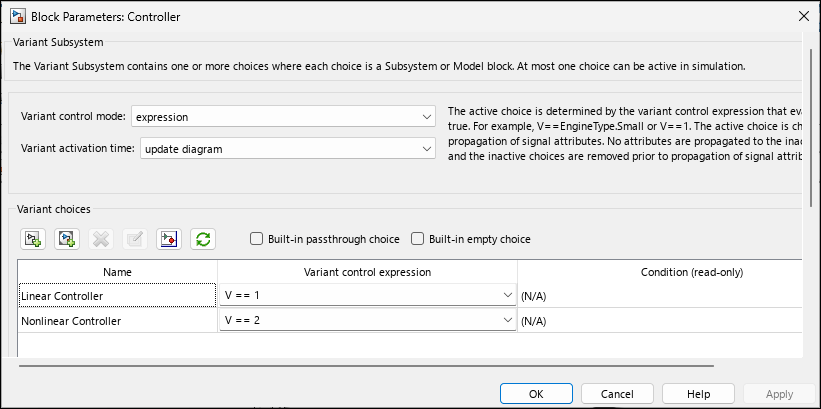
Create a Simple Variant Model
Create a simple model with variant blocks.
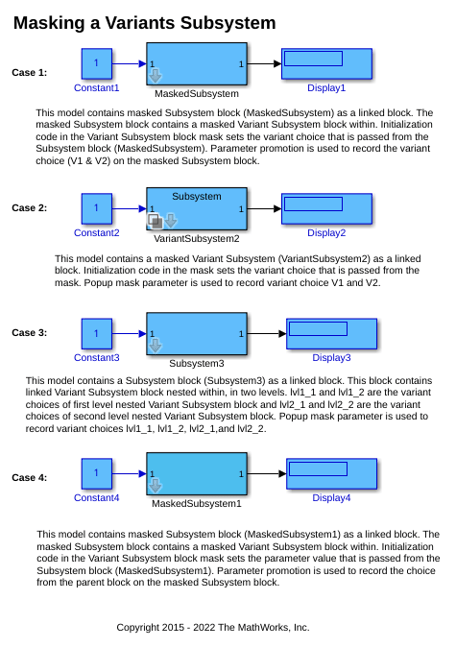
Mask a Variant Subsystem
Recommended way to mask a Variant Subsystem block.
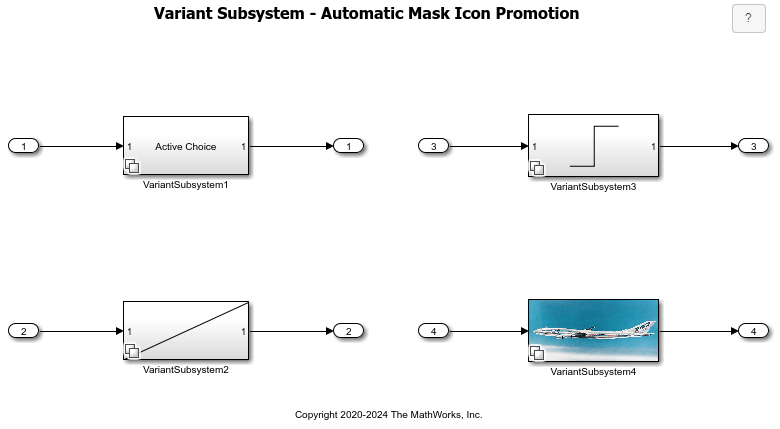
Automatic Mask Icon Promotion in Variant Subsystems
How Simulink® automatically displays the mask icon of the active variant block on the parent Variant Subsystem block. The example illustrates mask icon promotion for these icon types:

