GPU-Algorithmenbeschleunigung
R2026bUm Ihren Code zu beschleunigen, können Sie versuchen, die GPU Ihres Computers zu verwenden. Wenn alle Funktionen, die Sie verwenden möchten, von der GPU unterstützt werden, können Sie einfach die Funktion gpuArray verwenden, um Eingabedaten an die GPU zu übertragen, und die Funktion gather aufrufen, um die Ausgabedaten von der GPU abzurufen. Für Deep Learning bietet MATLAB® automatische parallele Unterstützung für mehrere GPUs. Sie benötigen Parallel Computing Toolbox™, um die GPU-Unterstützung zu aktivieren.
Eine Liste der Funktionen, die GPU-Arrays akzeptieren, finden Sie unter Funktionsliste (GPU-Arrays).
Themen
- Run MATLAB Functions on a GPU (Parallel Computing Toolbox)
Supply a
gpuArrayargument to automatically run functions on a GPU. - GPU Computing Requirements (Parallel Computing Toolbox)
Support for NVIDIA® GPU architectures.
- Run MATLAB Functions on Multiple GPUs (Parallel Computing Toolbox)
This example shows how to run MATLAB® code on multiple GPUs in parallel, first on your local machine, then scaling up to a cluster.
- Deep Learning with MATLAB on Multiple GPUs (Deep Learning Toolbox)
Speed up deep neural network training using multiple GPUs locally or in the cloud.
- Pedestrian and Bicyclist Classification Using Deep Learning (Radar Toolbox)
Classify pedestrians and bicyclists based on their micro-Doppler characteristics using deep learning and time-frequency analysis.
- GPU Acceleration of Scalograms for Deep Learning (Wavelet Toolbox)
Use your GPU to accelerate feature extraction for ECG and spoken digit classification.
Verwandte Informationen
Enthaltene Beispiele
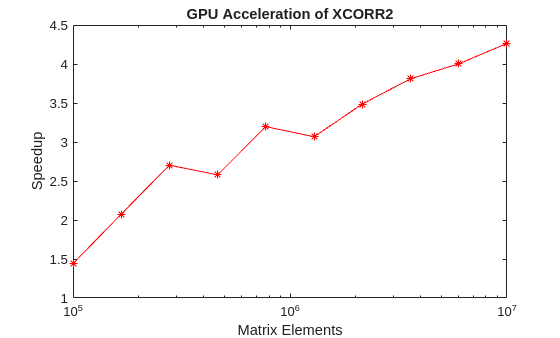
Accelerate Correlation with GPUs
Use a graphics processing unit to accelerate cross-correlation in applications that involve large data sets.
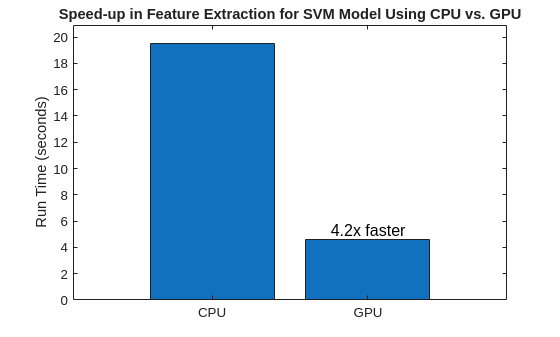
Accelerate Signal Feature Extraction and Classification Using a GPU
Use a graphical processing unit (GPU) to extract signal multidomain features for bearing fault detection.
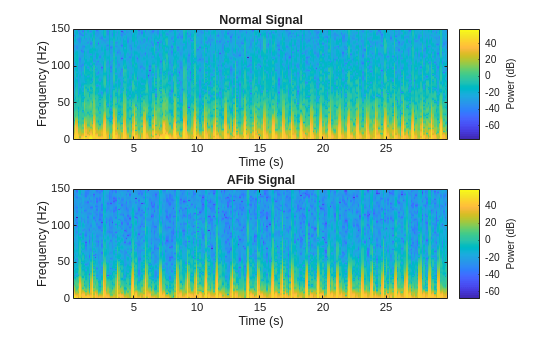
Classify ECG Signals Using Long Short-Term Memory Networks with GPU Acceleration
Classify heartbeat electrocardiogram data using deep learning and signal processing with GPU acceleration.
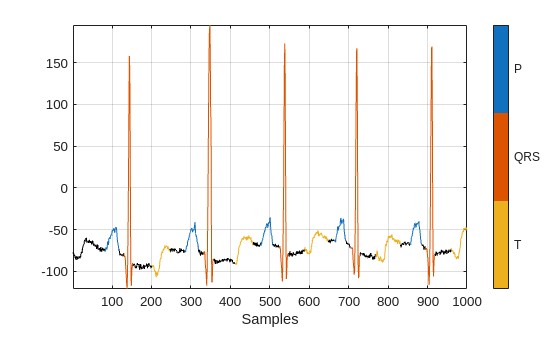
Waveform Segmentation Using Deep Learning
Segment human electrocardiogram signals using time-frequency analysis and deep learning.
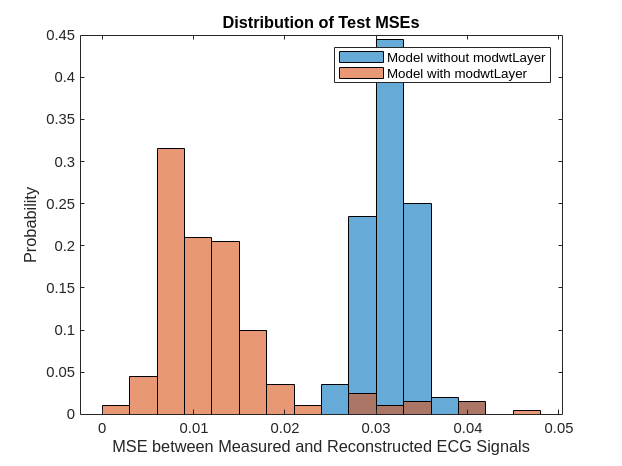
Human Health Monitoring Using Continuous Wave Radar and Deep Learning
Use a deep learning network to reconstruct electrocardiograms from continuous-wave radar signals.

