Find Change Points
R2026bFind abrupt changes in data in the Live Editor
Description
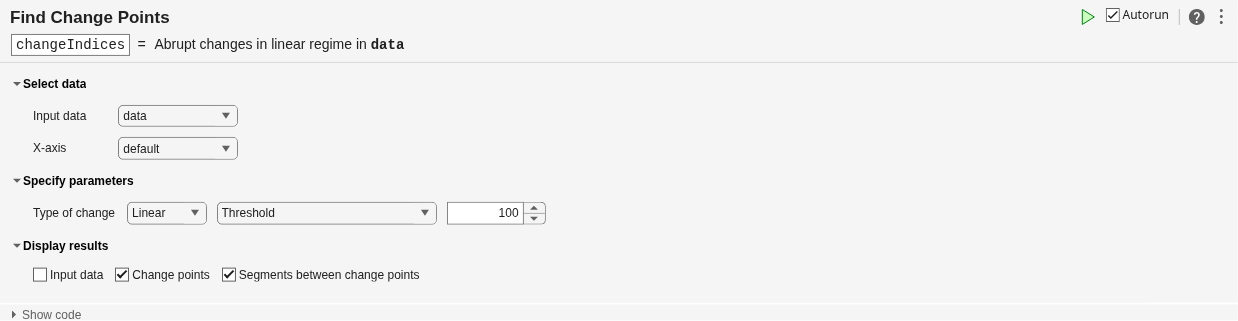
The Find Change Points task lets you interactively find abrupt changes in the mean, variance, or slope and intercept of data. The task automatically generates MATLAB® code for your live script.
Using this task, you can:
Specify the change point type and locate the change points in data in a workspace variable.
Adjust the number of detected change points.
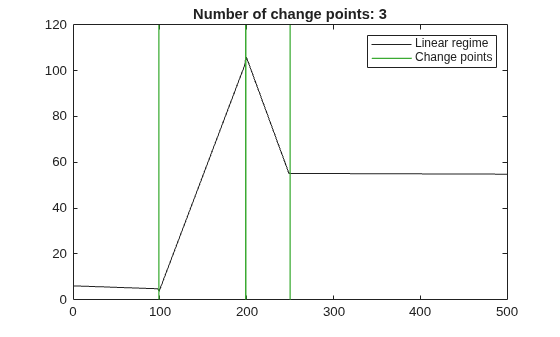
Visualize change point locations and the segments of data between them.
For more information on Live Editor tasks, see Add Interactive Tasks to Live Scripts.
Related Functions
Find Change Points generates code that uses the
ischange
function.
Open the Task
To add the Find Change Points task to a live script in the MATLAB Editor:
On the Live Editor tab, select Task > Find Change Points.
In a code block in the script, type a relevant keyword, such as
change,find,variance, orlinear. SelectFind Change Pointsfrom the suggested command completions. For some keywords, the task automatically updates one or more corresponding parameters.
Examples
Interactively find abrupt changes in the slope and intercept of data using the Find Change Points task in the Live Editor.
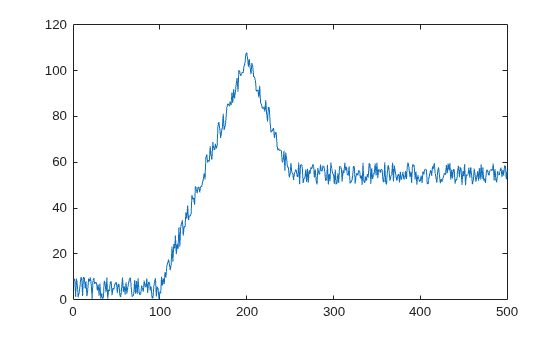
Create a vector of noisy data. Create a plot to visualize the data.
data = [zeros(1,100) 1:100 99:-1:50  50*ones(1,250)] + 10*rand(1,500);
plot(1:500,data)
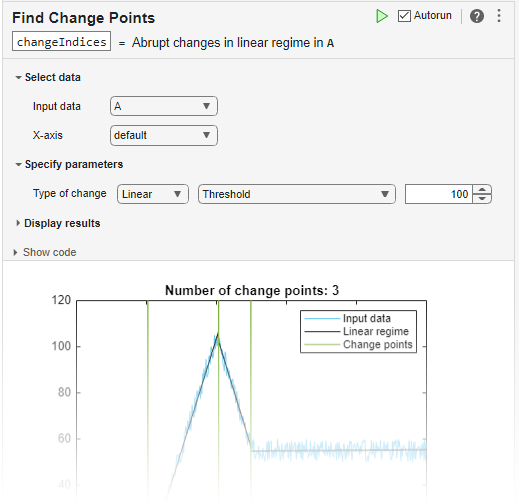
Open the Find Change Points task in the Live Editor. To find abrupt changes in the slope and intercept of the vector, select data as the input data.
In the Specify parameters section of the task, in the Type of change field, specify the change detection method as Linear. To reduce the number of change points detected due to noise, increase the change point threshold to 100. Alternatively, you can specify the maximum number of change points to detect.
To view the segments between change points more clearly, remove the input data from the plot by clearing the Input data field in the Display results section.