axtoolbar
R2026bCreate axes toolbar
Syntax
Description
tb = axtoolbar
tb = axtoolbar(___,buttons)axtoolbar(["pan" "restoreview"]) specifies a button to pan and a
button to restore the original view. You can interact with the toolbar using a mouse, a
keyboard, or a touch screen. The function returns an AxesToolbar
object.
tb = axtoolbar(___,Name=Value)Expanded to "on".
Examples
Create a plot. Replace the default axes toolbar with a custom toolbar
that includes only buttons to zoom and restore the view. Use
Expanded="on" to show the toolbar in an expanded state. Return the
AxesToolbar object and the button objects created as output
arguments.
plot(magic(5))
[tb,btns] = axtoolbar(["zoom" "restoreview"],Expanded="on");

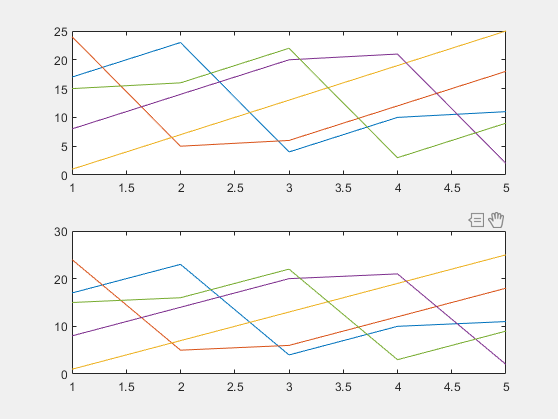
Create a tiled chart layout containing two subplots with a custom toolbar for each plot.
First, create a tiled chart layout. In the first subplot, replace the toolbar with a
custom toolbar by calling the axtoolbar function and specifying
buttons as the cell array ["zoom"
"restoreview"]. Then, replace the toolbar for the second subplot. Click the
Expand axes toolbar button in each subplot to see its toolbar.
tiledlayout

nexttile
plot(magic(5))
[tb1,btns1] = axtoolbar(["zoom" "restoreview"]);

nexttile
plot(magic(5))
[tb2,btns2] = axtoolbar(["pan" "datacursor"]);
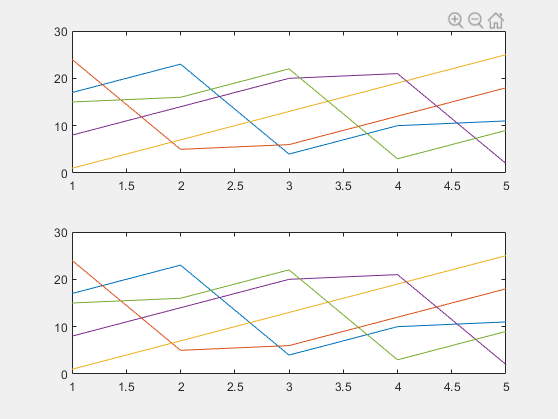
Create a tiled chart layout with a single shared axes toolbar.
First, create a 2-by-1 layout and display a different chart in each tile. Then, create a custom axes toolbar for the tiled chart layout. Display the toolbar by clicking the Expand axes toolbar button.
t = tiledlayout(2,1);
nexttile
plot(magic(5))
nexttile
plot(magic(5))

tb = axtoolbar(t,["zoom" "pan" "restoreview"]);
Input Arguments
Name-Value Arguments
Output Arguments
Tips
If you want to modify the behavior or properties of one of the default toolbar buttons, then use the
axtoolbarbtnfunction to create and use a new button in place of the default button. You can still use the icon of the default button.

