Impact of Disabling MAVLink, Commander, and Navigator Modules
R2026bWhen you use the custom startup script for the PX4® Autopilot, the MAVLink, Commander, and Navigator modules are disabled by default. This topic describes the functionality that becomes unavailable when these modules are disabled and suggests alternatives that you can implement in Simulink®. If you are troubleshooting QGroundControl or Mission Planner connectivity issues, this topic can help you determine whether a disabled module is the cause.
Note
Refer to this topic only if you are using the custom startup script for the Autopilot as mentioned in the topic Custom Startup Script in UAV Toolbox Support Package for PX4 Autopilots. If you are using the PX4 default startup script rcS, then all the modules mentioned here are enabled by default and you can skip this topic.
When you complete the hardware setup process for UAV Toolbox Support Package for PX4 Autopilots (using the Hardware Setup screens), MAVLink module is turned off by default.
Impact of Disabling MAVLink Module
QGroundControl and Mission Planner Communication
QGroundControl (QGC) and Mission Planner communicate over MAVLink to the PX4 Autopilot. By default, MAVLink module is disabled when the SD card with the custom startup script is loaded on the PX4 Autopilot. Therefore, the PX4 Autopilot cannot communicate with the QGC or Mission Planner.
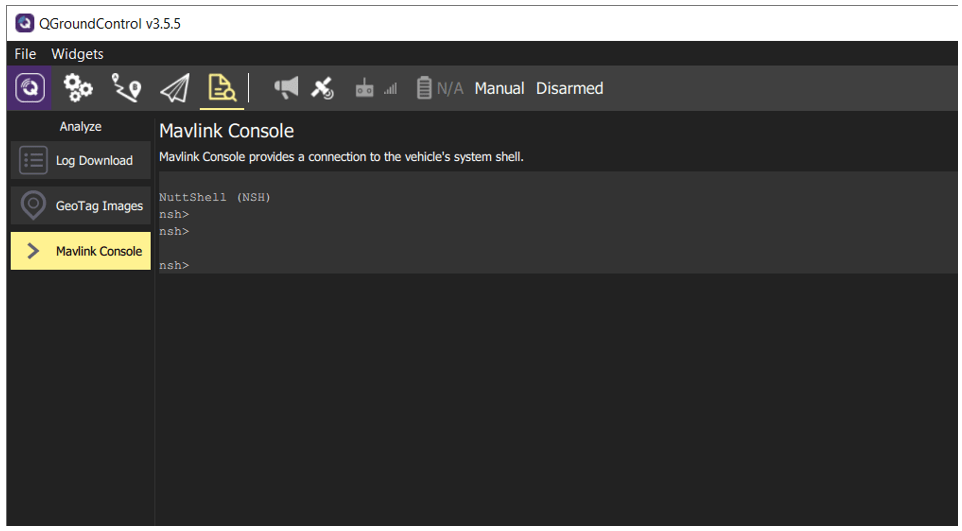
MAVLink Console in QGroundControl
If MAVLink module is enabled, you can use the MAVLink Console in QGroundControl to connect to the PX4 NSH and send commands.
Impact of Disabling Commander and Navigator Modules
Mission Upload from QGroundControl and Mission Planner
Because the Commander and Navigator modules are not started during boot-up, you cannot upload missions planned in QGC or Mission Planner to the PX4 Autopilot (even after you connect QGC to PX4 Autopilot over MAVLink).
Vehicle Setup in QGroundControl
In QGroundControl, you can use the Firmware Upgrade option under the Vehicle Setup, even though the Commander and Navigator modules are disabled.
However, the following sections under Vehicle Setup in QGC do not work when Commander and Navigator modules are disabled:
Airframe Selection
Sensor Calibration
Flight Modes
Power setup
Note
You can calibrate the Radio even though Commander and Navigator modules are disabled.
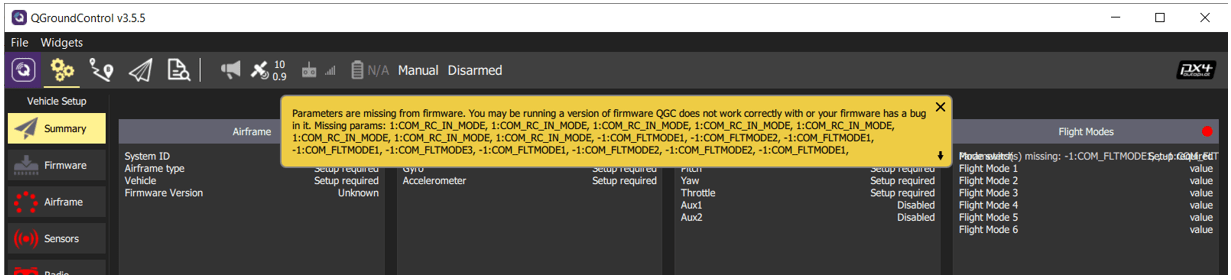
You can read parameters from the PX4 Autopilot, but you cannot update parameters from QGC. Additionally, a warning regarding the missing parameters appears in QGC because many of the corresponding modules are not enabled.
Download of Log File
The logger module is not enabled by default in the custom startup script on the SD card, so QGC does not generate or download the log file.
Functionalities That Are Unavailable upon Disabling Commander Module
Because the Commander module is not started using the custom startup script available in the SD card, the following functionalities that the Commander module usually performs are not available after you deploy the Simulink model developed using UAV Toolbox Support Package for PX4 Autopilots:
Sensor calibration
Pre-flight check
Automatic Arm and Disarm
Navigator functionalities (Navigator module must be running for the below commands):
Take-off, Land, Loiter mode, and so on.
Set Mission mode (for example, Manual Mission and Attitude Control)
Publishing log on state machine status (for example, logging of arming/disarming success over MAVLink).
However, you can implement sensor calibration and pre-flight checks in Simulink by using the uORB Read block to subscribe to IMU-related topics such as sensor_combined, sensor_accel, and sensor_mag. This replicates the functionality that the Commander module normally performs. These algorithms can be implemented in a multi-thread model in Simulink, similar to how the Commander module runs a separate background thread for many of its tasks.
You can also model the arming/disarming feature of the PX4 Autopilot in Simulink by writing to the uORB topic, actuator_armed.

