Configure and Assign Actuators in QGroundControl
R2026bFor Firmware version v1.16.1, configure the PWM & AUX pins in QGroundControl before you
use the PX4 Actuator Write block in Simulink®. The configurations for QGroundControl described here are compatible with
version 4.3.0.
Depending on your vehicle's airframe, you might need to configure and allocate actuators for motors and servos. The following sections provide a detailed explanation of the necessary steps.
Open QGroundControl and Establish Connection with PX4 Autopilot
Start QGroundControl and allow it to connect to your Autopilot.
Choose Airframe
If you have not chosen an Airframe yet, select one for your vehicle from Vehicle Setup > Airframe tab. Reboot the hardware to apply this change.
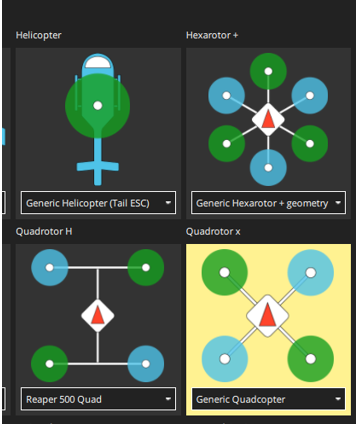
Actuator Configuration and Actuator Outputs Assignment
Once QGroundControl is connected, go to Vehicle Setup > Actuators tab.
Based on the Airframe selection, the interface displays the corresponding number of motors and servos. The interface also shows tabs for actuator output assignment (PWM AUX, PWM MAIN, UAVCAN, and so on).
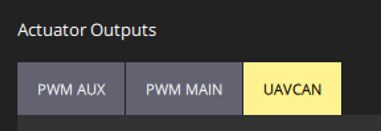
Depending on whether you want to write to motors or servos, and whether you choose to use the PWM or UAVCAN/DroneCAN interface for actuator communication, select the appropriate output assignment in the corresponding tabs. Configure the actuators as shown in the screenshots provided in the following subtopics for your selected airframe and interface. For more information on actuator configuration, see PX4 documentation.
Configure Motors over PWM MAIN
If you select the Generic Quadcopter airframe, an option to configure four motors appears. In this scenario, you can configure the four motors using PWM Main channels 1-4.
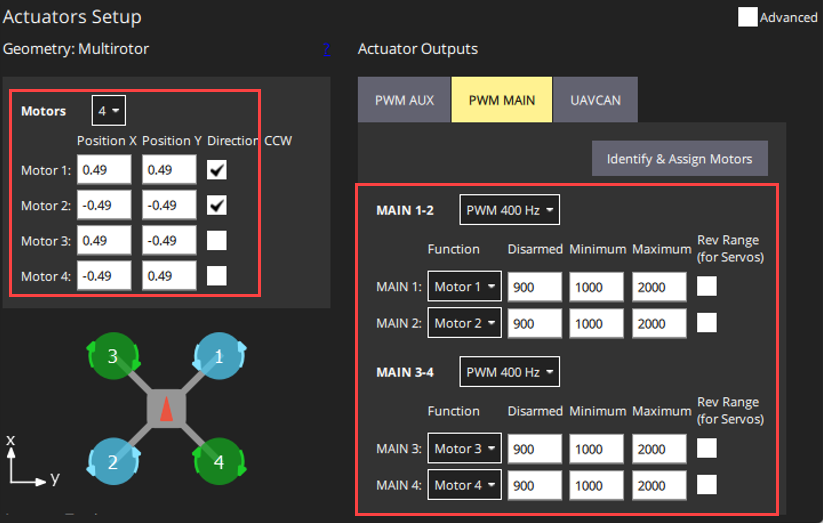
The number of Main channels used should match the required number of motors.
Use only PWM Main channels for motors connected over the PWM interface.
Configure Servos over AUX PWM
If you select the Generic Standard Plane airframe, an option to configure one motor and four servos appears by default. If you need a different number of servos, update the configuration.
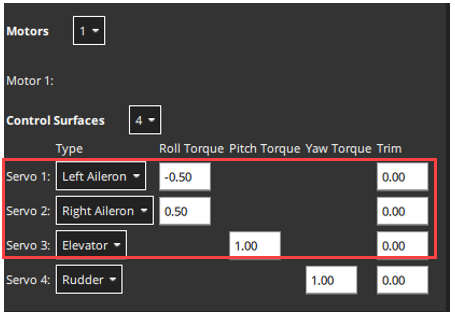
Assign the motor to PWM Main channel 1 as described in the Configure Motors over PWM MAIN section. Assign servos to Aux channels 1-3.
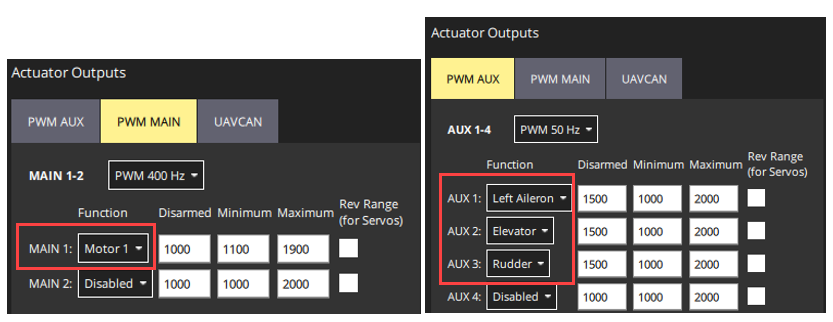
Depending on the number of servos needed, use the corresponding number of Aux channels. Use only PWM Aux channels for servos connected over the PWM interface.
Configure Motors and Servos over UAVCAN
Note
The UAVCAN interface supports only the PX4 Actuator Write block, not the PX4 PWM Output block.
If you choose the Generic Standard Plane airframe, the interface shows an option to configure one motor and four servos by default.
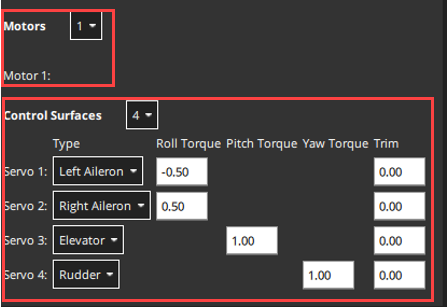
Assign the motor to UAVCAN ESC channel 1 and servos to Servo channels 1-4.
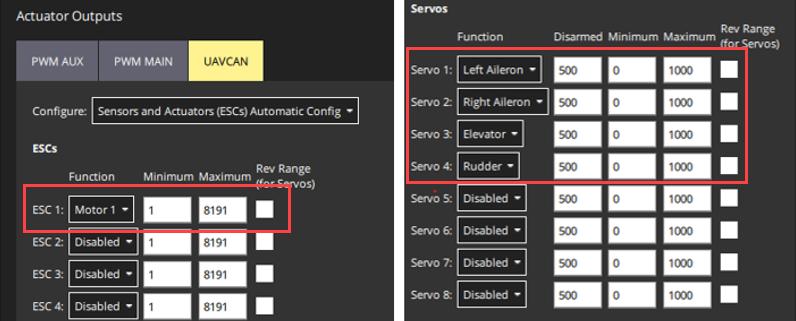
Depending on the number of motors and servos needed, use the corresponding number of ESC channels and Servo channels respectively. Use only ESC channels for motors and servo channels for servos connected over the UAVCAN interface.
Configure Motors and Servos for HITL
Note
HITL actuator configuration is necessary only for the PX4 Actuator Write block and is not required for the PX4 PWM Output block.
Before configuring actuators for HITL, enable HITL on your autopilot.
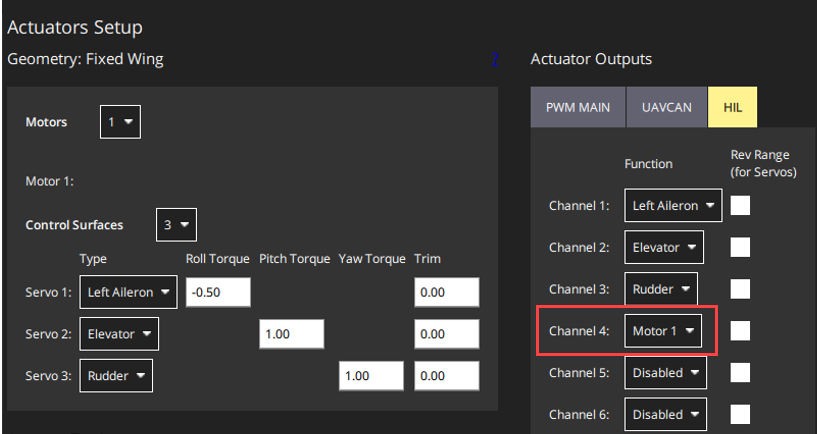
Selecting the Generic Standard Plane airframe with HITL enabled shows a new tab labeled HIL in the Actuator Outputs section.
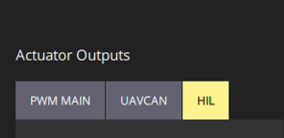
By default, the interface shows the option to configure one motor and four servos. If you require only three servos, you can adjust this to three.
Assign motors and servos to the HIL channels based on the specific needs of your UAV vehicle physics simulation and how Simulation reads the actuator data. For example, if your physics simulation uses control channel 4 of the HIL_ACTUATOR_CONTROLS MAVLink message to simulate motor thrust, assign the motor to the fourth channel.
Configure Motors and Servos for PX4 Host Target
Note
The PX4 Host Target actuator configuration is necessary only for the PX4 Actuator Write block and not for the PX4 PWM Output block.
By default, the PX4® host target shows an option to configure four motors. These four motors are also automatically assigned to the first 4 channels in the SIM tab, by default.
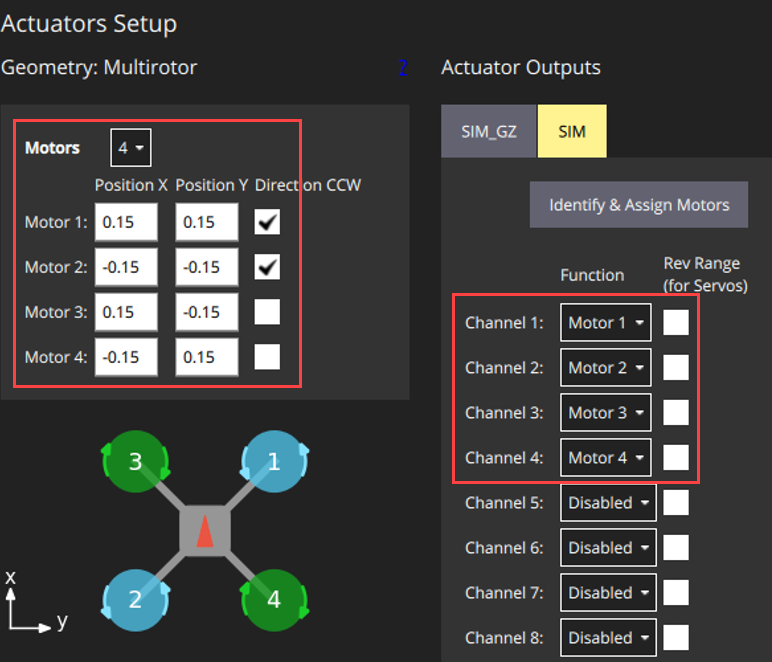
If you select a different airframe, assign the motors and servos in the SIM tab to match your configuration.

