Transmission Line (Three-Phase)
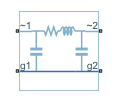
Three-phase transmission line using lumped-parameter pi-section line model
Libraries:
Simscape /
Electrical /
Passive /
Lines
Description
The Transmission Line (Three-Phase) block models a three-phase transmission line using the lumped-parameter pi-line model. This model takes into account phase resistance, phase self-inductance, line-line mutual inductance and resistance, line-line capacitance, and line-ground capacitance.
To simplify the block-defining equations, Clarke’s transformation is used. The resulting equations are:
where:
R is the line resistance for the segment.
Rm is the mutual resistance for the segment.
L is the line inductance for the segment.
M is the value of the Mutual inductance parameter.
Cg is the line-ground capacitance for the segment.
Cl is the line-line capacitance for the segment.
T is the Clarke’s transformation matrix.
I1 is the three-phase current flowing into the
~1port.I2 is the three-phase current flowing into the
~2port.V1 is the three-phase voltage at the
~1port.V2 is the three-phase voltage at the
~2port.
The positive and zero-sequence parameters are defined by the diagonal terms in the transformed equations:
Rearranging these equations gives the physical line quantities in terms of positive and zero-sequence parameters:
Alternatively, you can specify the
positive-sequence and zero-sequence parameters directly by setting the
Parameterization parameter to By positive and
zero-sequence parameters. (since R2026a)
The figure shows the equivalent electrical circuit for a single-segment pi-line model using Clarke’s transformation.

To increase fidelity, you can use the Number of segments parameter to repeat the pi-section N times, resulting in an N-segment transmission line model. More segments significantly slows down your simulation.
To improve numerical performance, you can add parasitic resistance and conductance components. Choosing large values for these components improves simulation speed but decreases simulation accuracy.
Propagation Speeds
The Transmission Line (Three-Phase) calculates the positive-sequence propagation speeds by using these equations:
is the series impedance, in
Ω/Km.is the shunt admittance, in
s/Km.is the propagation constant.
is the propagation speed, in
Km/s, where .
For zero-sequence propagation speed, the equations are the same but R1, L1, C1, Z1, Y1, γ1, and ν1 are R0, L0, C0, Z0, Y0, γ0, and ν0.
Faults
To model a fault in the Transmission Line (Three-Phase) block, in the Faults section, click Add fault next to the fault that you want to model. For more information about fault modeling, see Fault Behavior Modeling and Fault Triggering.
The Transmission Line (Three-Phase) block allows you to model these types of faults:
Single-phase-to-ground fault (a-g, b-g, or c-g)
Two-phase fault (a-b, b-c, or c-a)
Two-phase-to-ground fault (a-b-g, b-c-g, or c-a-g)
Three-phase fault (a-b-c)
Three-phase-to-ground fault (a-b-c-g)
You can model a fault at one of the two three-phase connection ports, at both connection ports at the same time, or at a specific position along the transmission line.
You specify how and when faults occur by using the Trigger type parameter.
If you set the Trigger type to
Timed, the Transmission Line (Three-Phase) block triggers faults when
the simulation time reaches the value you specify for the Trigger fault at time parameter.
If you set the Trigger
type to Conditional, you can choose
whether faults in the Transmission Line (Three-Phase) block are reversible. To model irreversible
faults, click Open fault properties to open the Property
Inspector and select the Trigger stays on once activated
parameter. The block enters the faulted state when the trigger condition becomes
true for the first time and remains in the faulted state for the rest of the
simulation. To model reversible faults, clear the Trigger stays on
once activated parameter. The block enters the faulted state when
the trigger condition is true and enters the unfaulted state when the trigger
condition is false.
For more information about adding faults to blocks and specifying fault triggers, see Introduction to Simscape Faults.
Examples
IEEE 9-Bus System
Model a 9-bus three-phase power system network. This example is based on the IEEE® benchmark test case. For more information, see "Power System Control and Stability" by P. M. Anderson and A. A. Fouad (IEEE Press, 2003).
Marine Full Electric Propulsion Power System
A representative marine half-ship electrical power system with base load, hotel load, bow thrusters and electric propulsion.
Mixed AC/DC System Loadflow
Use the Load Flow Analyzer to review the load flow results of a mixed AC/DC system. The model to which this analysis is applied includes an AC load flow source, a three-phase rectifier, and three loads. One of the loads is AC, one is permanently connected on the DC side, and one is switched on the DC side.
Ports
Conserving
Expandable three-phase electrical conserving port associated with the first port of the transmission line.
Dependencies
To enable this port, set Electrical
connection to Composite three-phase
ports.
Expandable three-phase electrical conserving port associated with the second port of the transmission line.
Dependencies
To enable this port, set Electrical
connection to Composite three-phase
ports.
Electrical conserving port associated with the phase a of port 1.
Dependencies
To enable this port, set Electrical
connection to Expanded three-phase
ports.
Electrical conserving port associated with the phase a of port 2.
Dependencies
To enable this port, set Electrical
connection to Expanded three-phase
ports.
Electrical conserving port associated with the phase b of port 1.
Dependencies
To enable this port, set Electrical
connection to Expanded three-phase
ports.
Electrical conserving port associated with the phase b of port 2.
Dependencies
To enable this port, set Electrical
connection to Expanded three-phase
ports.
Electrical conserving port associated with the phase c of port 1.
Dependencies
To enable this port, set Electrical
connection to Expanded three-phase
ports.
Electrical conserving port associated with the phase c of port 2.
Dependencies
To enable this port, set Electrical
connection to Expanded three-phase
ports.
Electrical conserving port corresponding to ground connection at the
~1 end of the transmission line.
Electrical conserving port corresponding to ground connection at the
~2 end of the transmission line.
Electrical conserving port corresponding to ground connection at fault position 1.
Dependencies
To enable this port, set Accessible ground connections
at section interface to
Yes.
Electrical conserving port corresponding to ground connection at fault position 2.
Dependencies
To enable this port, set Accessible ground connections
at section interface to
Yes.
Parameters
Main
Since R2026a
Whether to model composite or expanded three-phase ports.
Composite three-phase ports represent three individual electrical conserving ports with a single block port. You can use composite three-phase ports to build models that correspond to single-line diagrams of three-phase electrical systems.
Expanded three-phase ports represent the individual phases of a three-phase system using three separate electrical conserving ports.
Programmatic Use
To set the block parameter value programmatically, use
the set_param function.
| Parameter: | port_option |
| Values: | "ee.enum.threePhasePort.composite" (default) | "ee.enum.threePhasePort.expanded" |
Length of the transmission line.
Frequency used for the R, L, C, G specification, where:
R is line resistance per unit length.
L is the line inductance per unit length.
C is the line capacitance per unit length.
G is the line conductance per unit length.
Since R2026a
Option to parameterize the block by using physical line parameters or positive and zero-sequence parameters.
Resistance of the transmission line per phase per-unit length.
Dependencies
To enable this parameter,
set Parameterization to By
physical line parameters. (since R2026a)
Line-line mutual resistance per unit length. The value of this parameter must be less than the value of the Resistance parameter.
Dependencies
To enable this parameter,
set Parameterization to By
physical line parameters. (since R2026a)
Self-inductance of the transmission line per phase per-unit length.
Dependencies
To enable this parameter,
set Parameterization to By
physical line parameters. (since R2026a)
Line-line mutual inductance per-unit length. Set this to
0 to remove mutual inductance. The value of this
parameter must be less than the value of the
Inductance parameter.
Dependencies
To enable this parameter,
set Parameterization to By
physical line parameters. (since R2026a)
Line-line capacitance length, in per-unit.
Dependencies
To enable this parameter,
set Parameterization to By
physical line parameters. (since R2026a)
Line-ground capacitance length, in per-unit.
Dependencies
To enable this parameter,
set Parameterization to By
physical line parameters. (since R2026a)
Since R2026a
Positive-sequence resistance of the transmission line per-unit length.
Dependencies
To enable this parameter, set
Parameterization to By
positive and zero-sequence parameters.
Since R2026a
Zero-sequence resistance of the transmission line per-unit length. The value of this parameter must be greater than the value of the Positive-sequence resistance parameter.
Dependencies
To enable this parameter, set
Parameterization to By
positive and zero-sequence parameters.
Since R2026a
Positive-sequence inductance of the transmission line per-unit length.
Dependencies
To enable this parameter, set
Parameterization to By
positive and zero-sequence parameters.
Since R2026a
Zero-sequence inductance of the transmission line per-unit length. The value of this parameter must be greater than the value of the Positive-sequence inductance parameter.
Dependencies
To enable this parameter, set
Parameterization to By
positive and zero-sequence parameters.
Since R2026a
Positive-sequence capacitance of the transmission line per-unit length.
Dependencies
To enable this parameter, set
Parameterization to By
positive and zero-sequence parameters.
Since R2026a
Zero-sequence capacitance of the transmission line per-unit length. The value of this parameter must be less than the value of the Positive-sequence capacitance parameter.
Dependencies
To enable this parameter, set
Parameterization to By
positive and zero-sequence parameters.
Option to model the transmission line as two sections. You must enable this parameter to add a non-intrusive fault in the Transmission Line (Three-Phase) block.
Number of segments in the pi-line model.
Dependencies
To enable this parameter, set Model two line
sections to No.
Position of the interface in the pi-line model. If you add a non-intrusive fault, this parameter represents the position of the fault in the pi-line model. The value of this parameter must be less than the value of the Line length parameter.
Dependencies
To enable this parameter, set Model two line
sections to Yes.
Number of segments in the first section of the pi-line model. If you add a non-intrusive fault, this parameter represents the number of segments before the fault occurs.
Dependencies
To enable this parameter, set Model two line
sections to Yes.
Number of segments in the second section of the pi-line model. If you add a non-intrusive fault, this parameter represents the number of segments after the fault occurs.
Dependencies
To enable this parameter, set Model two line
sections to Yes.
Option to access the ground connections at the fault position. If you
set this parameter to No, the block
internally connects the ground connections at the fault position to the
electrical reference.
Dependencies
To enable this parameter set Model two line
sections to Yes.
Parasitics
Resistance value, divided by the number of segments, that is added in series with every capacitor in the model.
Conductance value, divided by the number of segments, that is added in parallel with every series resistor and inductor in the model.
Faults
Since R2026a
Option to add a fault to the three-phase connection port ~1 of the block.
To add a fault, click the Add fault hyperlink.
Since R2026a
Type of fault to model for the port ~1 connection fault, specified as one of these options:
Single-phase to ground (a-g)Single-phase to ground (b-g)Single-phase to ground (c-g)Two-phase (a-b)Two-phase (b-c)Two-phase (c-a)Two-phase to ground (a-b-g)Two-phase to ground (b-c-g)Two-phase to ground (c-a-g)Three-phase (a-b-c)Three-phase to ground (a-b-c-g)
The visibility of related parameters depends on the fault model.
Dependencies
To enable this parameter, click the Add fault hyperlink for the Port 1 connection fault parameter.
Since R2026a
Resistance between the phase connection and the neutral point when the fault is active for the port ~1 connection fault.
Dependencies
To enable this parameter, click the Add fault hyperlink for the Port 1 connection fault parameter and set the Fault type parameter to:
Single-phase to ground (a-g)Single-phase to ground (b-g)Single-phase to ground (c-g)Two-phase (a-b)Two-phase (b-c)Two-phase (c-a)Two-phase to ground (a-b-g)Two-phase to ground (b-c-g)Two-phase to ground (c-a-g)Three-phase (a-b-c)Three-phase to ground (a-b-c-g)
Since R2026a
Resistance between the neutral point and the electrical reference when fault is active for the port ~1 connection fault.
Dependencies
To enable this parameter, click the Add fault hyperlink for the Port 1 connection fault parameter and set the Fault type parameter to:
Single-phase to ground (a-g)Single-phase to ground (b-g)Single-phase to ground (c-g)Two-phase to ground (a-b-g)Two-phase to ground (b-c-g)Two-phase to ground (c-a-g)Three-phase to ground (a-b-c-g)
Since R2026a
Conductance between the phase connection and the neutral point when the fault is not active for the port ~1 connection fault.
Dependencies
To enable this parameter, click the Add fault hyperlink for the Port 1 connection fault parameter and set the Fault type parameter to:
Single-phase to ground (a-g)Single-phase to ground (b-g)Single-phase to ground (c-g)Two-phase (a-b)Two-phase (b-c)Two-phase (c-a)Two-phase to ground (a-b-g)Two-phase to ground (b-c-g)Two-phase to ground (c-a-g)Three-phase (a-b-c)Three-phase to ground (a-b-c-g)
Since R2026a
Trigger type, specified as one of these options:
Always On— The fault injects at the start of the simulation.Timed— The fault injects when the simulation time reaches the value you specify for the Trigger fault at time parameter.Additional triggers— The fault injects as a result of additional triggers not available in the block dialog box. Select this option and click the Open fault properties hyperlink to set the Trigger type to one of these values in the Property Inspector:Conditional— The fault injects as a result of a condition that reflects a behavior associated with a signal. Conditionals evaluate the Boolean expression in the Condition parameter at each time step. To learn more, see Create and Manage Conditionals.Manual— The fault injects or clears when you toggle the status in the Fault Dashboard pane. To learn more, see Manually Trigger Faults in Models.
Dependencies
To enable this parameter, click the Add fault hyperlink for the Port 1 connection fault parameter.
Since R2026a
Simulation time at which the block enters the faulted state.
Dependencies
To enable this parameter, click the Add fault
hyperlink for the Port 1 connection fault
parameter and set Trigger type to
Timed.
Since R2026a
Option to enable additional trigger types not available in the block dialog box. To set the
Trigger type parameter to Conditional or
Manual, click the Open fault properties
hyperlink and set the Trigger type in the Property Inspector.
Dependencies
To enable this parameter, click the Add fault
hyperlink for the Port 1 connection fault
parameter and set Trigger type to
Additional triggers.
Since R2026a
Option to add a fault to the three-phase connection port ~2 of the block.
To add a fault, click the Add fault hyperlink.
Since R2026a
Type of fault to model for the port ~2 connection fault, specified as one of these options:
Single-phase to ground (a-g)Single-phase to ground (b-g)Single-phase to ground (c-g)Two-phase (a-b)Two-phase (b-c)Two-phase (c-a)Two-phase to ground (a-b-g)Two-phase to ground (b-c-g)Two-phase to ground (c-a-g)Three-phase (a-b-c)Three-phase to ground (a-b-c-g)
The visibility of related parameters depends on the fault model.
Dependencies
To enable this parameter, click the Add fault hyperlink for the Port 2 connection fault parameter.
Since R2026a
Resistance between the phase connection and the neutral point when the fault is active for the port ~2 connection fault.
Dependencies
To enable this parameter, click the Add fault hyperlink for the Port 2 connection fault parameter and set the Fault type parameter to:
Single-phase to ground (a-g)Single-phase to ground (b-g)Single-phase to ground (c-g)Two-phase (a-b)Two-phase (b-c)Two-phase (c-a)Two-phase to ground (a-b-g)Two-phase to ground (b-c-g)Two-phase to ground (c-a-g)Three-phase (a-b-c)Three-phase to ground (a-b-c-g)
Since R2026a
Resistance between the neutral point and the electrical reference when fault is active for the port ~2 connection fault.
Dependencies
To enable this parameter, click the Add fault hyperlink for the Port 2 connection fault parameter and set the Fault type parameter to:
Single-phase to ground (a-g)Single-phase to ground (b-g)Single-phase to ground (c-g)Two-phase to ground (a-b-g)Two-phase to ground (b-c-g)Two-phase to ground (c-a-g)Three-phase to ground (a-b-c-g)
Since R2026a
Conductance between the phase connection and the neutral point when the fault is not active for the port ~2 connection fault.
Dependencies
To enable this parameter, click the Add fault hyperlink for the Port 2 connection fault parameter and set the Fault type parameter to:
Single-phase to ground (a-g)Single-phase to ground (b-g)Single-phase to ground (c-g)Two-phase (a-b)Two-phase (b-c)Two-phase (c-a)Two-phase to ground (a-b-g)Two-phase to ground (b-c-g)Two-phase to ground (c-a-g)Three-phase (a-b-c)Three-phase to ground (a-b-c-g)
Since R2026a
Trigger type, specified as one of these options:
Always On— The fault injects at the start of the simulation.Timed— The fault injects when the simulation time reaches the value you specify for the Trigger fault at time parameter.Additional triggers— The fault injects as a result of additional triggers not available in the block dialog box. Select this option and click the Open fault properties hyperlink to set the Trigger type to one of these values in the Property Inspector:Conditional— The fault injects as a result of a condition that reflects a behavior associated with a signal. Conditionals evaluate the Boolean expression in the Condition parameter at each time step. To learn more, see Create and Manage Conditionals.Manual— The fault injects or clears when you toggle the status in the Fault Dashboard pane. To learn more, see Manually Trigger Faults in Models.
Dependencies
To enable this parameter, click the Add fault hyperlink for the Port 2 connection fault parameter.
Since R2026a
Simulation time at which the block enters the faulted state.
Dependencies
To enable this parameter, click the Add fault
hyperlink for the Port 2 connection fault
parameter and set Trigger type to
Timed.
Since R2026a
Option to enable additional trigger types not available in the block dialog box. To set the
Trigger type parameter to Conditional or
Manual, click the Open fault properties
hyperlink and set the Trigger type in the Property Inspector.
Dependencies
To enable this parameter, click the Add fault
hyperlink for the Port 2 connection fault
parameter and set Trigger type to
Additional triggers.
Option to add a fault to the section interface of the pi-line model.
To add a fault, click the Add fault hyperlink.
Dependencies
To enable this parameter, set Model two line
sections to Yes.
Type of fault to model for the section interface fault, specified as one of these options:
Single-phase to ground (a-g)Single-phase to ground (b-g)Single-phase to ground (c-g)Two-phase (a-b)Two-phase (b-c)Two-phase (c-a)Two-phase to ground (a-b-g)Two-phase to ground (b-c-g)Two-phase to ground (c-a-g)Three-phase (a-b-c)Three-phase to ground (a-b-c-g)
Dependencies
To enable this parameter:
In the Main settings, set Model two line sections to
Yes.Click the Add fault hyperlink for the Section interface fault parameter.
Resistance between the phase connection and the neutral point when the fault is active for the section interface fault.
Dependencies
To enable this parameter:
In the Main settings, set Model two line sections to
Yes.Click the Add fault hyperlink for the Section interface fault parameter.
Set Fault type to one of these options:
Single-phase to ground (a-g)Single-phase to ground (b-g)Single-phase to ground (c-g)Two-phase (a-b)Two-phase (b-c)Two-phase (c-a)Two-phase to ground (a-b-g)Two-phase to ground (b-c-g)Two-phase to ground (c-a-g)Three-phase (a-b-c)Three-phase to ground (a-b-c-g)
Resistance between the neutral point and the electrical reference when fault is active for the section interface fault.
Dependencies
To enable this parameter:
In the Main settings, set Model two line sections to
Yes.Click the Add fault hyperlink for the Section interface fault parameter.
Set Fault type to one of these options:
Single-phase to ground (a-g)Single-phase to ground (b-g)Single-phase to ground (c-g)Two-phase to ground (a-b-g)Two-phase to ground (b-c-g)Two-phase to ground (c-a-g)Three-phase to ground (a-b-c-g)
Conductance between the phase connection and the neutral point when the fault is not active for the section interface fault.
Dependencies
To enable this parameter:
In the Main settings, set Model two line sections to
Yes.Click the Add fault hyperlink for the Section interface fault parameter.
Set Fault type to one of these options:
Single-phase to ground (a-g)Single-phase to ground (b-g)Single-phase to ground (c-g)Two-phase (a-b)Two-phase (b-c)Two-phase (c-a)Two-phase to ground (a-b-g)Two-phase to ground (b-c-g)Two-phase to ground (c-a-g)Three-phase (a-b-c)Three-phase to ground (a-b-c-g)
Trigger type, specified as one of these options:
Always On— The fault injects at the start of the simulation.Timed— The fault injects when the simulation time reaches the value you specify for the Trigger fault at time parameter.Additional triggers— The fault injects as a result of additional triggers not available in the block dialog box. Select this option and click the Open fault properties hyperlink to set the Trigger type to one of these values in the Property Inspector:Conditional— The fault injects as a result of a condition that reflects a behavior associated with a signal. Conditionals evaluate the Boolean expression in the Condition parameter at each time step. To learn more, see Create and Manage Conditionals.Manual— The fault injects or clears when you toggle the status in the Fault Dashboard pane. To learn more, see Manually Trigger Faults in Models.
Dependencies
To enable this parameter:
In the Main settings, set Model two line sections to
Yes.Click the Add fault hyperlink for the Section interface fault parameter.
Simulation time at which the block enters the faulted state.
Dependencies
To enable this parameter:
In the Main settings, set Model two line sections to
Yes.Click the Add fault hyperlink for the Section interface fault parameter.
Set Trigger type to
Timed.
Option to enable additional trigger types not available in the block dialog box. To set the
Trigger type parameter to Conditional or
Manual, click the Open fault properties
hyperlink and set the Trigger type in the Property Inspector.
Dependencies
To enable this parameter:
In the Main settings, set Model two line sections to
Yes.Click the Add fault hyperlink for the Section interface fault parameter.
Set Trigger type to
Additional triggers.
Extended Capabilities
C/C++ Code Generation
Generate C and C++ code using Simulink® Coder™.
Version History
Introduced in R2013bIn addition to physical signal parameters, you can now parameterize the block by
using positive and zero-sequence parameters directly. To choose the desired
parameterization, set the Parameterization parameter to either
By physical signal parameters or By
positive and zero-sequence parameters.
You can now model a phase-to-ground or a phase-to-phase fault at each of the two three-phase connection ports of the block. To specify the value of the faulted resistances and the unfaulted conductance, use the Faulted phase-neutral resistance, Faulted neutral-ground resistance, and Unfaulted phase-neutral conductance parameters.
The Modeling option parameter has been replaced with the
Electrical connection parameter. You can now also set this
parameter value programmatically by using the set_param
function.
If you created a model containing this block in an earlier release, the software now automatically sets the value of the Electrical connection parameter to the previous value of the Modeling option parameter.
MATLAB Command
You clicked a link that corresponds to this MATLAB command:
Run the command by entering it in the MATLAB Command Window. Web browsers do not support MATLAB commands.
Website auswählen
Wählen Sie eine Website aus, um übersetzte Inhalte (sofern verfügbar) sowie lokale Veranstaltungen und Angebote anzuzeigen. Auf der Grundlage Ihres Standorts empfehlen wir Ihnen die folgende Auswahl: .
Sie können auch eine Website aus der folgenden Liste auswählen:
So erhalten Sie die bestmögliche Leistung auf der Website
Wählen Sie für die bestmögliche Website-Leistung die Website für China (auf Chinesisch oder Englisch). Andere landesspezifische Websites von MathWorks sind für Besuche von Ihrem Standort aus nicht optimiert.
Amerika
- América Latina (Español)
- Canada (English)
- United States (English)
Europa
- Belgium (English)
- Denmark (English)
- Deutschland (Deutsch)
- España (Español)
- Finland (English)
- France (Français)
- Ireland (English)
- Italia (Italiano)
- Luxembourg (English)
- Netherlands (English)
- Norway (English)
- Österreich (Deutsch)
- Portugal (English)
- Sweden (English)
- Switzerland
- United Kingdom (English)


