Manuelle Leistungsoptimierung
R2026aErzielen Sie eine schnellere Simulation mit Ihren Modellen, indem Sie das Modell mithilfe einer oder mehrerer dieser Techniken manuell optimieren. Weitere Informationen finden Sie unter How Optimization Techniques Improve Performance and Accuracy.
Tools
| SimulinkProfiler | Analyze distribution of compilation and execution time among components and blocks |
Funktionen
generateReport | Create report from Simulink Profiler results (Seit R2023a) |
sldiagnostics | Display diagnostic information of Simulink system |
Objekte
Simulink.profiler.Data | Access profiling information created using Simulink Profiler |
Modelleinstellungen
Themen
- Troubleshoot and Speed Up Simulation Performance
Troubleshoot models and simulation settings to diagnose performance issues and speed up simulations.
- Speed Up Simulation
Techniques for improving simulation speed.
- Check and Improve Simulation Accuracy
How to interpret simulation accuracy and incorrect simulations.
- How Simulink Profiler Captures Performance Data
How the Simulink Profiler identifies parts of your model that slow down simulation.
- How Optimization Techniques Improve Performance and Accuracy
Use optimization techniques to understand model behavior and modify model settings to improve performance and accuracy.
- Modeling Techniques That Improve Performance
Approaches for improving model performance.
- Running Multiple Simulations in Simulink
Run multiple simulations from the
parsimandbatchsimcommands, and the Multiple Simulations panel in Simulink® Editor. - Understanding Total Time and Self Time in Profiler Reports
The Simulink Profiler displays the performance of the components of your model and their simulation phases.
Enthaltene Beispiele
Ausführen ausgewählter „Model Advisor“-Prüfungen und Generieren eines Berichts
Dieses Beispiel zeigt, wie Sie ausgewählte „Model Advisor“-Prüfungen für ein Simulink-Modell programmatisch ausführen, die Ergebnisse einzelner Prüfungen abrufen und einen HTML-Bericht mit einer Zusammenfassung der Ergebnisse erstellen. In diesem Workflow wird im Beispiel auf unverbundene Leitungen und nicht übereinstimmende Einheiten innerhalb des Modells geprüft. Dies trägt dazu bei, potenzielle Modellierungsprobleme und Komplexität zu erkennen.
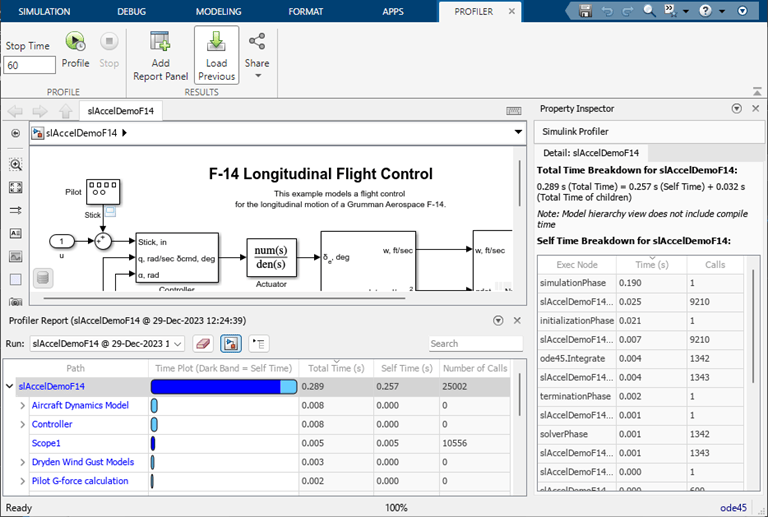
Analyze Simulation Execution Using Simulink Profiler
Identify issues that can contribute to poor simulation performance.
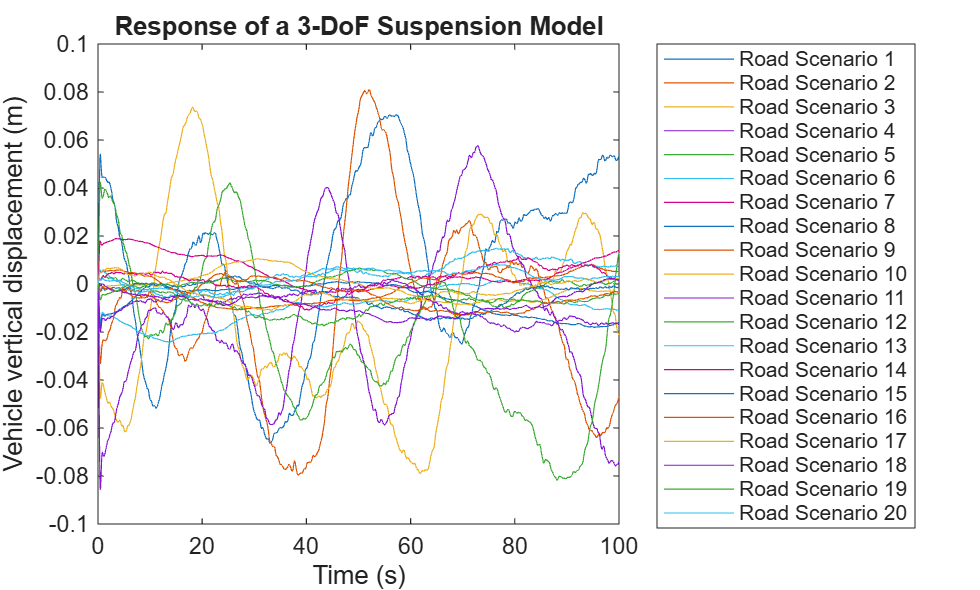
Run Test-Case Sweep Using Parallel Simulations
Run multiple Simulink® simulations corresponding to different test cases using batchsim and Parallel Computing Toolbox™. The batchsim function offloads simulations to a compute cluster, freeing up your local machine so you can continue working while the batch job is processing. While parsim is useful for running parallel simulations on local resources, batchsim is useful for running a large number of computationally expensive simulations. If you do not have Parallel Computing Toolbox, the simulations in this example will run serially.
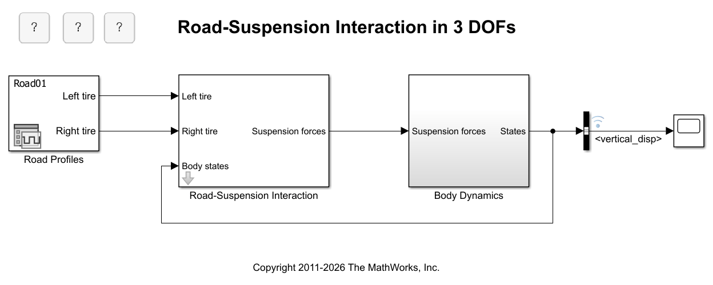
Multiple Simulations Workflow Tips
The goal of this example is to provide helpful tips for running multiple simulations using parallel simulation tools. This example will work even if the Parallel Computing Toolbox™ is not available, but the simulations will run in serial. We will be using the model sldemo_suspn_3dof.

