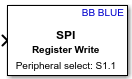
SPI Register Write
R2026bWrite data to registers of an SPI peripheral device
SPI Register Write block
To add a block to a model, double-click the canvas and start typing the block name. Then, select the block from the list.
Libraries:
Simulink Coder Support Package for BeagleBone Blue Hardware /
Communication
Description
Add-On Required: This feature requires the Simulink Coder Support Package for BeagleBone Blue Hardware add-on.
The SPI Register Write block writes the block input data to specified register address. To open the pin map of the BeagleBone® Blue board, click the View pin map button.
Ports
Input
Parameters
Programmatic Use: Add Block
To add the block programmatically, use the add_block function with one of these library block paths as the source.
"bbblueCommlib/SPI Register Write"
Example: add_block("bbblueCommlib/SPI Register Write","myModel/myBlock",MakeNameUnique="on")
Version History
Introduced in R2018b

