Send Joint Configuration
R2026bCommand the UR cobot using the RTDE interface to move to a specified joint configuration
Since R2025a
Send Joint Configuration block
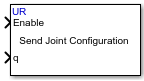
To add a block to a model, double-click the canvas and start typing the block name. Then, select the block from the list.
Libraries:
Robotics System Toolbox Support Package for Universal Robots UR Series Manipulators /
UR RTDE Blocks
Description
The Send Joint Configuration block commands the UR cobot using the RTDE interface to move to a specified joint configuration for completing a trajectory. The block also allows you to specify additional constraints like end time, velocity or acceleration to complete the motion; else, it uses default values for these constraints.
The block sends the commands either in blocking mode or in non-blocking mode. In blocking mode, the model blocks the execution while it waits for the motion to complete. In non-blocking mode, the model runs continuously.
Ports
Input
Parameters
Programmatic Use: Add Block
To add the block programmatically, use the add_block function with one of these library block paths as the source.
"urRTDElib/Send Joint Configuration"
Example: add_block("urRTDElib/Send Joint Configuration","myModel/myBlock",MakeNameUnique="on")
Extended Capabilities
Version History
Introduced in R2025a

