pc2image
R2026bSyntax
Description
im = pc2image(ptCloud,resolution)im, by projecting the point cloud
ptCloud onto the XY-plane and dividing that plane
into square cells whose side length is resolution. Each pixel
represents one cell and stores the maximum Z-value (elevation) of the
points within that cell. Empty cells have a value of 0.
im = pc2image(ptCloud,xres,yres)im, by projecting the point cloud
ptCloud onto the XY-plane and dividing that plane
into rectangular cells whose side lengths are xres along the
X-axis and yres along the
Y-axis. Each pixel represents one cell and stores the maximum
Z-value (elevation) of the points within that cell. Empty cells have a
value of 0.
im = pc2image(___,fillProperty)fillProperty and customFillFcn arguments in the
same function call.
im = pc2image(___,customFillFcn)fillProperty and
customFillFcn arguments in the same function call.
[
additionally returns a 2-D spatial reference
object. Use of
this syntax requires Image Processing Toolbox™.im,indices,spatialRef2D] = pc2image(___)
Examples
Create a lasFileReader object and read point cloud data from a LAZ file.
lasReader = lasFileReader("aerialScene.laz");
ptCloud = readPointCloud(lasReader);
Visualize the point cloud.
figure
pcshow(ptCloud)
title("Input Point Cloud")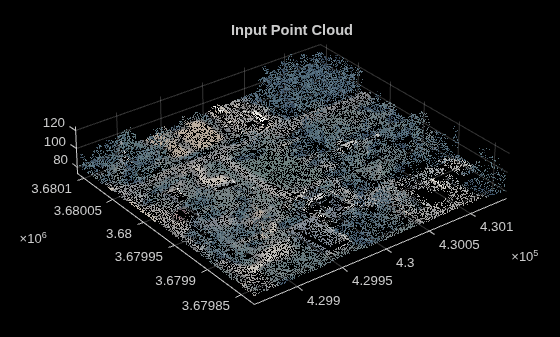
Specify the XY-plane resolution and create a color image from the top surface of the point cloud.
resolution = 0.9;
img = pc2image(ptCloud,resolution,"MaxElevationColor");
Visualize the output image.
figure
imshow(img)
title("Output Image")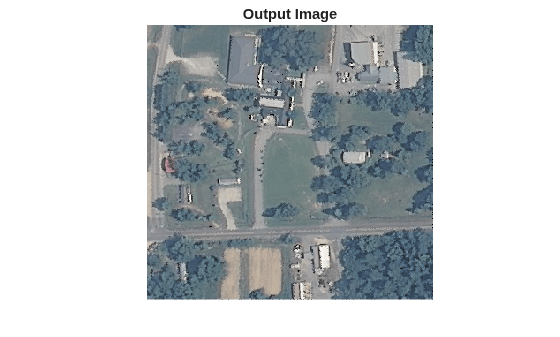
Create a lasFileReader object and read point cloud data from a LAZ file.
lasReader = lasFileReader("aerialScene.laz");
ptCloud = readPointCloud(lasReader);
Visualize the point cloud.
figure
pcshow(ptCloud)
title("Input Point Cloud")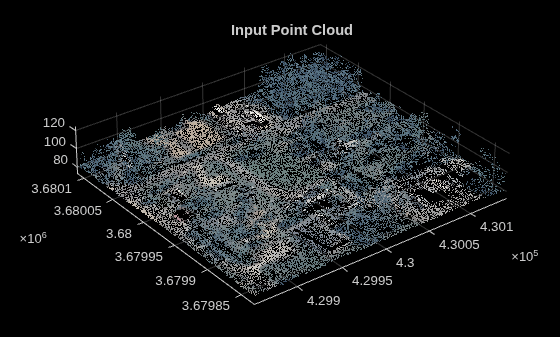
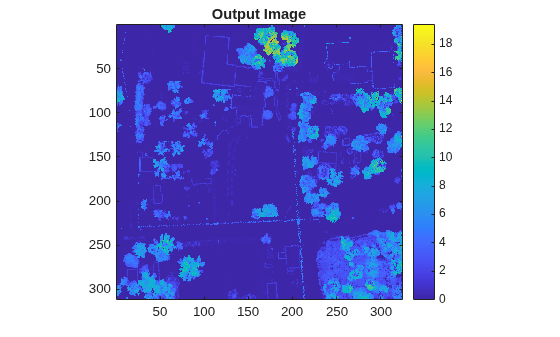
Specify the XY-plane resolution and create an image using a custom fill function. The function computes the standard deviation of Z-coordinates of points projected into each cell. Standard deviation measures the spread of elevation values in a cell and highlights areas with larger local elevation variation.
resolution = 0.9;
customFillFcn = @(S) localElevationStd(S);
img = pc2image(ptCloud,resolution,customFillFcn);
Visualize the output image using the parula colormap. Darker colors indicate regions with low elevation variation, such as flat ground or roads. Brighter colors indicate regions with higher elevation variation, such as vegetation.
figure
imagesc(img)
axis image
colormap(parula)
colorbar
title("Output Image")
Define a custom fill function that computes the standard deviation of elevation values for points in a single projected cell.
function out = localElevationStd(S)

z = S.Location(:,3);
if numel(z) < 2
    out = 0;
else
    out = std(z);
end

end
Input Arguments
Output Arguments
Version History
Introduced in R2026b

