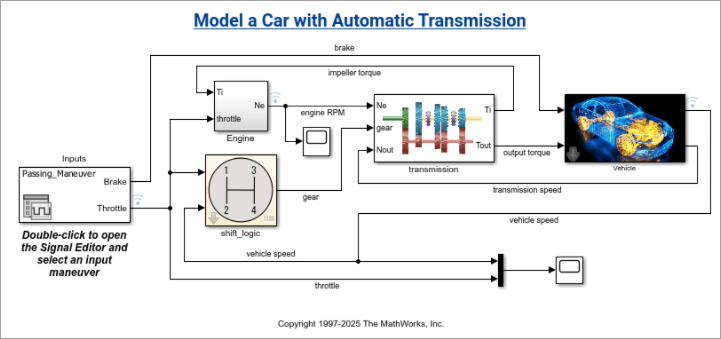
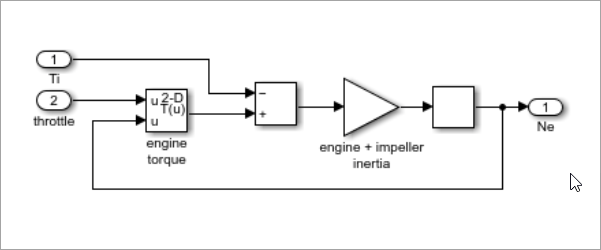
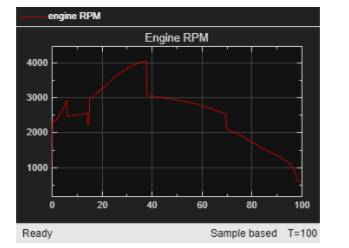
simulinkScreenshot(model) takes a screenshot
of the specified Simulink model, subsystem, or scope result and displays it in a figure
window. The specified model must be loaded before running
simulinkScreenshot.
Simulink model, subsystem, or scope name, specified as a string or character vector.
Supported model types include Simulink models and their subsystems, as well as Stateflow
charts. To specify a subsystem or scope, use the relative path from the model.
Example: simulinkScreenshot("sf_car");
Example: simulinkScreenshot("sf_car/Engine");
Version History
Introduced in R2026b
MATLAB Command
You clicked a link that corresponds to this MATLAB command:
Run the command by entering it in the MATLAB Command Window.
Web browsers do not support MATLAB commands.
Website auswählen
Wählen Sie eine Website aus, um übersetzte Inhalte (sofern verfügbar) sowie lokale Veranstaltungen und Angebote anzuzeigen. Auf der Grundlage Ihres Standorts empfehlen wir Ihnen die folgende Auswahl: .
Sie können auch eine Website aus der folgenden Liste auswählen:
So erhalten Sie die bestmögliche Leistung auf der Website
Wählen Sie für die bestmögliche Website-Leistung die Website für China (auf Chinesisch oder Englisch). Andere landesspezifische Websites von MathWorks sind für Besuche von Ihrem Standort aus nicht optimiert.