Generate Standalone C Code That Detects Edges in Images
R2026bThis example shows how to generate a standalone C library for a MATLAB® function that detects the edges in an image. You can integrate the generated C code into your custom C application.
Examine and Test MATLAB Function
Examine the MATLAB function detectEdges.
type detectEdgesfunction edges = detectEdges(originalImage,threshold) %#codegen kernel = [1 2 1; 0 0 0; -1 -2 -1]; H = conv2(originalImage,kernel,"same"); V = conv2(originalImage,kernel',"same"); E = sqrt(H.*H+V.*V); edges = uint8((E>threshold)*255); end
This function uses the Sobel edge-detection algorithm to calculate the horizontal and vertical intensity gradients in a grayscale image. It convolves a two-dimensional matrix that represents the greyscale image by using orthogonal kernel matrices, then calculates the magnitude of the intensity gradient at each pixel. Finally, it identifies the edges in the image by recording only the pixels for which the change in intensity is greater than the specified threshold value.
To test the MATLAB function, read in a sample RGB image and convert it to grayscale.
im = imread("hello.jpg");
im_gray = rgb2gray(im);
image(im_gray)
colormap(gray(256))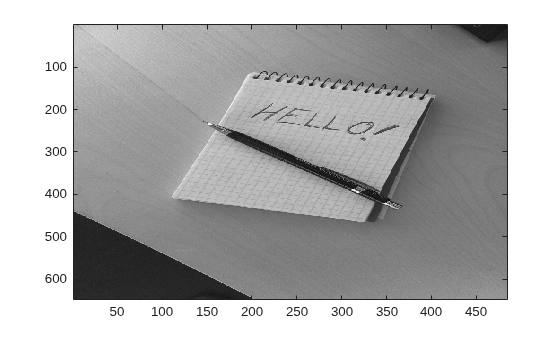
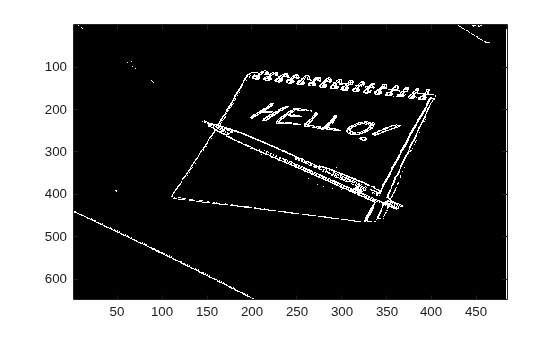
Then, use the detectEdges function with a threshold of 110 to find the edges in the grayscale image.
edgeIm = detectEdges(im_gray,110);
image(edgeIm);
Generate and Run MEX Function
Generate a MEX function for the detectEdges function by using the codegen command. Then, run the generated MEX function to check that the generated code has the same behavior as the original MATLAB code.
By default, the codegen command generates a MEX function in C in the working folder. Use the -args option with the coder.typeof function to specify that the detectEdges function accepts two inputs:
A variable-size matrix of 8-bit unsigned integers, with upper bounds of
1024in both dimensionsA double
codegen detectEdges -args {coder.typeof(uint8(0),[1024,1024],[true,true]),0}
Code generation successful.
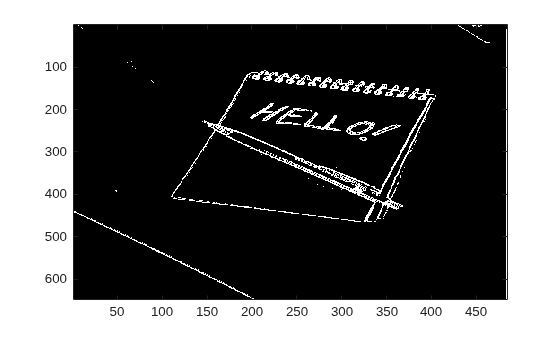
Test the MEX function with the same input that you passed to the original MATLAB function. The MEX function produces the same output.
edgeIm_MEX = detectEdges_mex(im_gray,110);
image(edgeIm_MEX);
Generate and Inspect C Code
Generate a C static library by using the codegen command with the -config:lib option. Use the same -args syntax that you used to generate the MEX function.
codegen -config:lib -O disable:inline detectEdges -args {coder.typeof(uint8(0),[1024,1024],[true,true]),0}
Code generation successful.
The code generator declares the C function detectEdges in the file detectEdges.h. You can use the generated C function in your custom C application.
file = fullfile("codegen","lib","detectEdges","detectEdges.h");
coder.example.extractLines(file,"extern void","#ifdef",1,0)
extern void detectEdges(const emxArray_uint8_T *originalImage, double threshold,
                        emxArray_uint8_T *edges);

