PatternPlotOptions
R2026bPattern overlay options to customize 3-D radiation pattern
Description
The default PatternPlotOptions object creates a preset pattern overlay
options configuration represented by its properties.
Use these options to change:
Transparency of radiation pattern.
Antenna geometry to radiation pattern size ratio.
Pattern magnitude scale.
Antenna position relative to radiation pattern.
Specify the PatternOptions argument in the following pattern
functions using PatternPlotOptions object to apply these overlay options to the
radiation plot.
patternpatternCustompatternFromSlicespatternFromAIpatternMultiplypatternSystem
Creation
Syntax
Description
patternplot = PatternPlotOptions
patternplot = PatternPlotOptions(PropertyName=Value)PropertyName is the property
name and Value is the corresponding value. You can specify several
name-value arguments in any order as
PropertyName1=Value1,...,PropertyNameN=ValueN. Properties that you
do not specify, retain their default values.
For example, patternplot = PatternPlotOptions(Transparency=0.5)
creates an options list for pattern overlay with transparency option's value set to
0.5.
Properties
Examples
Plot the radiation pattern of a helix antenna with transparency specified as 0.5.
p = PatternPlotOptions
p =
  PatternPlotOptions with properties:

      Transparency: 1
         SizeRatio: 0.9000
    MagnitudeScale: []
     AntennaOffset: [0 0 0]
p.Transparency = 0.5;
ant = helix;
pattern(ant,2e9,patternOptions=p)
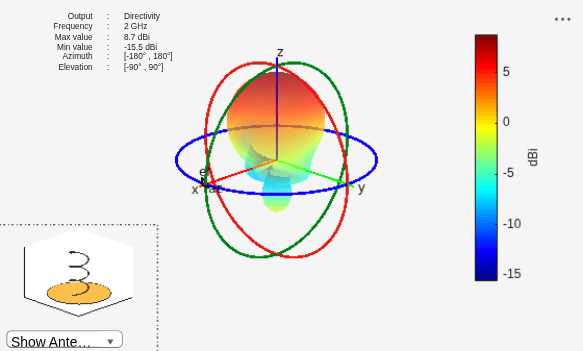
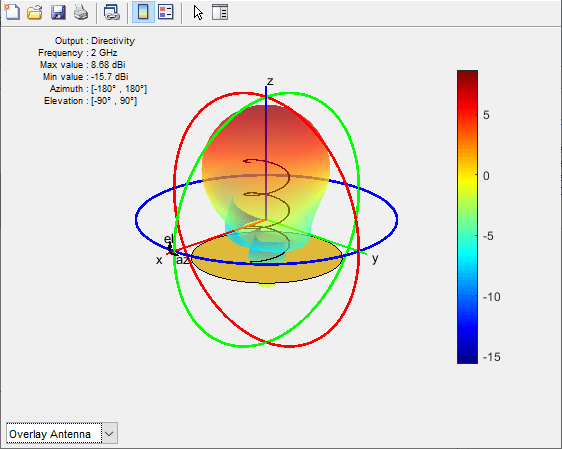
To understand the effect of Transparency, chose Overlay Antenna in the radiation pattern plot.
This option overlays the helix antenna on the radiation pattern.
Version History
Introduced in R2019a

