Julian Date Conversion
R2026bCalculate Julian date or modified Julian date
Julian Date Conversion block
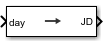
To add a block to a model, double-click the canvas and start typing the block name. Then, select the block from the list.
Libraries:
Aerospace Blockset /
Utilities /
Unit Conversions
Description
The Julian Date Conversion block converts the specified date to the Julian date or modified Julian date.
Limitations
This block is valid for all common era (CE) dates in the Gregorian calendar.
The calculation of Julian date does not take into account leap seconds.
Ports
Input
Clock source for model simulation, specified as a scalar or array.
Dependencies
The presence and label of this port depends on the Time increment parameter.
| Port | Time increment Setting |
|---|---|
day |
|
hour |
|
min |
|
sec |
|
No inport port |
|
Data Types: double
Output
Julian date, returned as a scalar or array.
Dependencies
Data Types: double
Parameters
Year, specified as a scalar, to calculate the Julian date.
Programmatic Use
Block Parameter:
year |
| Type: character vector |
| Values: double, greater than 1 |
Default:
'2013' |
Month to calculate the Julian date. From the list, select the month from
January to
December.
Programmatic Use
Block Parameter:
month |
| Type: character vector |
Values:
'January' | 'February' |
'March' | 'April' |
'May' | 'June' |
'July' | 'August' |
'September' | 'October' |
'November' |
'December' |
Default:
'January' |
Day to calculate the Julian date. From the list, select the day from
1 to 31.
Programmatic Use
Block Parameter:
day |
| Type: character vector |
Values: '1'
| '2' | '3' |
'4' | '5' |
'5' | '6' |
'7' | '8' |
'9' | '10' |
'11' | '12' |
'13' | '14' |
'15' | '16' |
'17' | '18' |
'19' | '20' |
'21' | '22' |
'23' | '24' |
'25' | '26' |
'27' | '28' |
'29' | '30' |
'31' |
Default:
'1' |
Hour used to calculate the Julian date, specified as greater than or equal to
0 and less than 24.
Programmatic Use
Block Parameter:
hour |
| Type: character vector |
Values: double greater than or equal to
0 and less than
24 |
Default:
'0' |
Minutes to calculate the Julian date, specified as a double greater than or equal to
0 and less than 60.
Programmatic Use
Block Parameter:
min |
| Type: character vector |
Values: double greater than or equal to
0 and less than
60 |
Default:
'0' |
Specify the seconds used to calculate the Julian date, specified as a double greater than
or equal to 0 and less than 60. Enter
a number from 0 to 60.
Programmatic Use
Block Parameter:
sec |
| Type: character vector |
Values: double greater than or equal to
0 and less than
60 |
Default:
'0' |
Select this check box to calculate the modified Julian date (MJD) for corresponding elements of the year, month, day, hour, minute, and second.
Dependencies
Selecting this check box changes the output port label to MJD. Clearing this check box changes the output port label to JD.
Programmatic Use
Block Parameter:
modflag |
| Type: character vector |
Values: 'on'
| 'off' |
Default:
'off' |
Time increment between the specified date and the desired model simulation
time. The block adjusts the calculated Julian date to take into account the
time increment from model simulation. For example, selecting
Day and connecting a simulation timer to the port
means that each time increment unit is one day and the block adjusts its
calculation based on that simulation time.
If you select None, the calculated Julian date does not
take into account the model simulation time. Selecting this option removes
the first block input.
Dependencies
This parameter controls the presence and label of output port.
| Time increment Setting | Port |
|---|---|
| day |
| hour |
| min |
| sec |
| No inport port |
Programmatic Use
Block Parameter:
deltaT |
| Type: character vector |
Values:
'Day' | 'Hour' |
'Min' | 'Sec' |
'None' |
Default:
'Day' |
Out-of-range block behavior, specified as follows.
| Action | Description |
|---|---|
| No action. |
| Warning in the Diagnostic Viewer, model simulation continues. |
| Error in the Diagnostic Viewer, model simulation stops. |
Programmatic Use
Block Parameter: errorflag |
| Type: character vector |
Values: 'None' | 'Warning' | 'Error' |
Default: 'Error' |
Extended Capabilities
C/C++ Code Generation
Generate C and C++ code using Simulink® Coder™.
Version History
Introduced in R2013bThe Julian Date Conversion now requires that the hour, minute, and second values are between 0 and the maximum value.
Models created before R2026a with hour, minute, and second values outside these ranges will generate errors.
See Also
MATLAB Command
You clicked a link that corresponds to this MATLAB command:
Run the command by entering it in the MATLAB Command Window. Web browsers do not support MATLAB commands.


Website auswählen
Wählen Sie eine Website aus, um übersetzte Inhalte (sofern verfügbar) sowie lokale Veranstaltungen und Angebote anzuzeigen. Auf der Grundlage Ihres Standorts empfehlen wir Ihnen die folgende Auswahl: .
Sie können auch eine Website aus der folgenden Liste auswählen:
So erhalten Sie die bestmögliche Leistung auf der Website
Wählen Sie für die bestmögliche Website-Leistung die Website für China (auf Chinesisch oder Englisch). Andere landesspezifische Websites von MathWorks sind für Besuche von Ihrem Standort aus nicht optimiert.
Amerika
- América Latina (Español)
- Canada (English)
- United States (English)
Europa
- Belgium (English)
- Denmark (English)
- Deutschland (Deutsch)
- España (Español)
- Finland (English)
- France (Français)
- Ireland (English)
- Italia (Italiano)
- Luxembourg (English)
- Netherlands (English)
- Norway (English)
- Österreich (Deutsch)
- Portugal (English)
- Sweden (English)
- Switzerland
- United Kingdom (English)