Metric Details - Test Status
Description
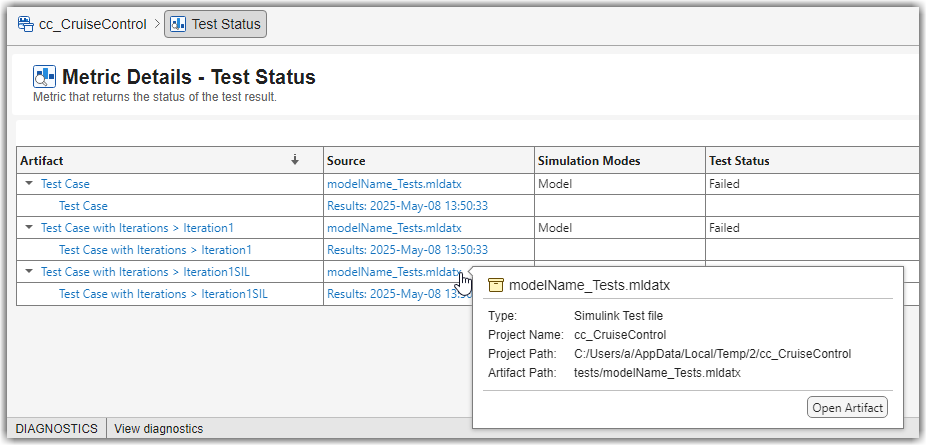
The Metric Details table provides a detailed breakdown of each test in the Test Status metric. The table contains these columns:
Artifact — The individual tests and test results that contribute to the test status metric results. Each test appears as a collapsible row, with its test results shown as indented child rows underneath.
Source — The Simulink® Test™ files that define the tests and the specific test results that the metric uses.
Simulation Modes — The simulation modes that the test executed in, such as Model, Software-in-the-Loop (SIL), and Processor-in-the-Loop (PIL).
Test Status — The current status of the test, based on the most recent test results. The possible statuses are passed, failed, untested, not run, and disabled.
You can open artifacts by using the hyperlinks. To view detailed artifact information, such as the file type and path, point to the hyperlinks to display the tooltip. Additionally, you can sort or filter the metric details by using the controls in the column header.
Supported Artifacts
This widget collects metric results by analyzing the tests and test results in the project folder.
Collecting this metric requires a Simulink Test license.

