stoppreview
Stop previewing video data
Syntax
Description
Examples
This example shows you how to preview image from video input, close preview window and stop previewing.
Create a customized GUI.
figure("Name","My Custom Preview Window");
uicontrol("String","Close","Callback","close(gcf)");
To check the available adaptors on your system first, use the imaqhwinfo function.
imaqhwinfo
ans = struct with fields:
    InstalledAdaptors: {'demo'  'gentl'  'gige'  'kinect'  'matrox'  'winvideo'}
        MATLABVersion: '25.1 (R2025a)'
          ToolboxName: 'Image Acquisition Toolbox'
       ToolboxVersion: '25.1 (R2025a)'
Check the supported format for the adaptor of interest.
info = imaqhwinfo("winvideo");
info.DeviceInfo(2).SupportedFormats
ans = 1×19 cell array
"'RGB24_1024x576'" "'RGB24_1280x720'" "'RGB24_1600x896'" "'RGB24_160x120'" "'RGB24_160x88'" "'RGB24_176x144'" "'RGB24_1920x1080'" "'RGB24_2304x1296'" "'RGB24_2304x1536'" "'RGB24_320x176'" "'RGB24_320x240'" "'RGB24_352x288'" "'RGB24_432x240'" "'RGB24_640x360'" "'RGB24_640x480'" "'RGB24_800x448'" "'RGB24_800x600'" "'RGB24_864x480'" "'RGB24_960x720'"
Create a video object using the videoinput function. Configure the adaptorname, deviceid, and format to correspond with your device's adaptor setting.
obj = videoinput("winvideo",2,"RGB24_800X600");
vidRes = obj.VideoResolution;
nBands = obj.NumberOfBands;
hImage = image(zeros(vidRes(2),vidRes(1),nBands) );
im = preview(obj, hImage);
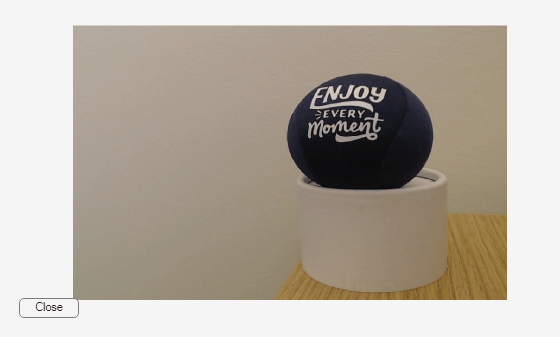
Stop the preview and close the live image preview window after 10 seconds.
pause(10);
stoppreview(obj)
closepreview(obj)
Input Arguments
Version History
Introduced in R2006a

