Perform Pixel-Based Operations on GPU
R2026bThis example shows how to perform pixel-based operations on a GPU by using functions that send both the data and the operations to the GPU for processing. This method is most effective for element-wise operations that require two or more data sets.
Read and display an image.
I = imread("strawberries.jpg");
imageshow(I)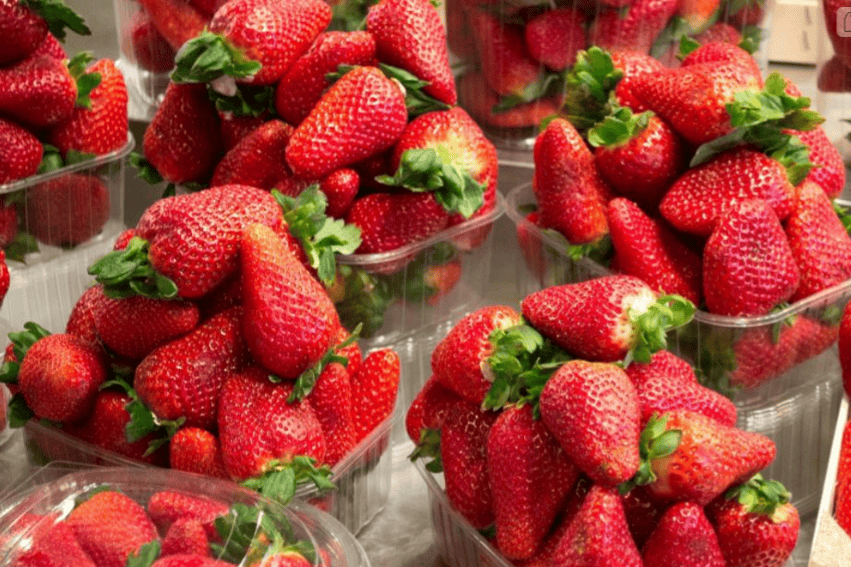
Move the data from the CPU to the GPU by creating a gpuArray (Parallel Computing Toolbox) object.
Igpu = gpuArray(I);
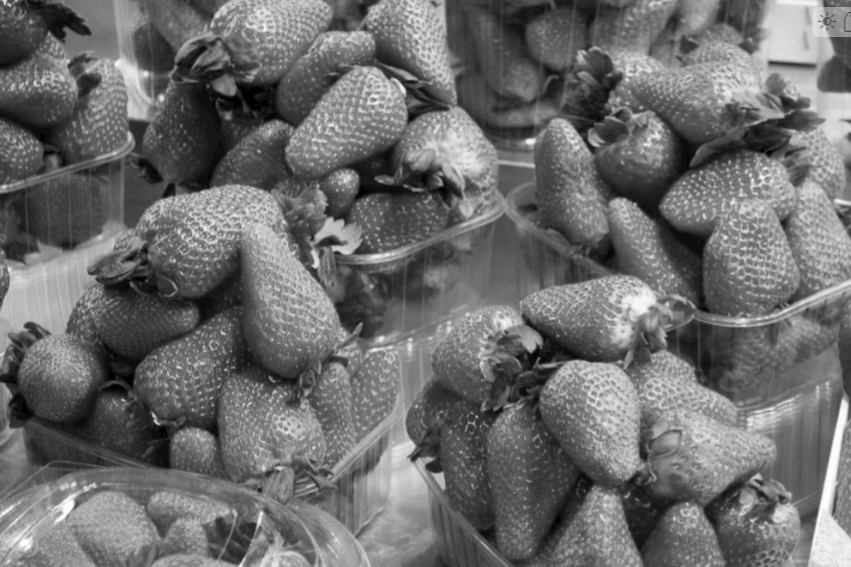
Define a custom image processing function named rgb2gray_custom. The function takes a linear combination of three color channels and returns a single channel output image.
function gray = rgb2gray_custom(r,g,b)
    gray = 0.5*r + 0.25*g + 0.25*b;
end
Run the custom image processing function on the GPU by using the arrayfun (Parallel Computing Toolbox) function. Specify the handle to the custom function and the data on the GPU.
Igray_gpu = arrayfun(@rgb2gray_custom, ...
    Igpu(:,:,1),Igpu(:,:,2),Igpu(:,:,3));
Move the data back to the CPU from the GPU by using the gather (Parallel Computing Toolbox) function.
Igray = gather(Igray_gpu);
Display the result.
imageshow(Igray)
See Also
gpuArray (Parallel Computing Toolbox) | gather (Parallel Computing Toolbox) | arrayfun (Parallel Computing Toolbox)

