High-Level Synthesis Code Generation for LMS Filter
R2026bThis example shows how to generate High-Level Synthesis (HLS) code from a MATLAB® design that implements an LMS filter. The example also shows how to design a test bench that cancels out the noise signal by using this filter.
LMS Filter MATLAB Design
This example uses an LMS (Least Mean Squares) filter, a class of adaptive filter that identifies an FIR filter signal embedded in noise. The top-level function mlhdlc_lms_fcn calculates the optimal filter coefficients to reduce the difference between the output signal and the desired signal.
The MATLAB function is modular and uses functions:
mtapped_delay_fcnto calculate delayed versions of the input signal in vector form.mtreesum_fcnto calculate the sum of the applied weights in a tree structure. Thevsumfunction calculates the individual sum.update_weight_fcnto calculate the updated filter weights based on the least mean square algorithm.
To view the MATLAB function mlhdlc_lms_fcn, enter:
open mlhdlc_lms_fcn.m;
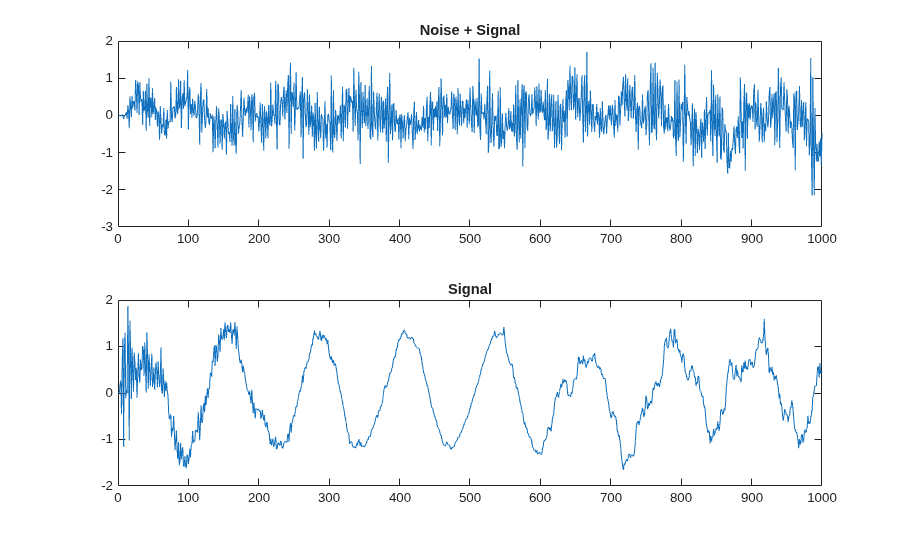
The test bench file mlhdlc_lms_noise_canceler_tb creates an FIR filter system and generates a random input signal. It streams data through the LMS filter design to verify convergence. To view the test bench, enter:
open mlhdlc_lms_noise_canceler_tb.m;
Simulate the Design
Simulate the design with the test bench before code generation to make sure there are no runtime errors.
mlhdlc_lms_noise_canceler_tb
Create HDL Coder™ Project and Generate HLS Code
Before you create the project, set up the HLS tool path by using the function hdlsetuphlstoolpath.
To create the mlhdlc_lms_nc project and open the HDL Workflow Advisor, run this command:
coder -hdlcoder -new mlhdlc_lms_nc
Configure the HDL Workflow Advisor for HLS code generation:
1. In the HDL Workflow Advisor task, set Code Generation Workflow to MATLAB to HLS.
2. In the Define Input Types task, add the design and test bench files:
For MATLAB Function, click Browse and select
mlhdlc_lms_fcn.m.
For MATLAB Test Bench, click + and select
mlhdlc_lms_noise_canceler_tb.m.
3. Click the Run button to run the test bench and infer the input data types of the MATLAB design mlhdlc_lms_fcn.
4. In the Select Code Generation Target task, set Synthesis tool to your target HLS tool.
5. Right-click the HLS Code Generation task and select Run to selected task.
Examine the generated HLS code by clicking the hyperlinks in the HLS Code Generation output logs.
For more information, see Get Started with MATLAB to High-Level Synthesis Workflow Using HDL Coder App.

