Format Generated Code Files by Using Templates
R2026bThis example shows how to use a code generation template (.cgt file) to add custom code banners, rearrange data and functions, and insert or remove additional code segments and documentation into generated code files. Code generation templates can help you to meet your organization's coding standards by applying a consistent layout and appearance to the generated code.
Embedded Coder® provides a default code template file in:
matlabroot/toolbox/rtw/targets/ecoder/ert_code_template.cgt
Base your custom templates on this file and store them on the MATLAB® path. In the Model Configuration Parameters dialog box, specify them on the Code Generation > Templates pane. When you generate code, the code generator imports your templates.
Use Default Code Generation Template
Open the example model CodeTemplate.
model='CodeTemplate';
open_system(model)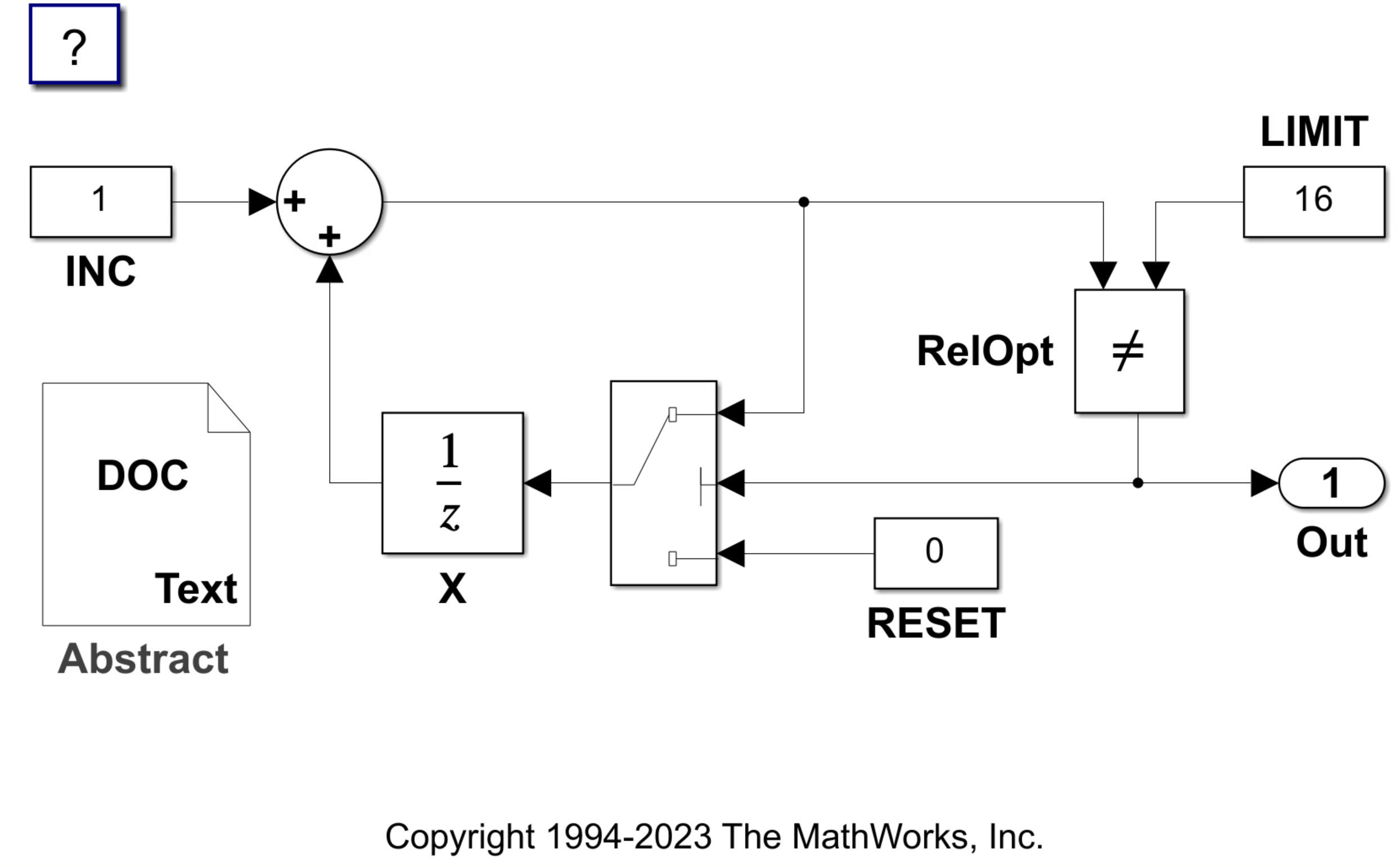
Verify that the model uses the default code generation template.
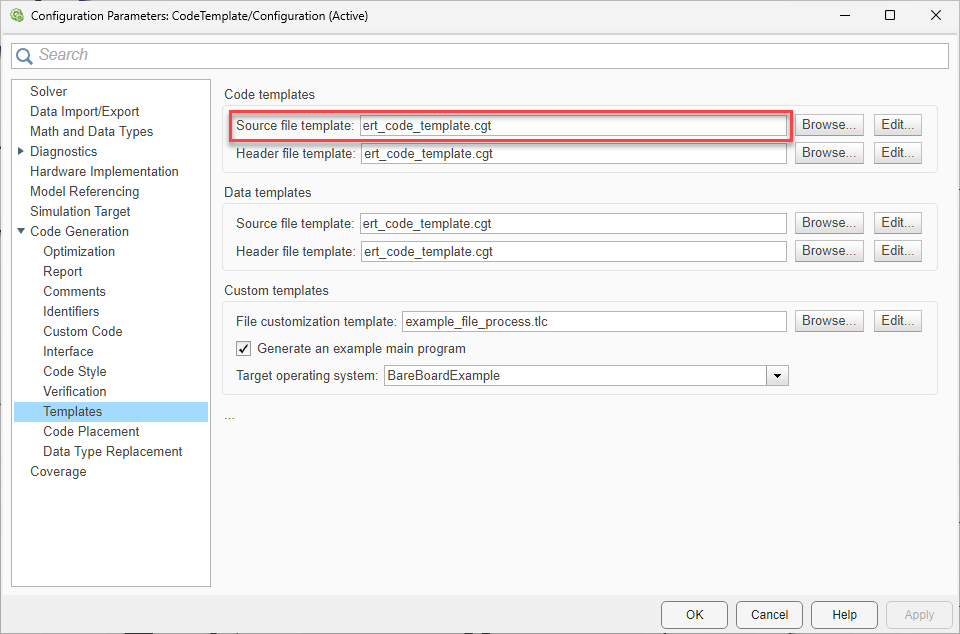
In the Configuration Parameters dialog box, open Code Generation > Templates pane.
In the Code templates section, verify that the Source file template field is set to
ert_code_template.cgt.Click the Edit button beside Source file template. The
ert_code_template.cgttemplate opens in the MATLAB Command Window. Inspect the code template.
Generate code. On the C Code tab, click Build.
evalc('slbuild(model)');Open CodeTemplate.c to inspect the generated code.
file = fullfile("CodeTemplate_ert_rtw","CodeTemplate.c");
coder.example.extractLines(file,"File: CodeTemplate.c","*/",1,1)
 * File: CodeTemplate.c
 *
 * Code generated for Simulink model 'CodeTemplate'.
 *
 * Model version                  : 15.0
 * Simulink Coder version         : 26.2 (R2026b) 22-May-2026
 * C/C++ source code generated on : Fri Aug  7 04:49:50 2026
 *
 * Target selection: ert.tlc
 * Embedded hardware selection: Intel->x86-64 (Windows64)
 * Code generation objectives: Unspecified
 * Validation result: Not run
 */
Specify Code Generation Template
Specify the source file template rtwdemocodetemplate.cgt. This template extracts text from the DocBlock block Abstract and the Model Description tab of the Model Properties dialog box.
In the Code templates section, in the Source file template field, enter rtwdemocodetemplate.cgt.
set_param(model,ERTSrcFileBannerTemplate="rtwdemocodetemplate.cgt");Click the Edit button beside Source file template. The rtwdemocodetemplate.cgt template opens in the MATLAB Command Window. Inspect the code template.
Generate code. On the C Code tab, click Build.
evalc('slbuild(model)');Open the CodeTemplate.c file to inspect the generated code. The text of the Abstract block and Model Properties dialog box appear inside of a custom file banner under the ABSTRACT and MODEL INFORMATION headings, respectively.
file = fullfile("CodeTemplate_ert_rtw","CodeTemplate.c");
coder.example.extractLines(file,"FILE INFORMATION:","additional code segments",1,1)
 * FILE INFORMATION:
 * File name: CodeTemplate.c
 * C source code generated on : Fri Aug  7 04:50:00 2026
 *
 * ABSTRACT:
 * This text maps to the code template %<Abstract> symbol.
 *
 * NOTES:
 *
 *
 * MODEL INFORMATION:
 * Model Name:         CodeTemplate
 * Model Version:      15.0
 * Model Description:  Formatting Generated Files with Templates
 *
 * This example shows how to use code generation templates to add
 * custom code banners, rearrange data and functions, and insert
 * additional code segments and documentation into generated code files.
Modify Code Generation Template
The custom file banner in the generated code displays the timestamp of code generation. If you use a continuous integration system, removing this information might be helpful as checking files into source control can be more efficient without minor comment changes.
Modify the source file template to remove the timestamp. Open the rtwdemocodetemplate.cgt file and remove the following line.
C source code generated on : %<SourceGeneratedOn>
!sed -i '15d' rtwdemocodetemplate.cgtSave the rtwdemocodetemplate.cgt file.
Delete the model cache file and the slprj project directory. Then regenerate code.
delete *.slxc;
rmdir slprj s;
evalc('slbuild(model)');
Open the CodeTemplate.c file and observe that the timestamp is no longer present.
coder.example.extractLines(file,"FILE INFORMATION:","additional code segments",1,1)
 * FILE INFORMATION:
 * File name: CodeTemplate.c
 *
 * ABSTRACT:
 * This text maps to the code template %<Abstract> symbol.
 *
 * NOTES:
 *
 *
 * MODEL INFORMATION:
 * Model Name:         CodeTemplate
 * Model Version:      15.0
 * Model Description:  Formatting Generated Files with Templates
 *
 * This example shows how to use code generation templates to add
 * custom code banners, rearrange data and functions, and insert
 * additional code segments and documentation into generated code files.

