Hauptinhalt

Timer

R2026b

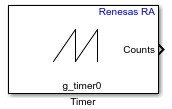
Implement timer functionality using General Purpose Timer (GPT) or Asynchronous General-Purpose Timer (AGT) peripherals

Since R2026b

  • Timer block

Libraries:
Embedded Coder Support Package for Renesas RA Microcontrollers / Renesas RA6 Based

Description

The Timer block implements timer functionality using the General PWM Timer (GPT) or Asynchronous General-Purpose Timer (AGT) peripherals on Renesas RA microcontrollers. The block uses configurable timer instances defined in the RA Smart Configurator project and provides access to timer count values through the FSP (Flexible Software Package) APIs.

The block provides the following capabilities:

  • Read the current timer count value.

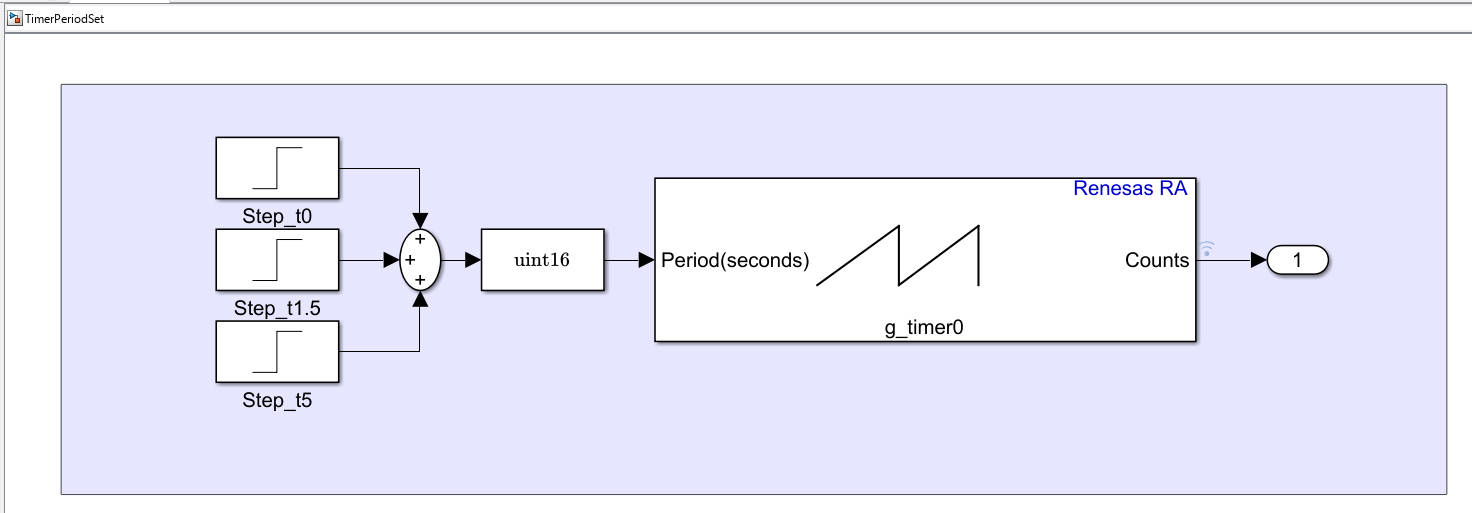
  • Dynamically control the timer period during execution.

  • Start or stop the timer counter during execution.

  • Reset the timer counter on demand.

  • Monitor the FSP API status of timer operations.

The timer starts automatically after initialization and continues counting based on the configured clock source and period settings.

Examples
Ports

Input

expand all

Input value to set the timer period. The interpretation depends on the Specify period as parameter:

  • Seconds — The input value specifies the timer period in seconds. The block converts this value to raw counts based on the timer clock frequency.

  • Raw counts — The input value specifies the timer period directly in counter ticks.

Note

For AGT, period updates take effect immediately. For GPT, period updates take effect after the next timer overflow event. As a result, period changes can take effect at different times depending on the selected timer peripheral.

Dependencies

To enable this port, select the Add an input port to set period parameter.

Data Types: single | double | uint8 | uint16 | uint32

Level-triggered logical signal to start or stop the timer counter during execution. The block evaluates the signal level at each time step.

  • 1 (true) — Timer counter is started.

  • 0 (false) — Timer counter is stopped.

Dependencies

To enable this port, select the Add an input port to enable timer counter parameter.

Data Types: Boolean

Edge-triggered logical signal to reset the timer counter to its initial value. The block resets the counter on the rising edge (transition from 0 to 1).

  • 1 (true) — Timer counter is reset.

  • 0 (false) — No action is performed.

Dependencies

To enable this port, select the Add an input port to reset counter parameter.

Data Types: Boolean

Output

expand all

Outputs the current timer counter value as a uint32 value. The count value increments or decrements based on the configured count direction and clock source.

Data Types: uint32

Outputs the status of the timer FSP API operations as an int32 value.

  • 0 (FSP_SUCCESS) — The operation completed successfully.

  • >0 — An error occurred. The value represents the specific FSP error code.

Dependencies

To enable this port, select the Output status parameter.

Data Types: int32

Parameters

expand all

Specify the name of the timer stack instance (GPT or AGT) as configured in the RA Smart Configurator (RASC) project. Click Browse to select from available timer stack instances defined in the project.

Programmatic Use

Block Parameter: TimerModule

When you select this parameter, the block adds a Period input port that allows you to dynamically set the timer period during execution.

Programmatic Use

Block Parameter: EnablePeriodInput

Select the unit for the period input value.

  • Seconds — The period input value is specified in seconds. The block converts this value to raw counts based on the timer clock frequency.

  • Raw counts — The period input value is specified directly in counter ticks.

Note

When using Seconds with the r_gpt timer stack, the block uses the GPT source clock frequency configured in RASC to convert the period value to raw counts. Ensure that the source clock divider configured in RASC matches the intended timer resolution.

Dependencies

To enable this parameter, select the Add an input port to set period parameter.

Programmatic Use

Block Parameter: SpecifyPeriodAs

When you select this parameter, the block adds an Enable input port that allows you to start or stop the timer counter during execution.

Programmatic Use

Block Parameter: EnableTimerCounterInput

When you select this parameter, the block adds a Reset input port that allows you to reset the timer counter to its initial value on demand.

Programmatic Use

Block Parameter: EnableResetCounterInput

When you select this parameter, the block adds a Status output port that reports the status of timer FSP API operations as an int32 value.

Programmatic Use

Block Parameter: OutputStatus

Specify how often (in seconds) the block reads the timer count value. Enter a value greater than zero. When you specify this parameter as -1, Simulink® determines the best sample time for the block based on the block context within the model.

Programmatic Use

Block Parameter: SampleTime

Version History

Introduced in R2026b