Analog To Digital Converter
R2026bAnalog To Digital Converter block
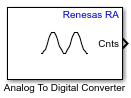
To add a block to a model, double-click the canvas and start typing the block name. Then, select the block from the list.
Libraries:
Embedded Coder Support Package for Renesas RA Microcontrollers /
Renesas RA6 Based
Description
Use the Analog to Digital Converter block to convert the analog value at
an ADC input pin to a digital value. This block uses the r_adc_b ADC
peripheral, which is available on the RA6T2 device series. The block output is a
1-by-N row vector depending on the number of conversions N. The block
measures the voltage of an analog pin relative to the analog input reference voltage on
Renesas RA Microcontrollers.
Note
Continuous scan mode is not supported. The block performs single-scan conversions only.
Examples
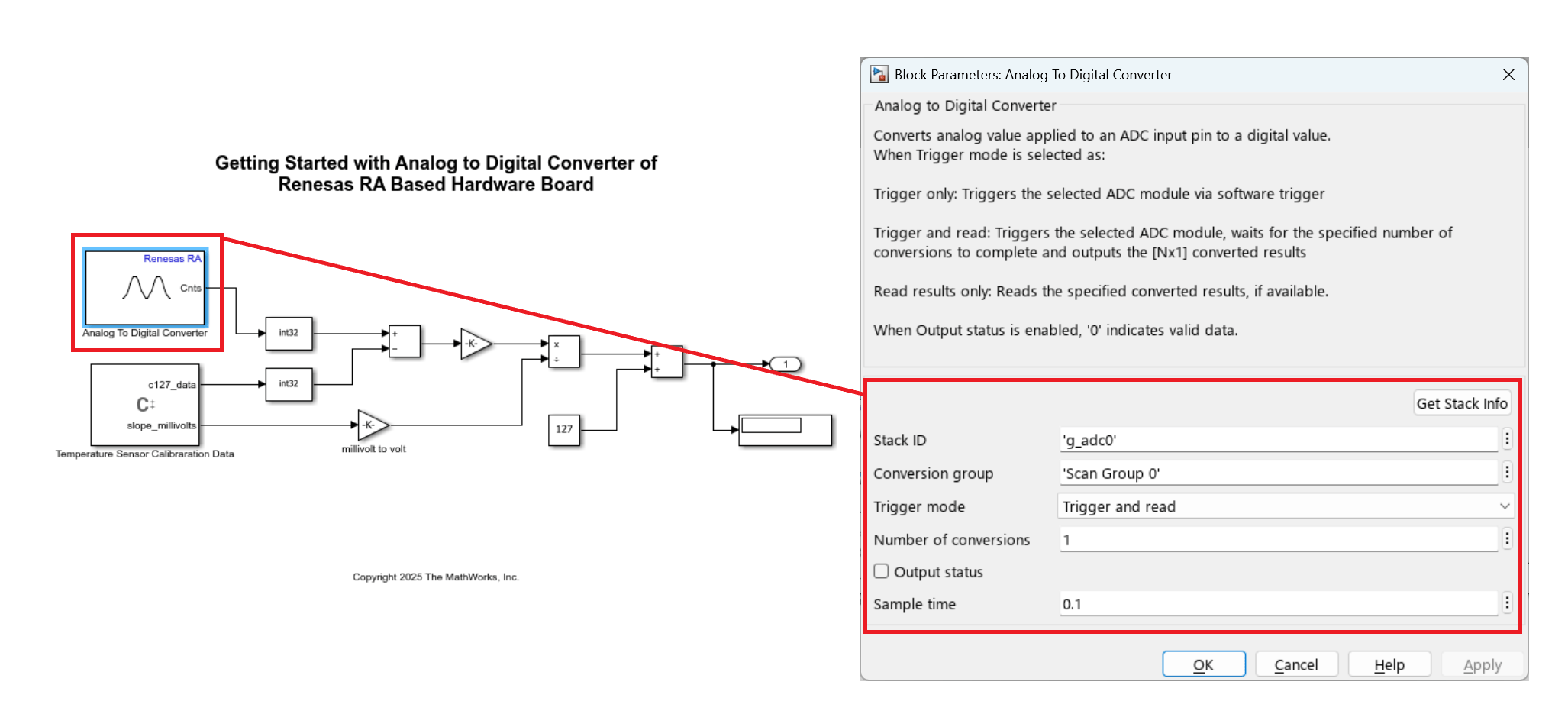
Using Analog to Digital Converter Block with Renesas RA Microcontrollers
Digitize analog signals on Renesas® RA microcontrollers using the Analog to Digital Converter (ADC) block in Simulink® with Embedded Coder® Support Package for Renesas RA Microcontrollers. In this example, you measure the on-chip temperature sensor on a Renesas MCK-RA6T2 board and convert raw ADC values into temperature readings.
Ports
Input
Convert analog signal on ADC input pin to digital signal.
Triggers the ADC input pin for conversion.
1- ADC start of conversion is triggered0- ADC start of conversion is not triggered
Dependencies
To enable this port, set the Trigger mode parameter
to Trigger only.
Data Types: Boolean
Output
The block outputs the digital values of selected analog channels converted
from the Analog to Digital Converter (ADC) as a 1-by-N row
vector, where N is the number of conversions.
Dependencies
To enable this port, set the Trigger mode parameter
to either Trigger and read or Read results
only.
Data Types: uint16
The block outputs the ADC block status.
When the trigger mode is Trigger and Read or Read results only the block outputs the following status:
0- output counts are valid.1- output counts are not available or overrun flag is set.
When the trigger mode is Trigger only the block outputs the following status:
0- when ADC is triggered1- when ADC is not triggered
Dependencies
To enable this port, select the Output status parameter.
Data Types: int32
Parameters
Specify the unique identifier for the ADC stack to be used for conversion. This string links the Analog to Digital Converter block to a specific ADC hardware instance or configuration. Click Get Stack Info to retrieve the Stack ID from the linked RA Smart Configurator project, or specify it manually in character array format.
Programmatic Use
Block Parameter:
StackID
|
Select Scan Group 0 or Scan Group 1 for
ADC conversion within the selected ADC module.
Programmatic Use
Block Parameter:
GroupId
|
Select how conversion is handled for this block. Some options trigger a new conversion, while option such as Read results only simply read the result of a previous conversion without starting a new one.
Trigger and read— Select this option to trigger ADC start of conversion at every sample time. The block output waits until the conversion is complete and emits the results. This option enables the output port Cnts.Trigger only— Use this option to trigger start of ADC conversion of specified conversion group with Stack ID and Conversion group in triggered or enabled subsystems. As the block does not show the conversion results in this mode, use another Analog to Digital Converter block with the Trigger mode parameter set to Read results only to display the conversion results.Read results only— Select this option to read converted data. Check the Output status port to determine data validity:0indicates a successful read; any nonzero value indicates an error. This option also enables the output port Cnts.
Programmatic Use
Block Parameter:
TriggerMode
|
Specify the number of conversions the ADC module should perform in one
operation. This value determines how many analog-to-digital conversion results
will be read and output by the block. The block will wait for the specified number
of conversions to complete before outputting the results as a
1-by-N row vector, where N is the number
of conversions.
Note
Set the number of conversions to match the number of channels configured for the scan group in the RA Smart Configurator (RASC) project.
Dependencies
To enable this parameter, set the Trigger mode
parameter to either Trigger and read or
Read results only.
Programmatic Use
Block Parameter:
NumberOfConversions
|
When you select this parameter, the block configures Status output port. The Status port outputs the status of the ADC conversion.
Programmatic Use
Block Parameter:
OutputStatus
|
Specify how often (in seconds) the block reads the pin value. Enter a value greater than zero. When you specify this parameter as -1, Simulink® determines the best sample time for the block based on the block context within the model.
Dependencies
To enable the Sample time parameter, set the
Trigger mode parameter to either Trigger
and read or Read results
only.
Programmatic Use
Block Parameter:
SampleTime
|
Version History
Introduced in R2026a
MATLAB Command
You clicked a link that corresponds to this MATLAB command:
Run the command by entering it in the MATLAB Command Window. Web browsers do not support MATLAB commands.
Website auswählen
Wählen Sie eine Website aus, um übersetzte Inhalte (sofern verfügbar) sowie lokale Veranstaltungen und Angebote anzuzeigen. Auf der Grundlage Ihres Standorts empfehlen wir Ihnen die folgende Auswahl: .
Sie können auch eine Website aus der folgenden Liste auswählen:
So erhalten Sie die bestmögliche Leistung auf der Website
Wählen Sie für die bestmögliche Website-Leistung die Website für China (auf Chinesisch oder Englisch). Andere landesspezifische Websites von MathWorks sind für Besuche von Ihrem Standort aus nicht optimiert.
Amerika
- América Latina (Español)
- Canada (English)
- United States (English)
Europa
- Belgium (English)
- Denmark (English)
- Deutschland (Deutsch)
- España (Español)
- Finland (English)
- France (Français)
- Ireland (English)
- Italia (Italiano)
- Luxembourg (English)
- Netherlands (English)
- Norway (English)
- Österreich (Deutsch)
- Portugal (English)
- Sweden (English)
- Switzerland
- United Kingdom (English)
