SHARC Hardware Interrupt
Generate Interrupt Service Routine
Library
Embedded Coder®/ Embedded Targets/ Processors/ Analog Devices® SHARC®/ Scheduling
Description
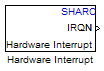
Create interrupt service routines (ISR) in the software generated by the build process. When you incorporate this block in your model, code generation results in ISRs on the processor that either run the processes that are downstream from this block or trigger an Idle Task block connected to this block.
Parameters
- Interrupt numbers
Specify an array of interrupt numbers for the interrupts to install. The valid ranges are 8-36 and 38-40.
The width of the block output signal corresponds to the number of interrupt numbers specified in this field. The values in this field and the preemption flag entries in Preemption flags: preemptable-1, non-preemptable-0 define how the code and processor handle interrupts during asynchronous scheduler operations.
- Simulink task priorities
Each output of the Hardware Interrupt block drives a downstream block (for example, a function call subsystem). Simulink® model task priority specifies the priority of the downstream blocks. Specify an array of priorities corresponding to the interrupt numbers entered in Interrupt numbers.
Code generation requires rate transition code. Refer to Rate Transitions and Asynchronous Blocks. The task priority values facilitate absolute time integrity when the asynchronous task must obtain real time from its base rate or its caller. Typically, assign priorities for these asynchronous tasks that are higher than the priorities assigned to periodic tasks.
- Preemption flags preemptable – 1, non-preemptable – 0
Higher-priority interrupts can preempt interrupts that have lower priority. To allow you to control preemption, use the preemption flags to specify whether an interrupt can be preempted.
Entering
1indicates that the interrupt can be preempted.Entering
0indicates the interrupt cannot be preempted.
When Interrupt numbers contains more than one interrupt value, you can assign different preemption flags to each interrupt by entering a vector of flag values to correspond to the order of the interrupts in Interrupt numbers. If Interrupt numbers contains more than one interrupt, and you enter only one flag value in this field, that status applies to all interrupts.
In the default settings
[0
                                    1]
, the interrupt with priority18in Interrupt numbers is not preemptable and the priority39interrupt can be preempted.- Enable simulation input
When you select this option, Simulink software adds an input port to the Hardware Interrupt block. This port is used in simulation only. Connect one or more simulated interrupt sources to the simulation input.
Version History
Introduced in R2011a

