Register GNU Tools for ARM Embedded Processors Toolchain for Code Generation
R2026bSetup and register a different version of GNU Tools for ARM Embedded Processors Toolchain compiler other than the current installed version with the support package for code generation.
To register the GNU Tools for ARM Embedded Processors toolchain, follow the hardware setup instructions.
Enter the following command at MATLAB command prompt to open hardware setup window.
obj = matlabshared.toolchain.gnu_gcc_arm.ui.ArmGnuToolsSetupWorkflow
 launch(obj)
In the Register GNU Tools for ARM Embedded Processors window, clear Use GNU Tools for ARM Embedded Processors package downloaded and installed with support package to use a different version other than the current version provided with the installed support package.
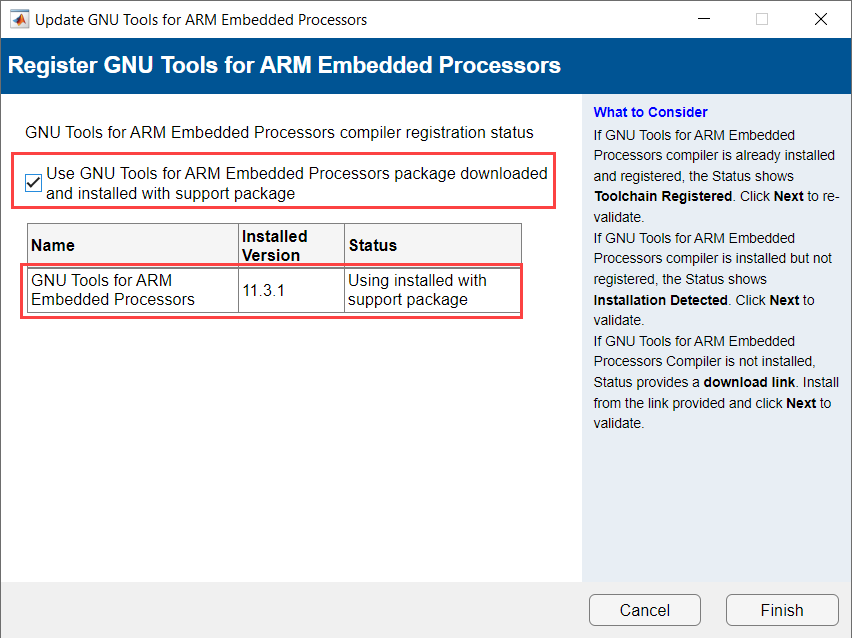
Click Next.
In the Validate GNU Tools for ARM Embedded Processors Compiler Installation Path window, click Browse and locate the GNU Tools for ARM Embedded Processors compiler installation folder path.
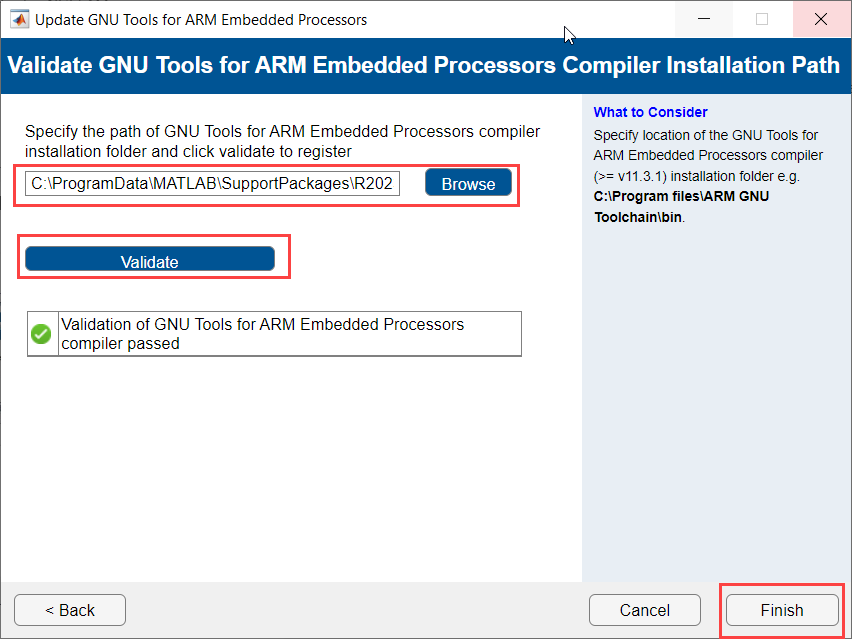
Click Validate.
Click Finish If the validation of GNU Tools for ARM Embedded Processors Compiler is successful.

